Aimsio takes every step to protect the integrity of your data. While it’s possible to select items for deletion, in most cases Aimsio will preserve a record of that data and allow you to view or restore it back to its original state.
The ability to delete items is controlled by the roles and permission settings in your account. If you would like to make a change to which users can delete and restore, please reach out to our Support team.
How to Delete an Item
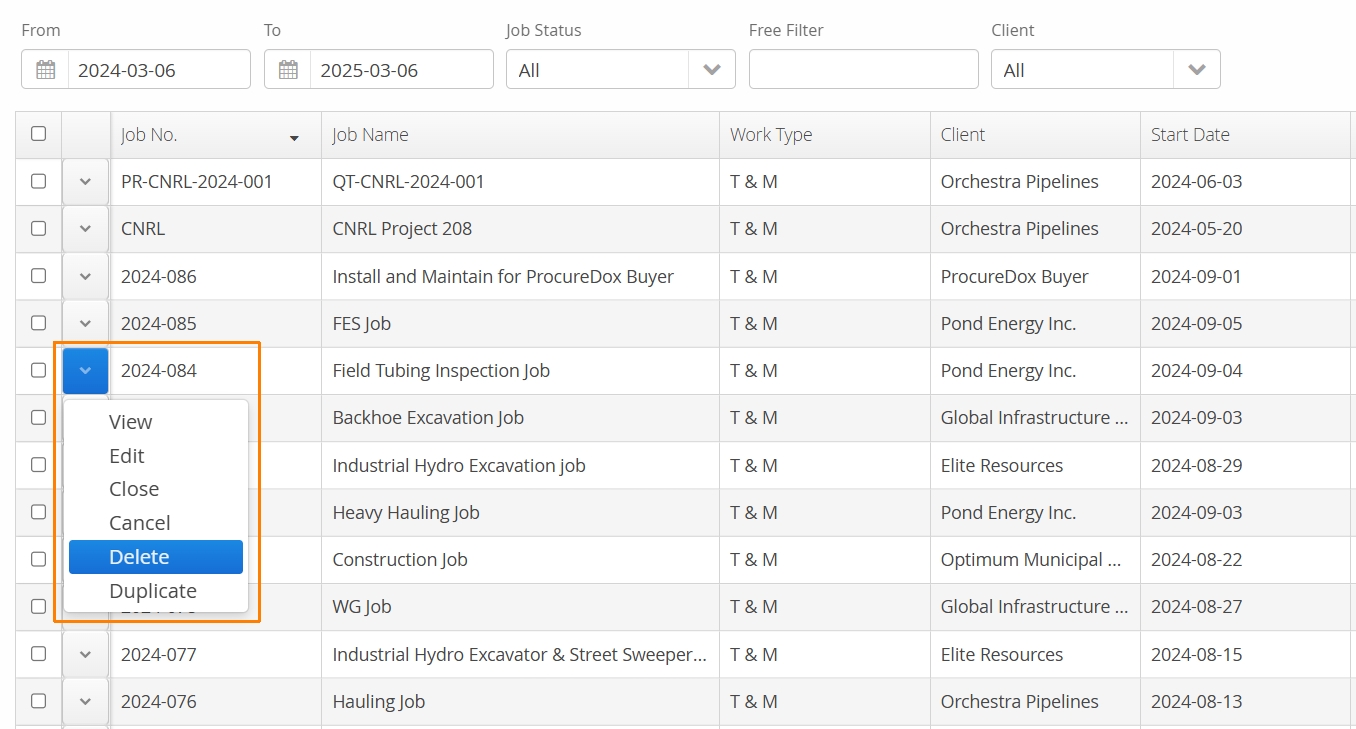
Authorized users can use the Action button located on the left of an item in Aimsio and select Delete. Aimsio will confirm whether you want to delete the selected item, select OK.
How to Find Deleted Items
Once an item has been deleted, it will be hidden from view. The process of viewing deleted items will be dependent on the page you are currently viewing.
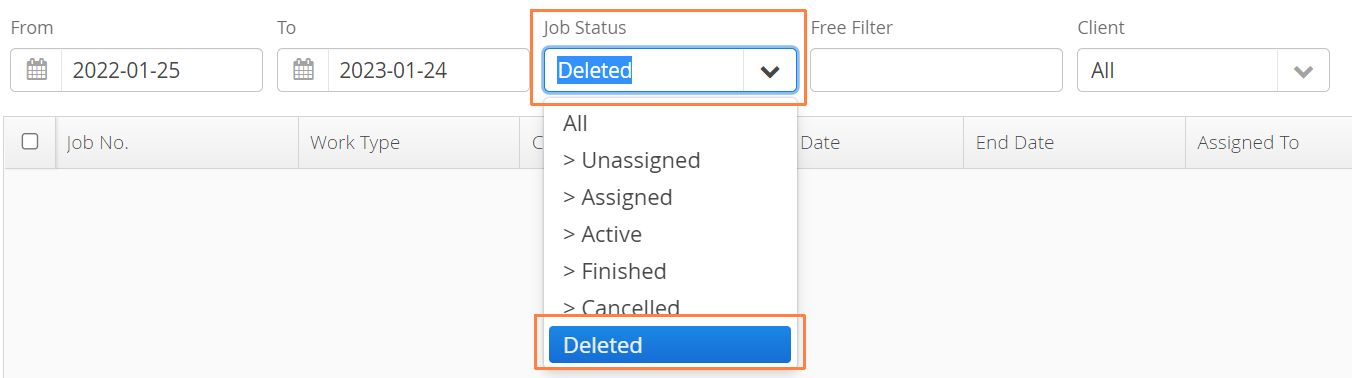
- In the Jobs module, selected Deleted from the Job Status filter to view all deleted Jobs.
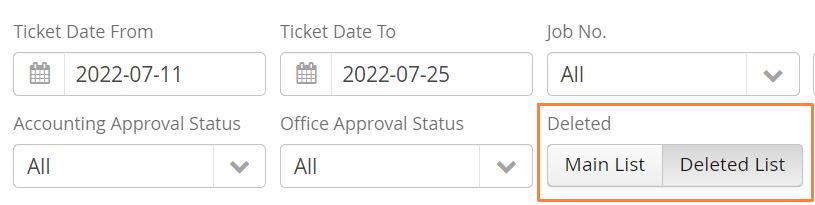
- Ticket, Timesheets and Master Data listings will provide a quick filter. Select Deleted List to view all deleted items.
How to Restore a Deleted Item
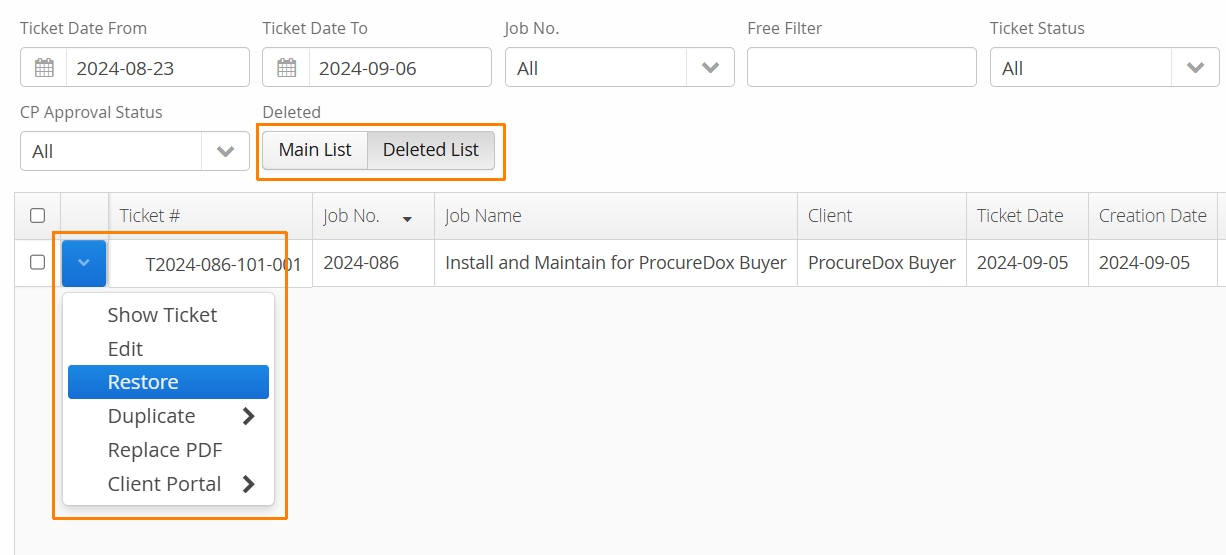
If data has been deleted accidentally, authorized users can restore it using the Action button beside the item and selecting Restore.
Most items that have been deleted can be restored. Invoices cannot be restored. If an invoice has been deleted, it will have to be recreated. For more information see our Invoices guide.