Aimsio invoices support retainage, sometimes referred to as ‘holdbacks’. This allows accounts to select a percentage of funds to be held back, each time a client is invoiced. These funds can be released on a future invoice.
How to Hold Back Funds on an Invoice
When an invoice is being created (or edited), locate the Retainage % field at the bottom right of the invoice.
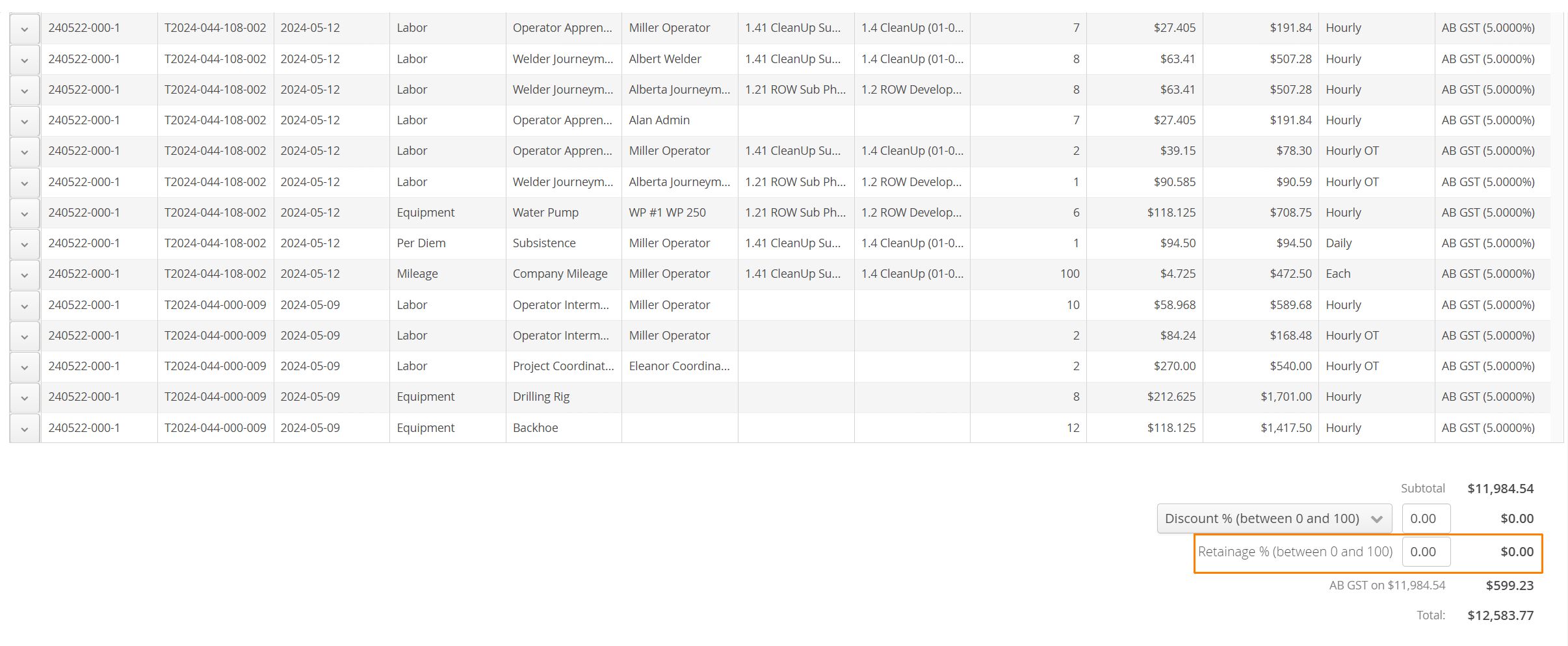
- Enter the percentage of funds to be held back and click Save when finished.
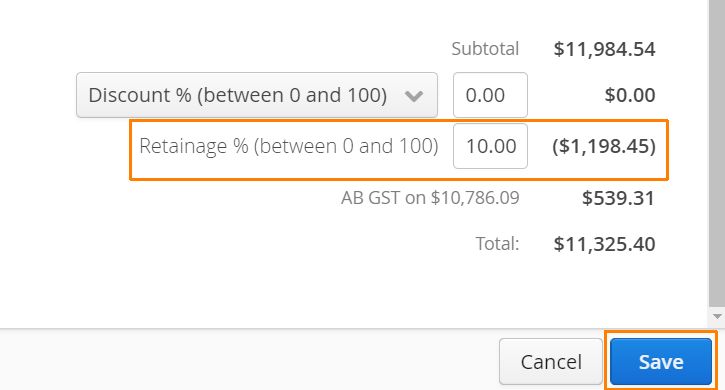
Aimsio will withhold the amount requested, along with any applicable tax related to the total percentage being withheld. In other words, when we select 10% retainage, we holdback 10 percent of the original invoice, as well as the equivalent amount of applicable tax associated to whatever that 10% amounts to, bearing there was a sales tax rate associated to the original invoice at the time retainage is saved.
How to Release Retainage on an Invoice
On a subsequent invoice for the same Job, select the Release Retainage button to add any remaining balance as a line item on the invoice.
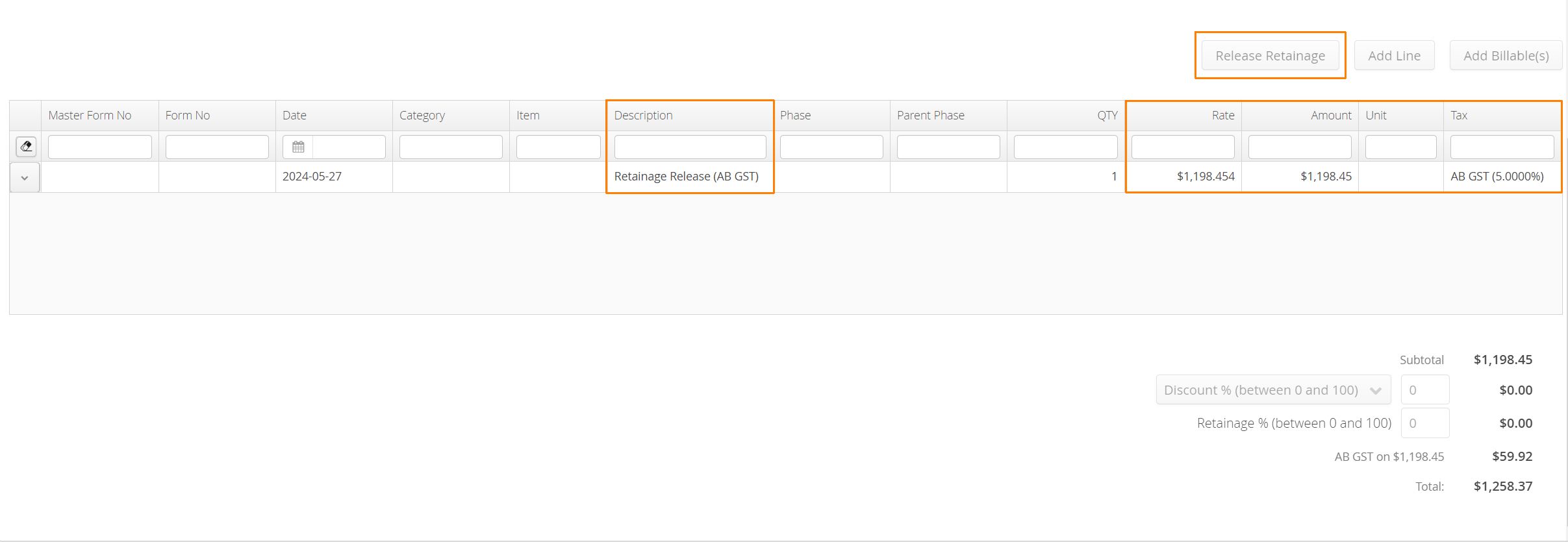
Aimsio will return the full amount held back, including any sales tax associated with invoices at the time retainage was withheld.
How to Release Partial Retainage Amounts
Accounts can edit the amounts being released on an invoice, making partial amounts possible. When a retainage invoice is created, amounts can be changed by double-clicking the Rate column and making an adjustment before saving.
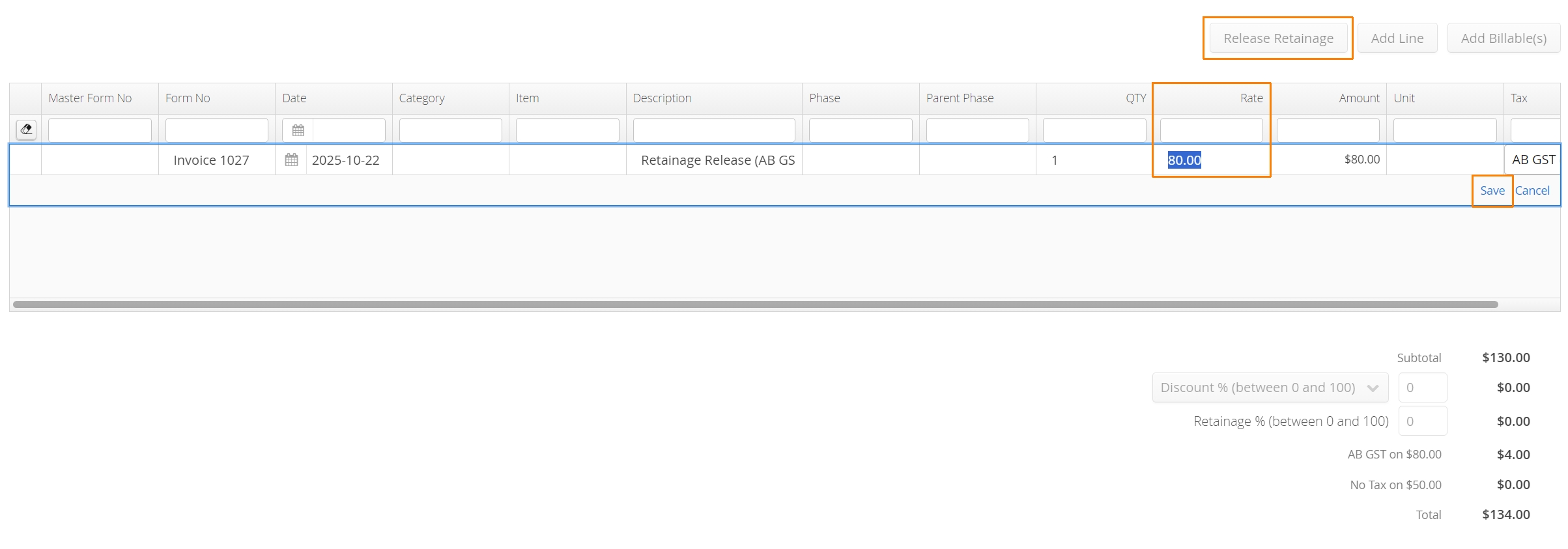
Support for multiple line items and tax rates is also supported. Aimsio will store edited amounts and release alternate taxed items separately.
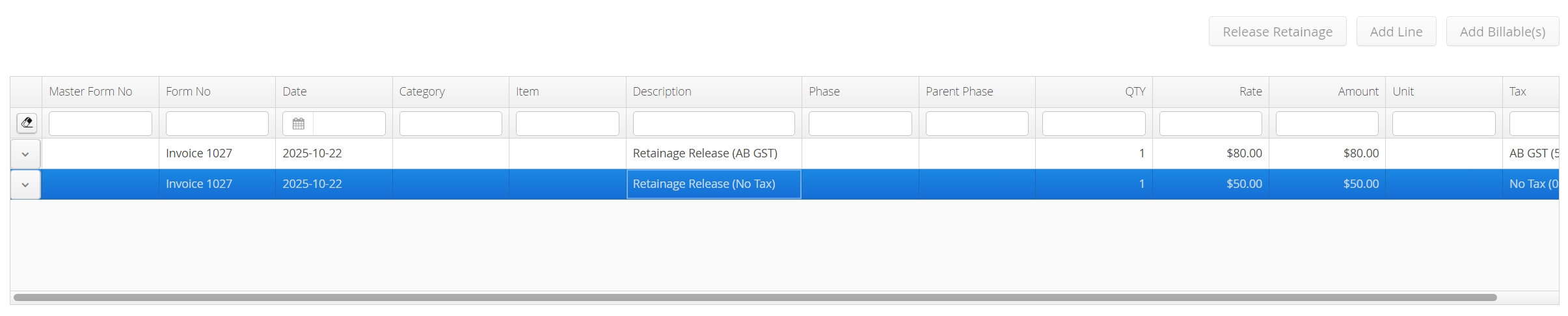
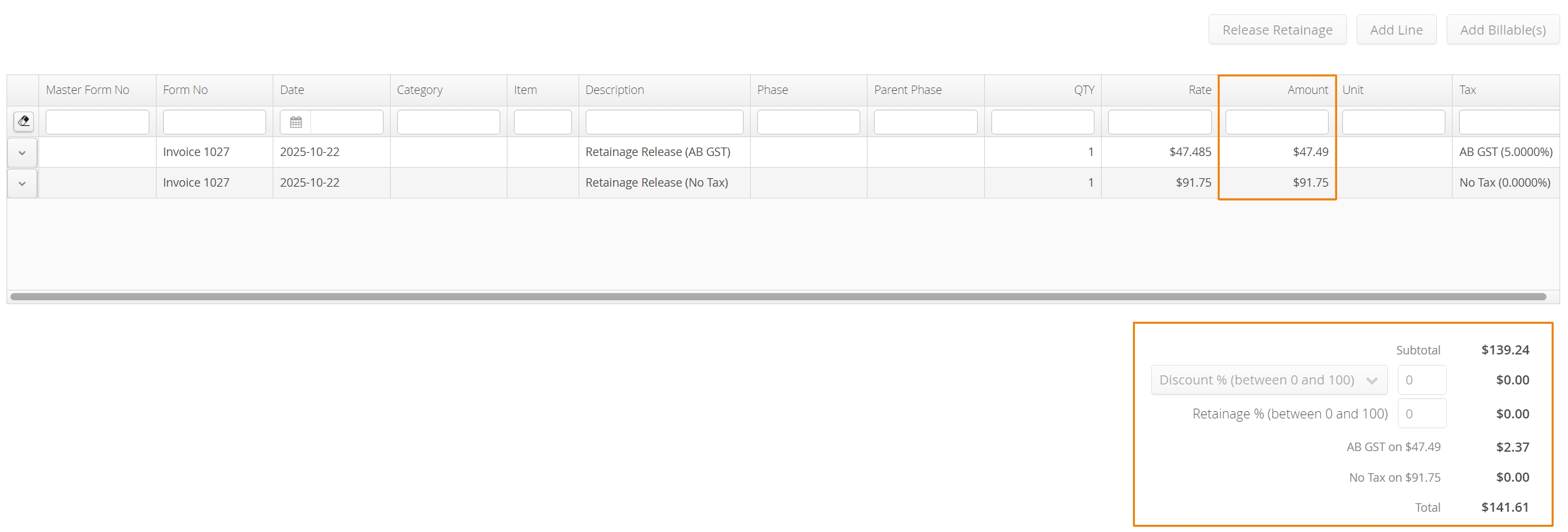
When the next retainage invoice is created, Aimsio will release the remainder. This process can be repeatedly as many times as required.
How to View Retainage Amounts
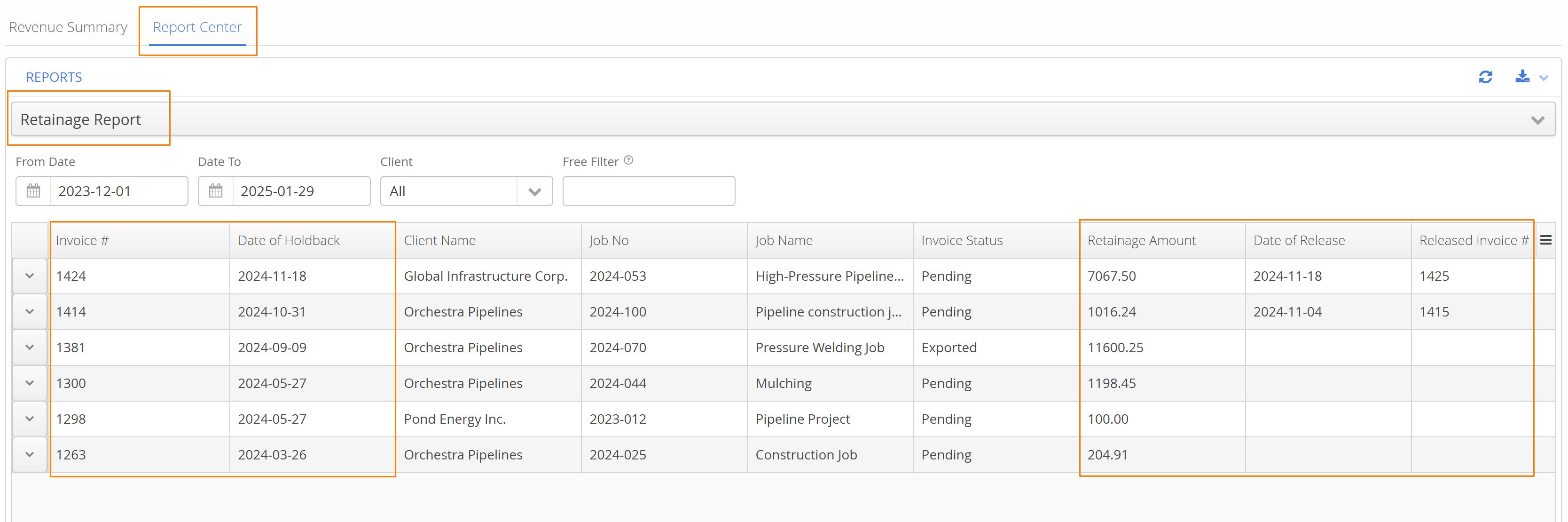
The Retainage Report in Aimsio’s Report Center provides visibility into any of the holdback activity in your account. Quickly identify the date and invoice the holdback took place, the amount held back and the invoice number and date it was released.