For our customers using accounting or payroll software without direct integration with Aimsio, we can configure a compatible export file containing your invoice and payroll information. We provide Custom CSV setup for any software supporting CSV import, including (but not limited to):
-
QuickBooks Desktop
-
Sage 50
-
Sage 300
-
Ceridian Powerpay
This article covers how to retrieve your data in .csv format.
Invoice Exports
Report Center Invoice Exports are available for all new clients enabling their integration after the release of 23.06.
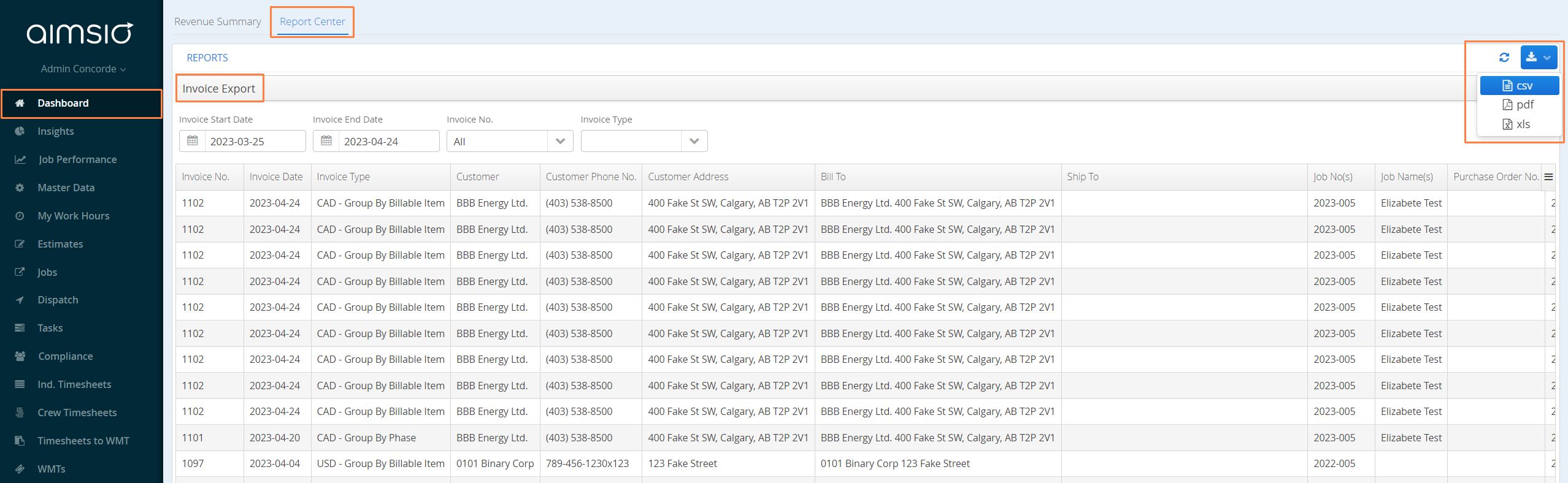
- Authorized users can navigate to the Dashboard page using Aimsio’s left sidebar. From the Report Center tab, select Invoice Export. Set your report parameters (date, invoice type) then select csv from the download button at the top right corner of the report.
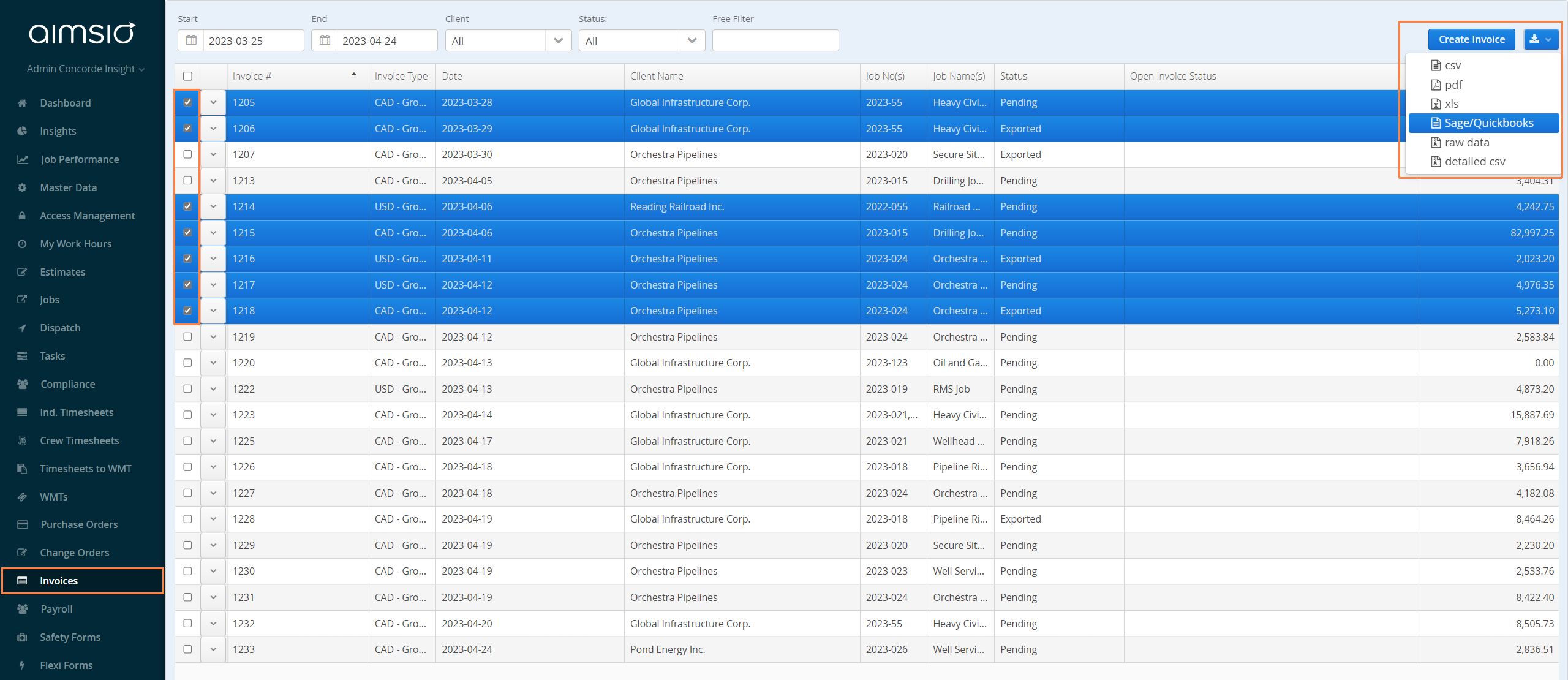
- For accounts prior to 23.06, navigate to the Invoice page on Aimsio’s left sidebar. Select all invoices that you want to be exported and choose the Sage/QuickBooks option on the top right.
Payroll exports
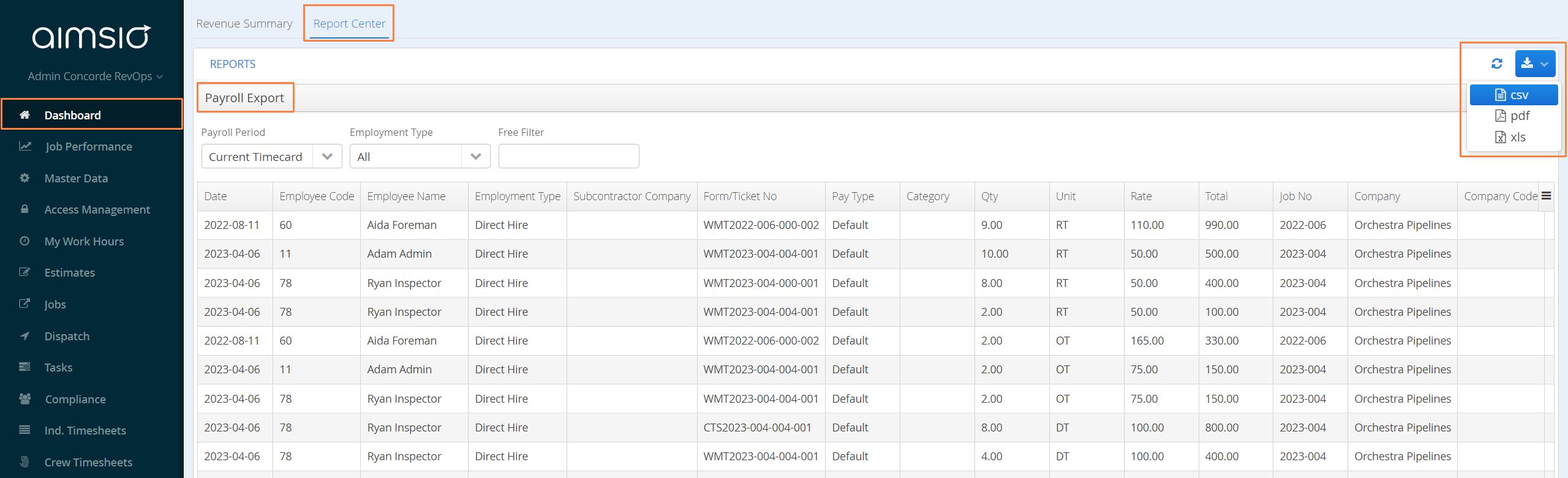
- Navigate to the Dashboard page. From the Report Center tab, select Payroll Export. Set your report parameters (payroll period, employment type) then select csv from the download button at the top right corner of the report.