Aimsio’s Dashboard provides an account Revenue Summary and access to the Report Center.
Revenue Summary
Aimsio’s Revenue Summary page contains the following reports:
Ticket Revenue - Timeline
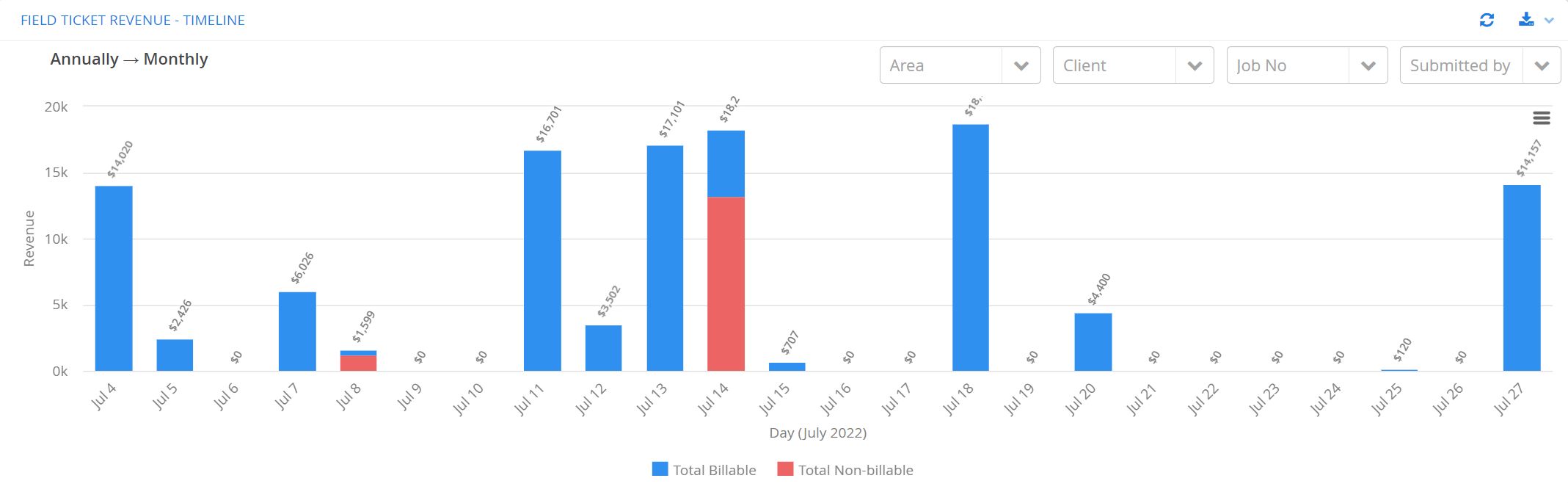
The Ticket Revenue Bar Chart summarizes all Ticket revenue over time. This includes all Open or Closed Tickets in your account. It does not include the totals of any Master Tickets created in the same period.
Aimsio’s Ticket page may include the totals of Tickets dated outside of your search parameters if they belong to a Master Ticket created within that period.
-
Filters: The filters along the top right will restrict the data shown by Area, Client, Job Number or Tickets Submitted By a selected user.
-
Export Data: Any Ticket data currently in view can be exported to a CSV file.
-
Export Chart Image: Clicking the hamburger icon on the right will allow users to export the chart in multiple formats.
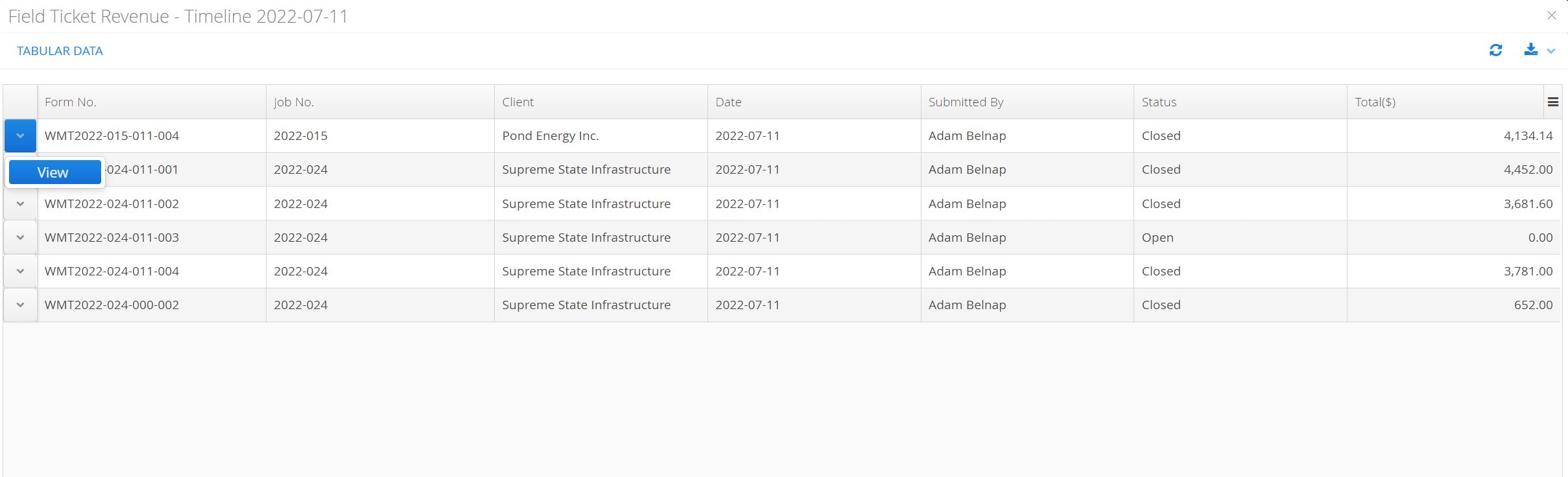
Clicking on any bar in the chart will bring up a listing of tickets contributing to the revenue being viewed. The corresponding tickets can be accessed directly by using the Action button on the left.
Ticket Revenue - Client Breakdown
The Revenue Pie Chart will display a Ticket revenue breakdown by Client. Users can select a Year, Month and Day.
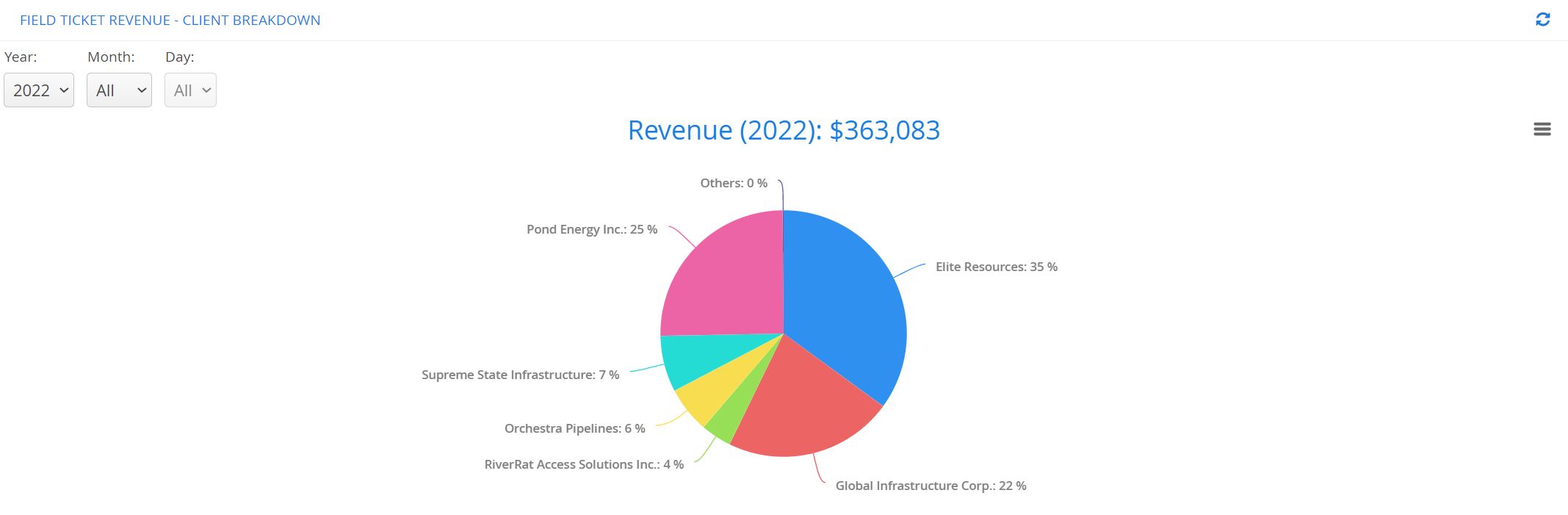
- Export Chart Image: The current chart view can be exported in multiple formats.
Reports Center
Aimsio’s Report Center is a collection of shared reports that provide access to the data in your account in a tabular format. All reports can be exported and some reports support organizing data into pivot tables.
For more information please review: How to Customize Report Layouts
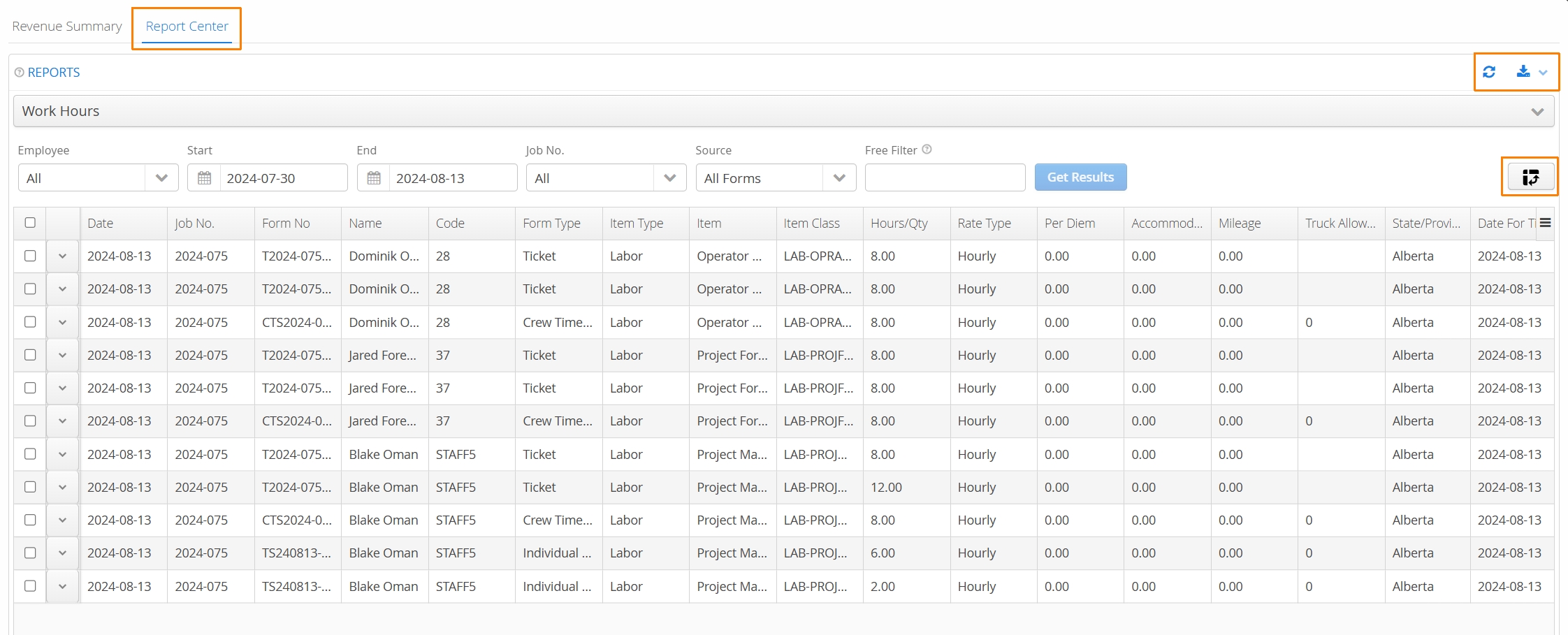
Click here for a summary of all the available reports available in our Report Center.
-
Date Filters: Date filters will be found individually or in pairs. A single date filter will restrict all data to match a particular date. Sometimes, two date filters are used to specify a range. In these cases, the end date must always follow the start date.
-
Free Filters: Free filters are hand-typed values applied to all visible columns. They provide an easy and quick way to filter information. The free filter will match any text, regardless of if the text is found in the beginning or middle of the field. For example, The text “ABC” will match the records “ABC Trucking” and the “132abc432”.
-
Dropdown Filters: Depending on the report, Aimsio will provide dropdown filters that may reflect item types in a list, other times they might trigger custom logic built for your business. The filter itself should describe its functionality
-
Report Actions: Report entries may have custom actions associated with them. Common actions include:
-
Viewing an item in the report.
-
Deleting an item.
-
Changing an item status.
-
-
Exporting: Exporting will always export the current view (with any filters applied). To export all available data, clear values from filters. Export file types supported include:
-
CSV
-
PDF
-
XLS
-