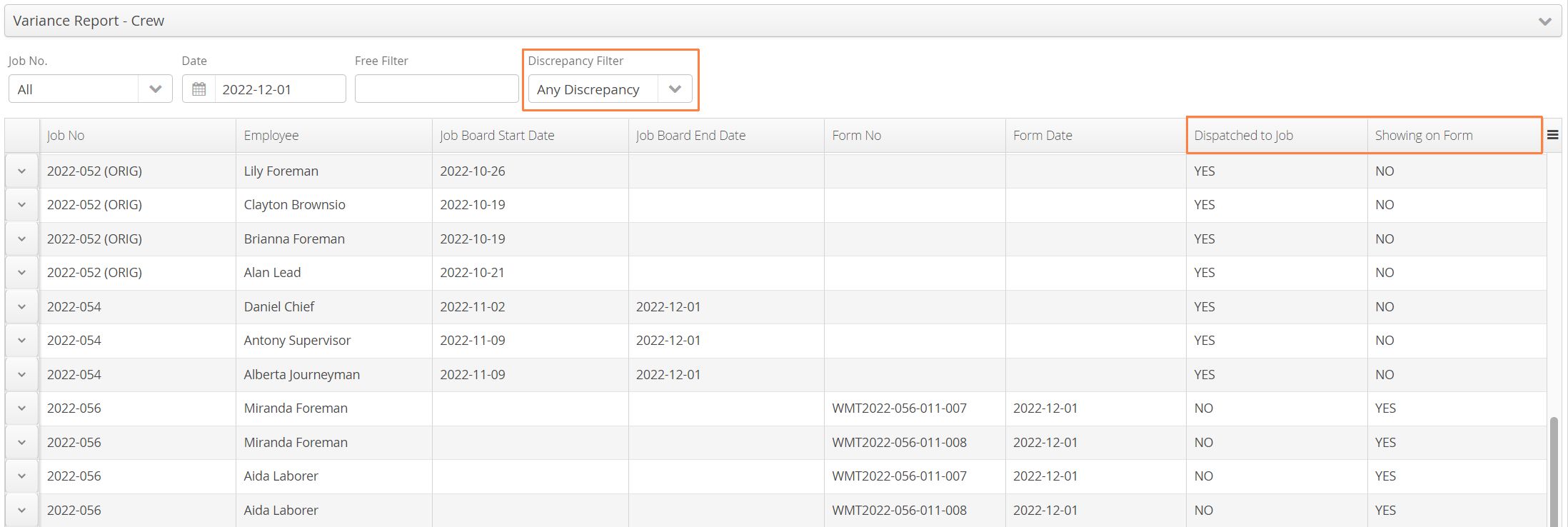
A summary of the available reports found in the Aimsio Report Center.
How to Export Reports
All reports can be exported to csv, pdf or xls format using the download icon located on the far right.
How to Use the ‘Get Results’ Button
Some reports will require search conditions to be set prior, followed by clicking on the Get Results button to run the query.
When a search for information is complete, the Get Results button will become disabled. This indicates that the results currently match the filters you’ve selected for your query. Changing any of the conditions of your search will re-enable the Get Results button again.

Crew Assignments
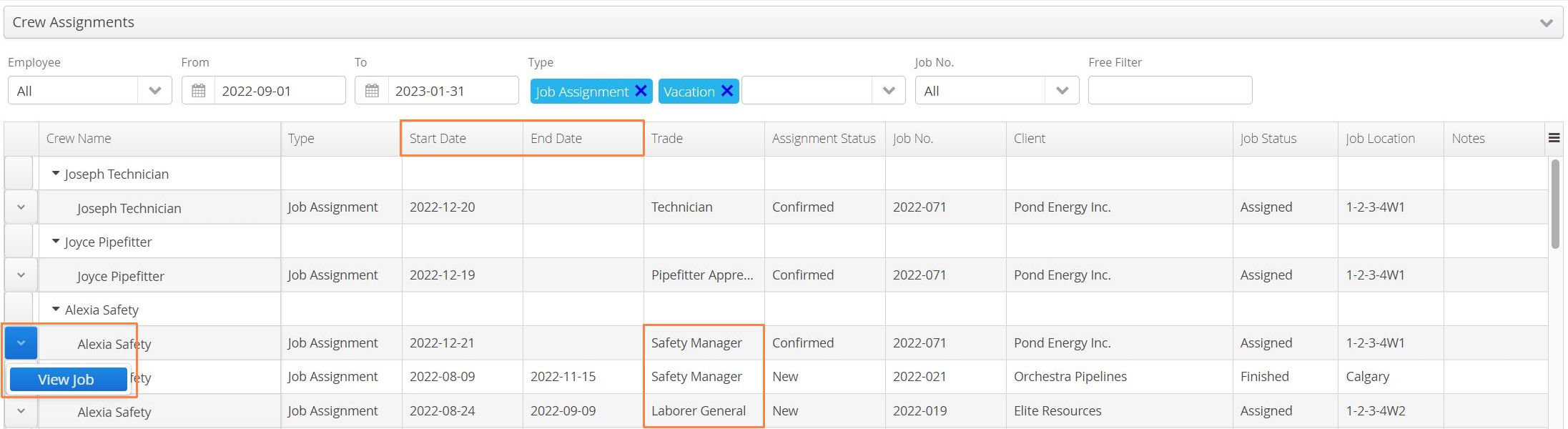
The Crew Assignments report provides a summary of all employee dispatch assignments within a date range. Report will display both the start and end date of the Job assignment, along with the Trade associated to the employee. Users are given view-access of the related job via the Action button to the left of an employee name.
Equipment Utilization
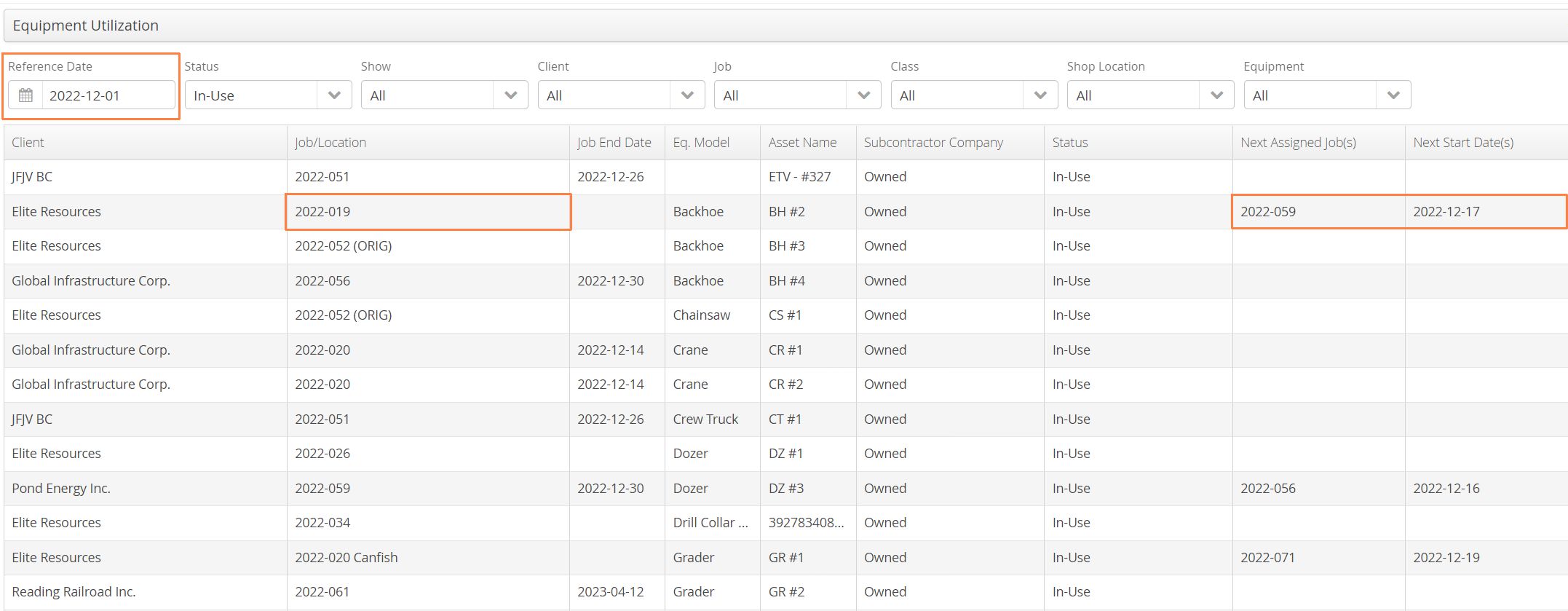
The Equipment Utilization report provides a list of all equipment assets that have been dispatched to a job. Uses a singular Reference Date to determine which assets have been dispatched as of that day and will display the next planned dispatch assignment (when applicable).
Equipment Dispatch Assignment
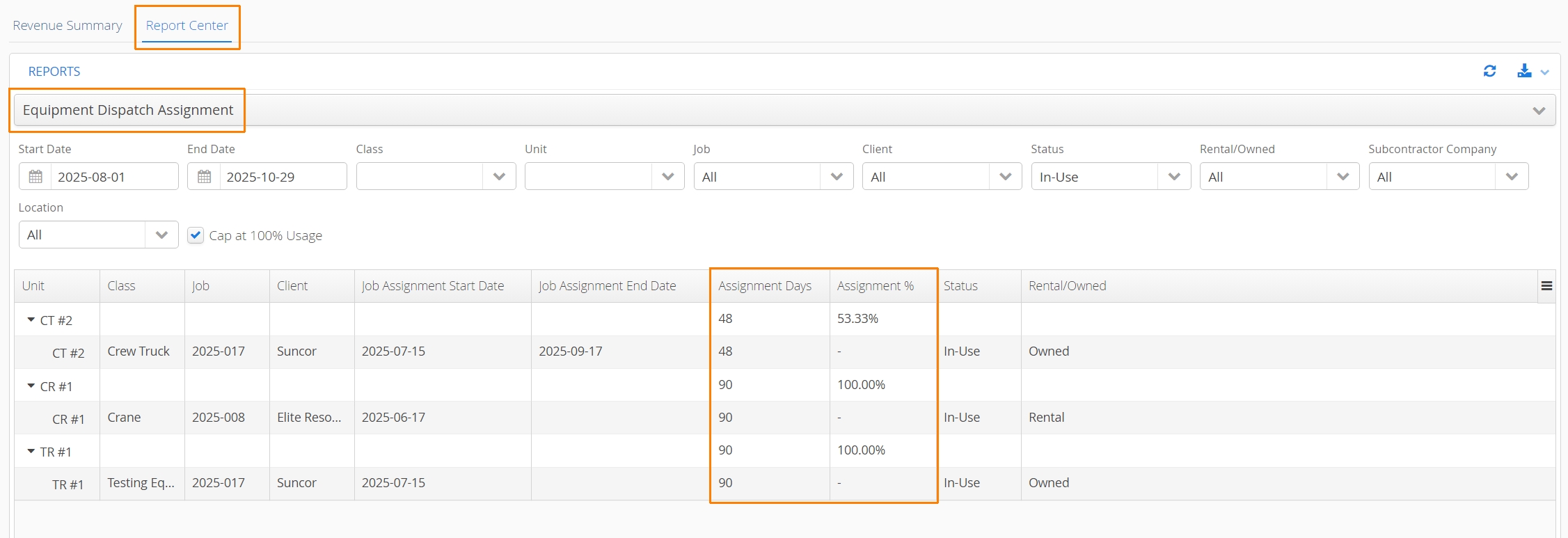
The Equipment Dispatch Assignment report gives accounts the ability to track Equipment Job assignments across a date range, providing the number of days and percentage the equipment has been dispatched (In-Use) during that time period. The report helps dispatchers accurately track their Equipment usage across Jobs.
Holiday Report
The Holiday Report allows authorized users to add or edit future holiday dates for the purpose of billing premium rates during holidays. This report is does not influence how Timecards are processed. All holidays added to this report will be monitored by every Job in your account and work in conjunction with Job Billing Rules.

Mobile Devices Report
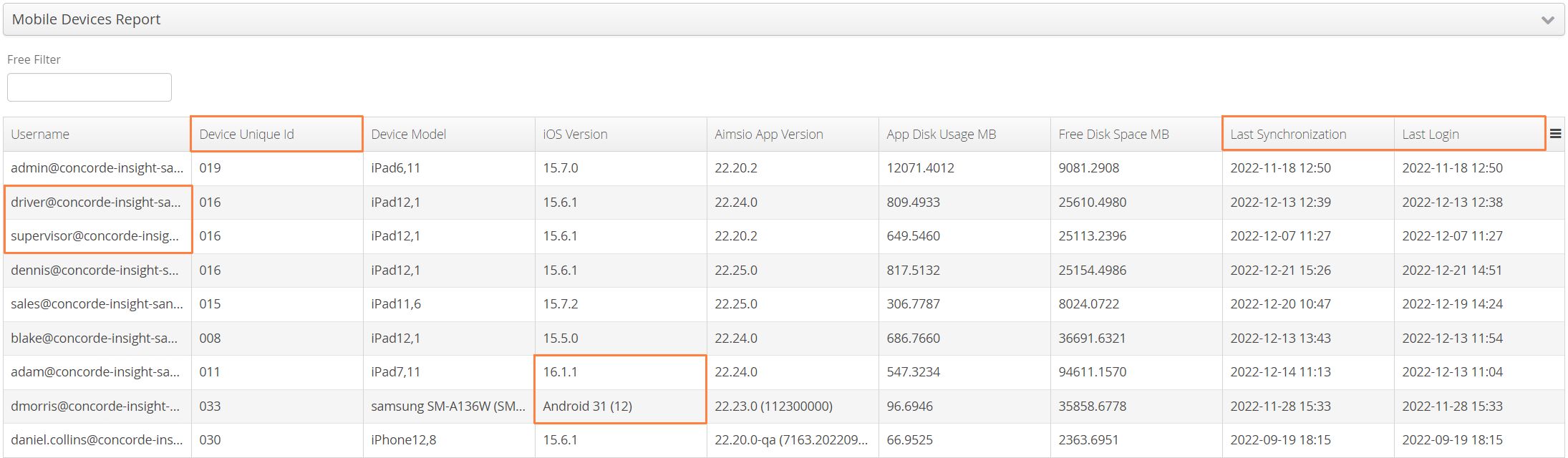
The Mobile Devices Report provides a history of users account logging into our iOS or Android apps. Devices are automatically given a unique identifier, making it possible to pinpoint whether the same device has been used with more than one account. Aimsio also tracks the date of the last login, as well as the last time the device was synced.
NRB Report
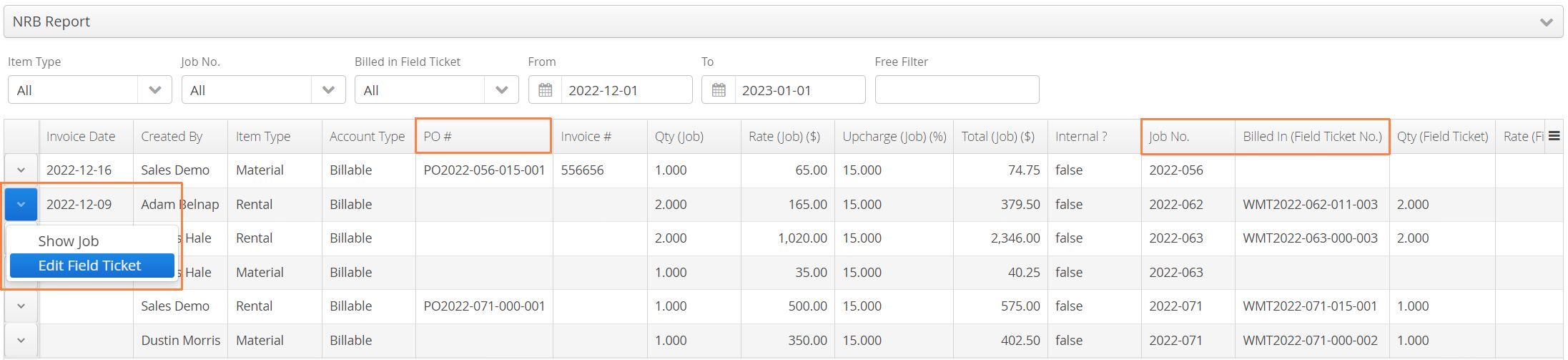
The NRB Report provides a summary of all Non-Recurring Billable items across every job. Information will include the associated Purchase Order and whether the item has been billed to a ticket. Authorized users will have access (via the Action button) to the Job or any ticket a NRB has been billed in. It is possible to export this report, make changes and import updates directly at the Job level. For more information see: How to Edit Purchase Order Items (NRBs) After They’ve Been Received.
Work Hours
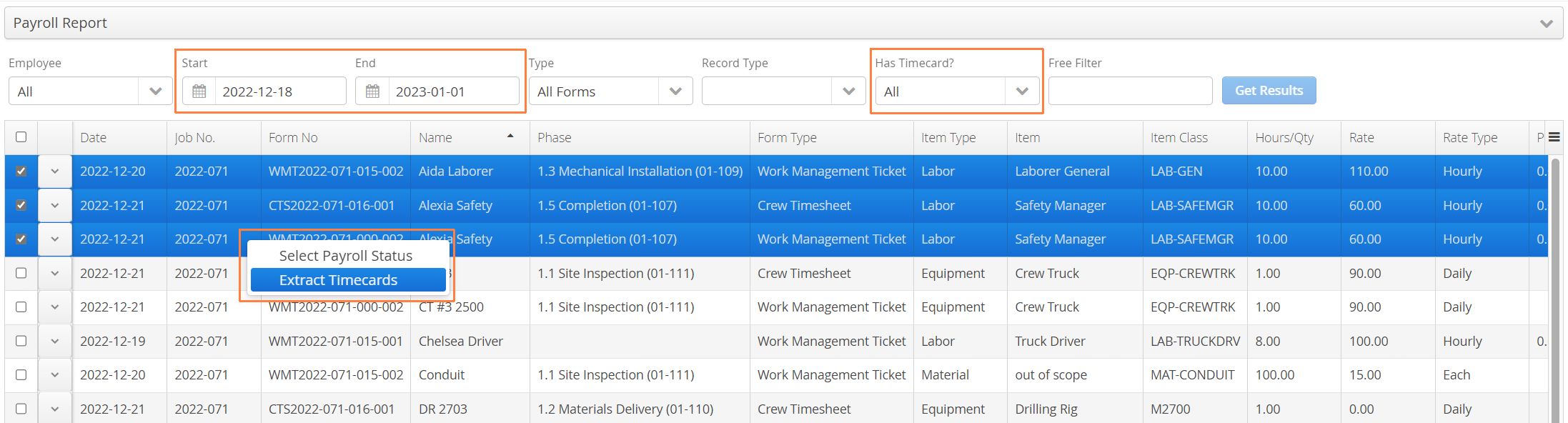
The Work Hours (My Work Hours) report is the same report accessible via Aimsio’s Timecards module. It can provide a summary of recorded ticket or timesheet hours (within a date range) and allows authorized users to extract Timecards from those hours.
Access to this report can be controlled so users are able to review their own recorded hours. This report allows accounts to export a Raw Data search.
Price Book Report
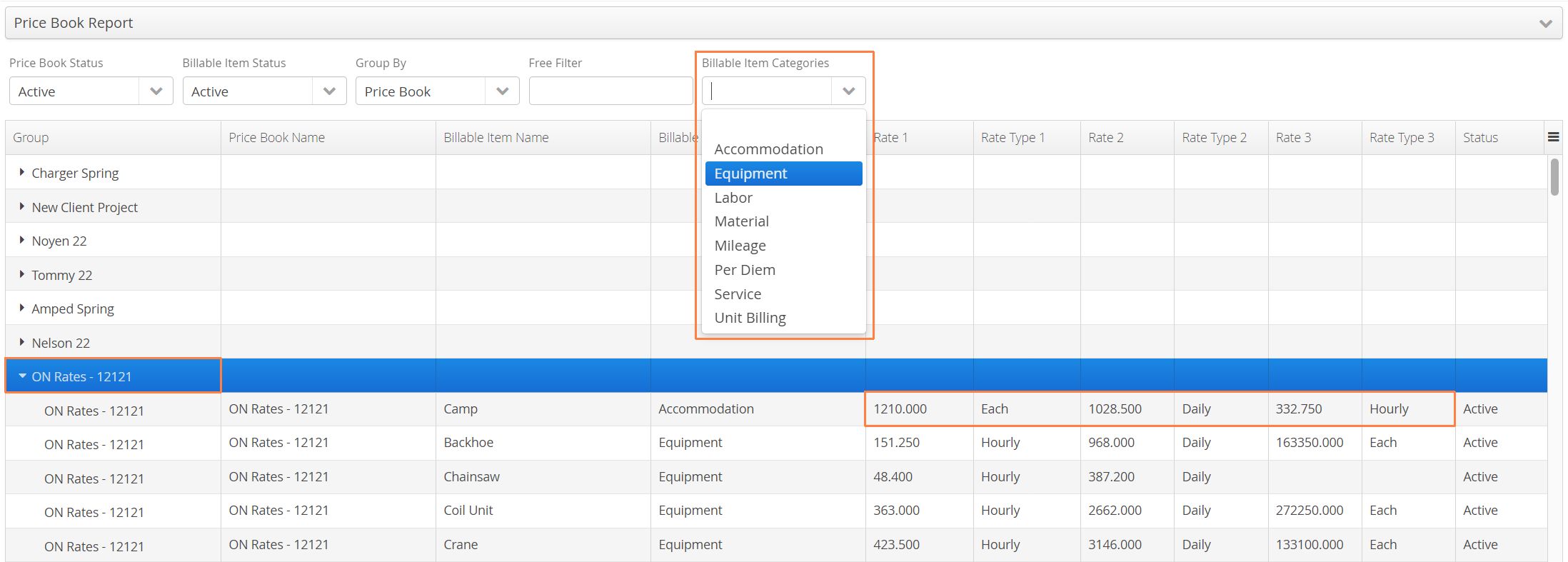
The Price Book Report provides a list of all Price Books, item contents and their associated rates. While it’s not possible to edit Price Book data from this report, it is possible to filter by a specific category of Billable Item (Labor, Equipment, Material etc.) to review rates across all Price Books.
Revenue Report
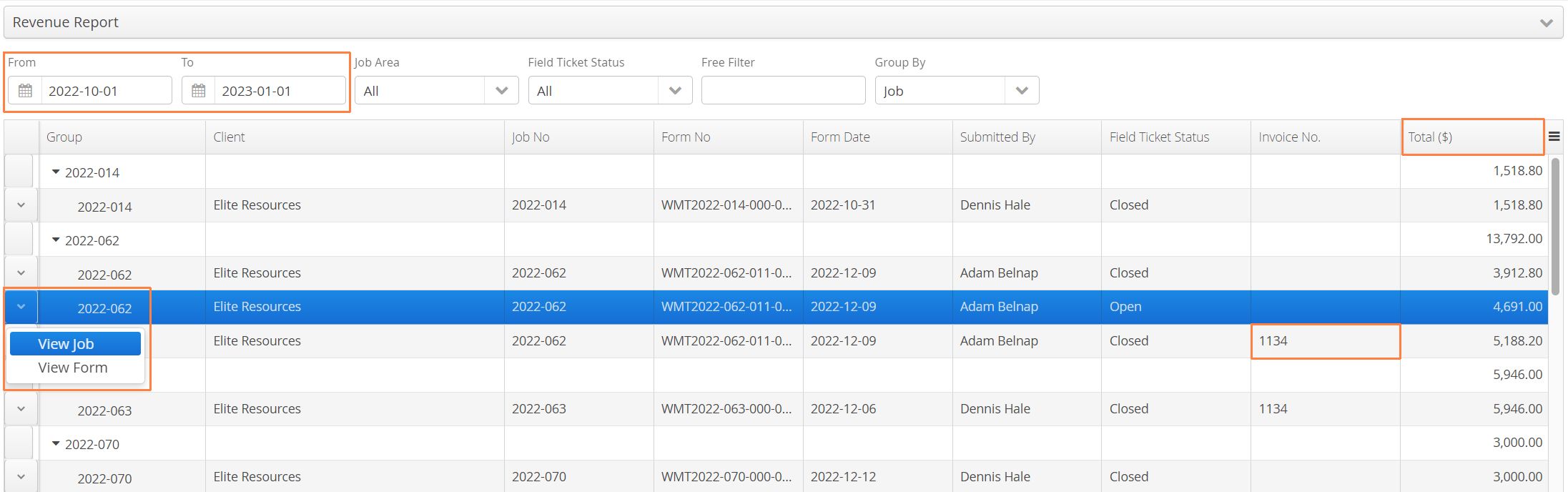
The Revenue Report provides a ticket revenue summary across all jobs within a date range. Authorized users are given view access to the job or associated form using the Action button on the left. Report will also list an invoice number associated with the ticket (if applicable).
Sales Tax Report
The Sales Tax Report report is used for our clients invoicing US customers. State sales tax can added be to this report by using the Add Sales Tax button, then associated to the relevant job. For more information on invoicing US customers see: Aimsio - Invoicing. Note this report has been depracted in favor of managing Sales Tax Rates in Master Data.

Service Log Report
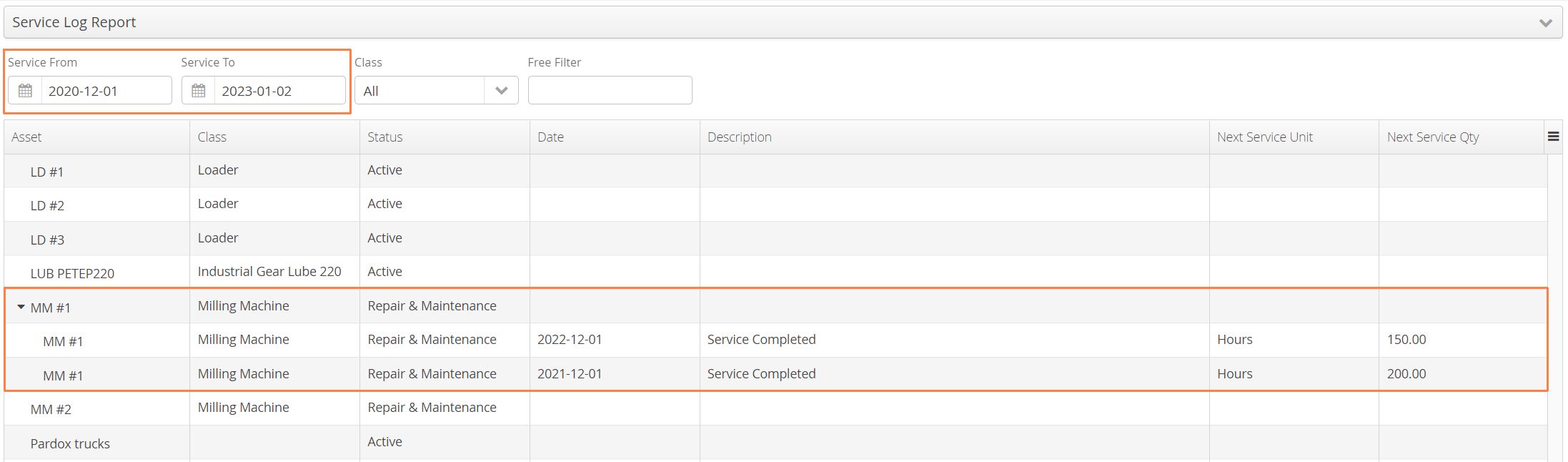
The Service Log Report provides a summary of any recorded Equipment Service Logs within a date range. To identify whether any historical logs exist, look for the ⌄ symbol beside an equipment asset.
Subcontractor Usage Report
The Subcontractor Usage Report provides an hours summary for all recorded billable work by Subcontractors. Users can export a report of all subcontractor hours recorded on field tickets and forward them for invoicing. For more information on how subcontractors are managed in Aimsio see: How to Manage Subcontractor Billing.

Tickets Breakdown Report
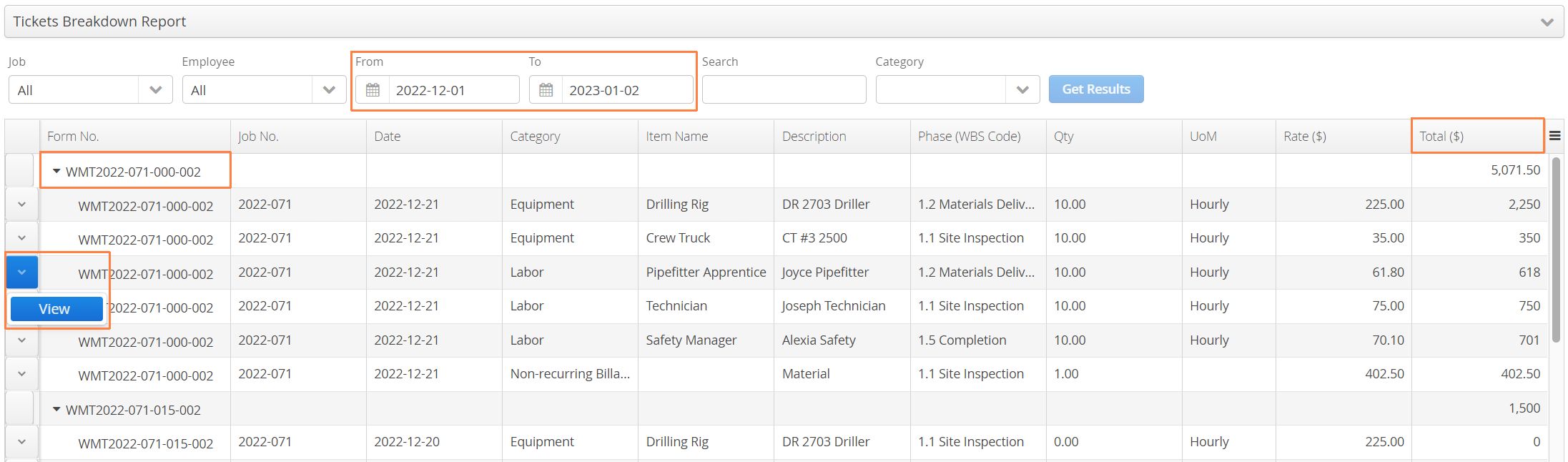
The Ticket Breakdown Report provides a detailed look at every line item that has been billed on a Ticket. Users can filter by a specific Billable Item category to drill down into all charges of a particular type, without needing to enter each ticket one-by-one. Search within a date range and filter to see whether certain line items have been invoiced. If users are looking for something specific, they can also use a free text search to isolate Item Names or Descriptions.
Authorized users will have view-only access into the Tickets associated to each line item by using the left Action button.
Timesheet Reconciliation Report
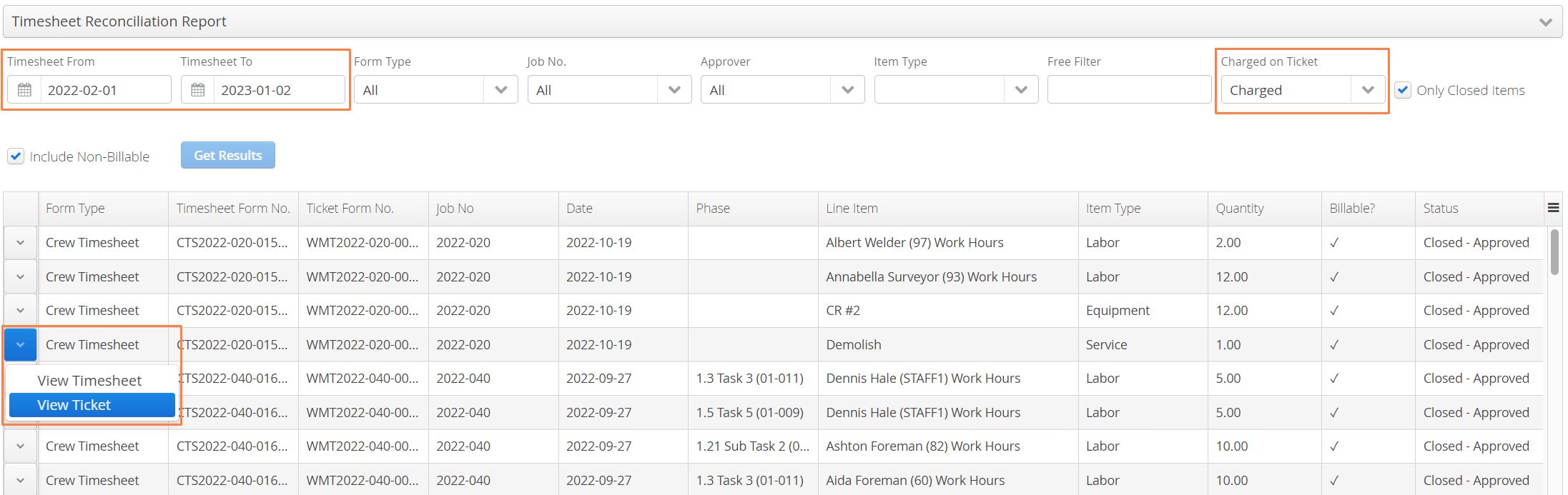
The Timesheet Reconciliation Report is a handy report for those looking to see whether submitted timesheet hours have been charged to a ticket. Query timesheets within a date range and filter by whether they have been charged (or not). Authorized users will have view-only access into the corresponding timesheet or ticket by using the Action button on the left.
Variance Report (Crew & Equipment)
Variance Reports provide a summary of employees that have been dispatched to a job and whether they have billable work charged to a ticket that day. This report focuses on highlighting discrepancies found between your dispatch and field ticket teams.