There may be circumstances where employees will earn a dollar premium on top of their normal rate while working during certain conditions. Commonly, we see examples of this when a crew member is working a night or graveyard shift. Other firms may offer premiums for a temporary period during an employee onboarding.
To support such cases we’ve developed an out-of-box solution empowering our clients to manage this themselves. The following article details a framework for how we handle ‘shift premiums’ using Aimsio. We can support any number of required premiums this same way.
If your account requires our Shift Premiums solution, please reach out to our Support team.
Setting the Shift Premium Rate on a Job
If premiums are being billed back to your customer, we need a way to influence the billing rate when it appears on a Ticket. This is handled at the Job-level under the Billing Rules section of your Job form.
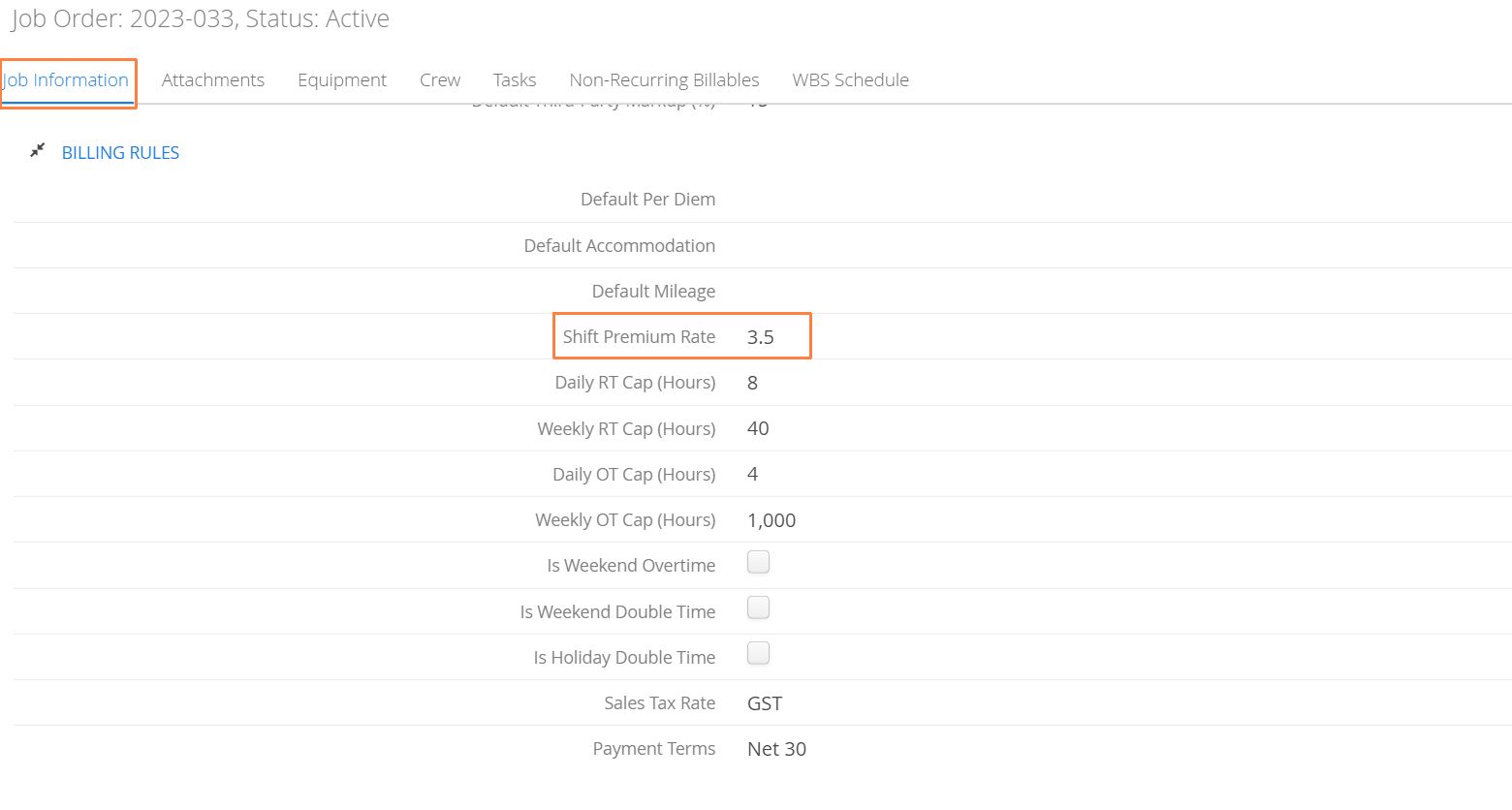
- Enter the dollar amount to be added to a Labor line-item when a shift premium is selected.
Selecting the Premium on a Ticket or Timesheet
When completing a ticket or timesheet, the option to select a premium will appear as a checkbox on each Labor line. In the example below, both employees worked the same number of hours. One employee had a premium rate billed, while the other did not.
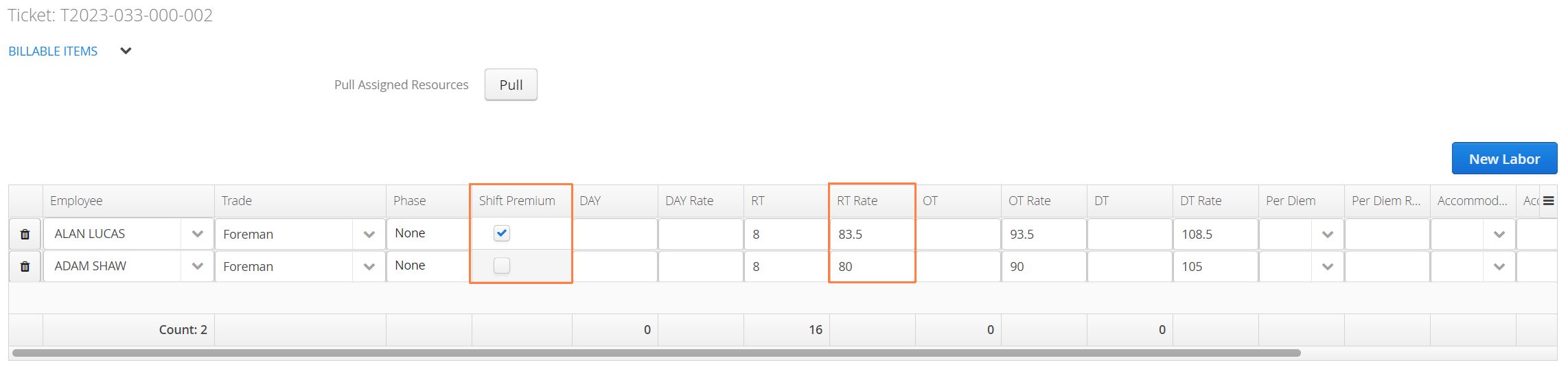
Shift Premiums for Timecards
For our Performance and Ultimate customers creating Timecards through Aimsio, we take a similar approach, but apply the premium to the Employee Profile.
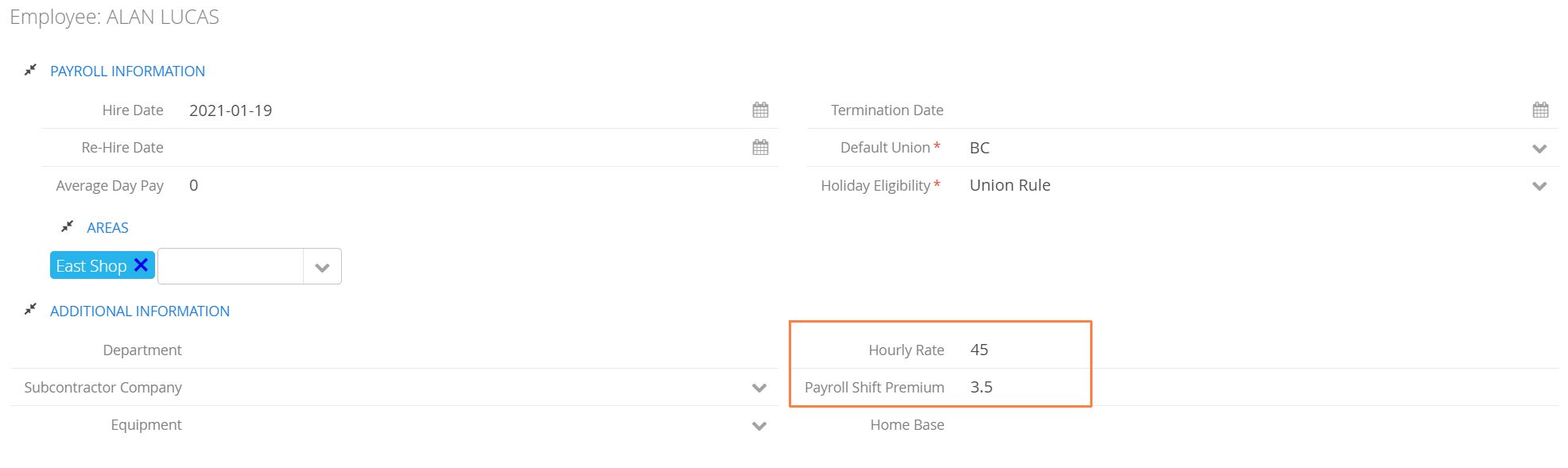
Aimsio will detect whether the premium is selected on a ticket or timesheet and apply the calculation when an employee timecard is created. This ensures your customer billing rates and costs are handled independently.
