After Time & Materials have been allocated to WBS Activities, administrators will have the ability to review and edit the source data directly from a Job’s WBS tab.
Locating WBS Source Data
Every Work Breakdown Structure in Aimsio will include a ‘(blank)’ row. This row will surface any progress, hours or revenue that does not belong to a specific Activity in the Job.
Time or Materials that have not been linked to a WBS Activity will still be captured by Aimsio and can be retroactively assigned later.
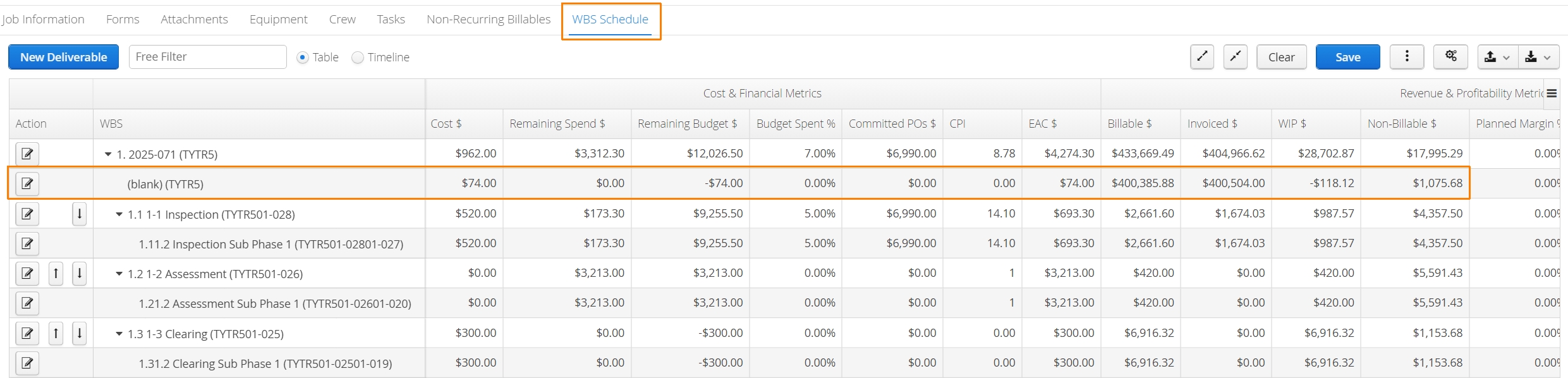
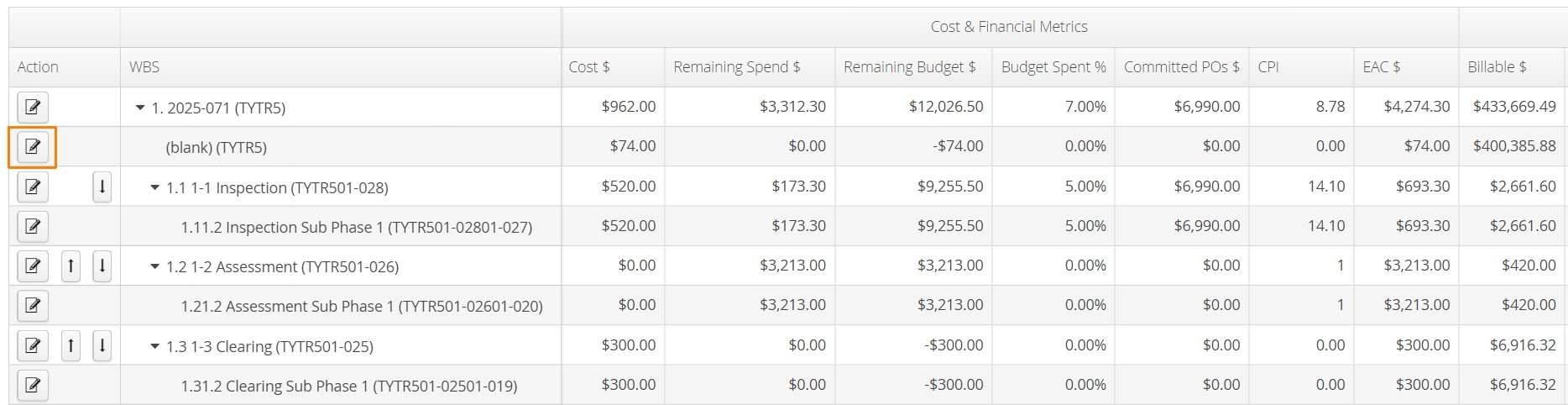
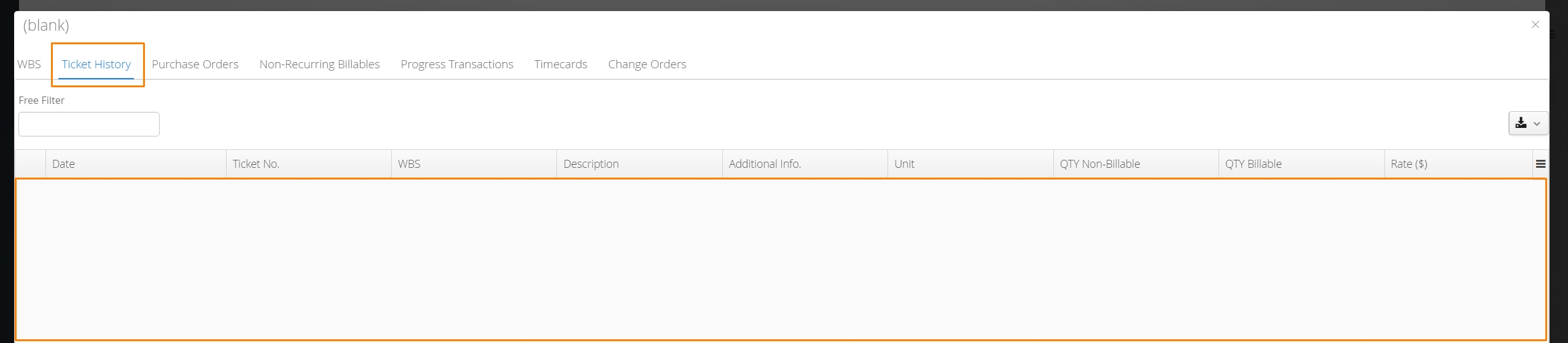
To review missing WBS allocations, click the edit button on the far left of the (blank) row.
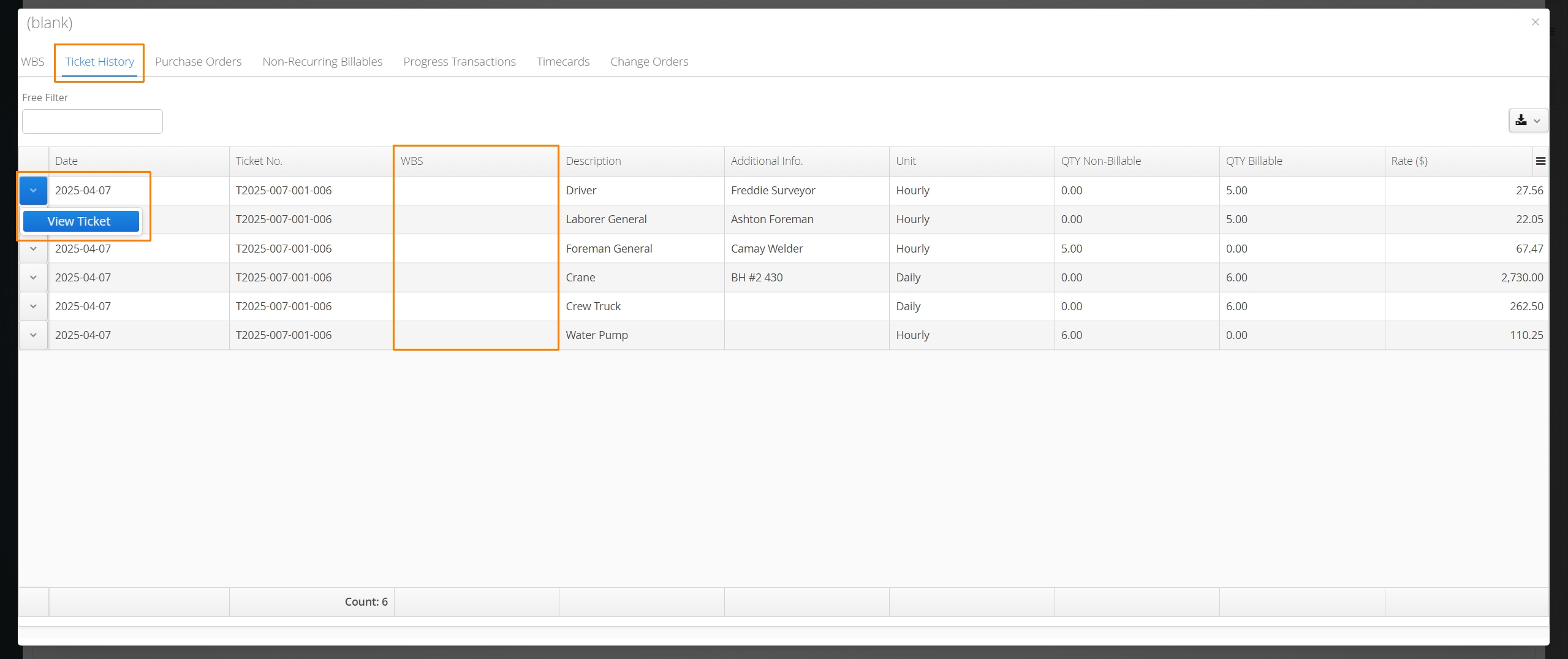
A window will appear containing categories for source forms like Tickets, Purchase Orders and Change Orders, as well as Non-Recurring Billables and Timecards. From each tab, sources can be accessed and opened using the action button on the left.
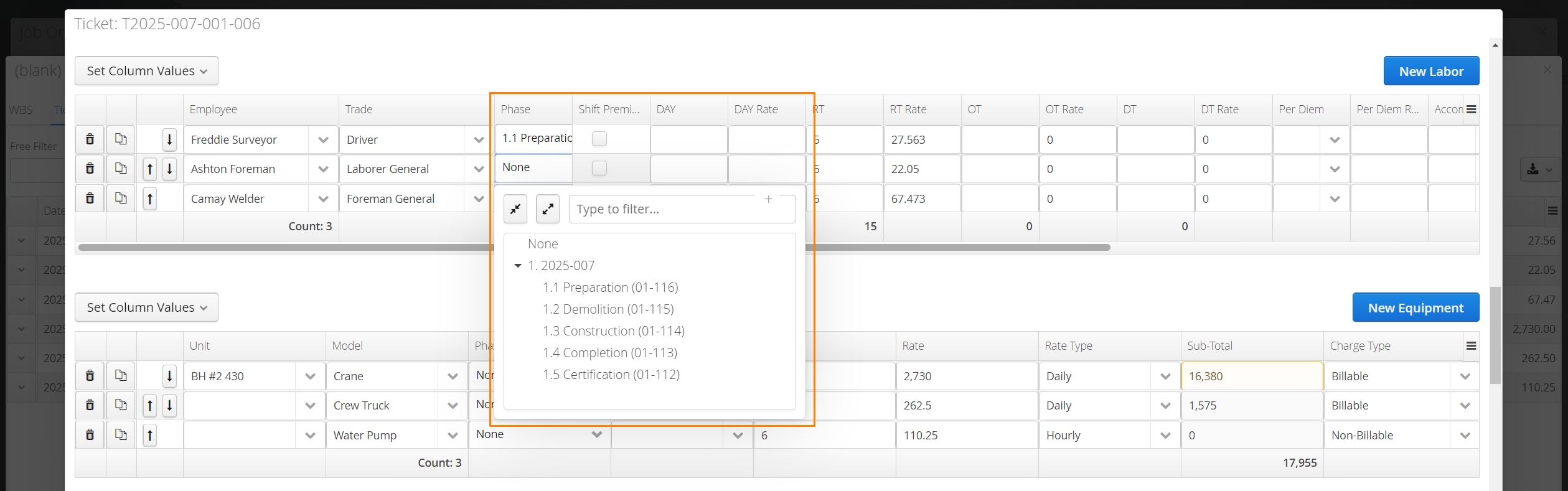
From here, navigate to the line items that have incorrect or missing WBS Activities and make the adjustment before saving.
Accounts can confirm they’ve made adjustments correctly when there are no more line items found under any tabs in the (blank) row.
How to Change WBS Allocation of Hours on Timecards
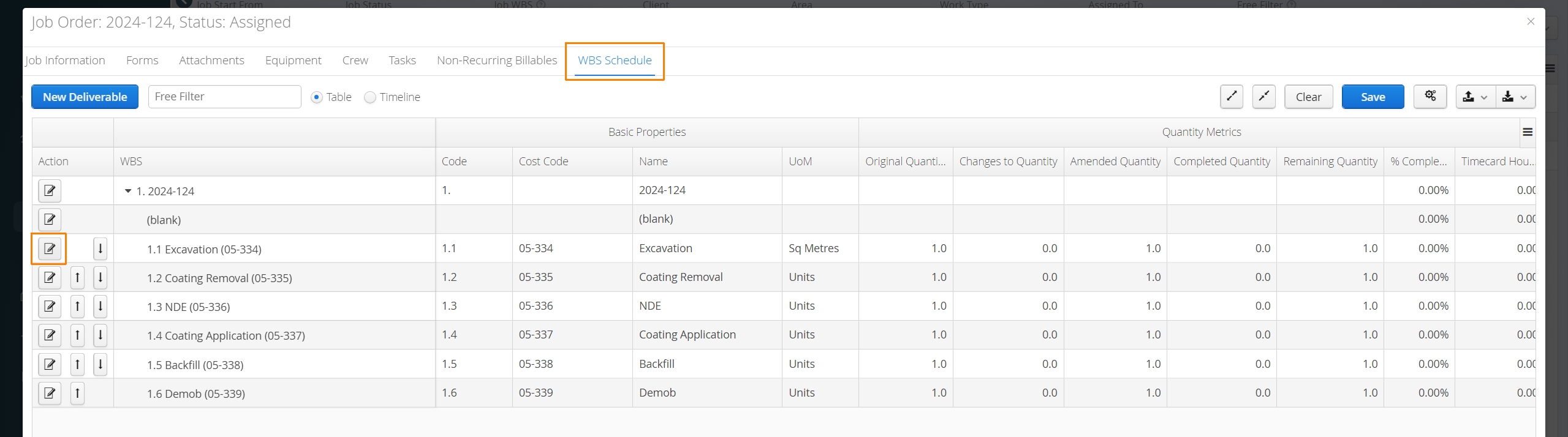
To change the WBS (Phase or Activity) allocation of Timecard hours, navigate to the WBS tab under a Job and edit any WBS Activity by clicking the action button on the far left.
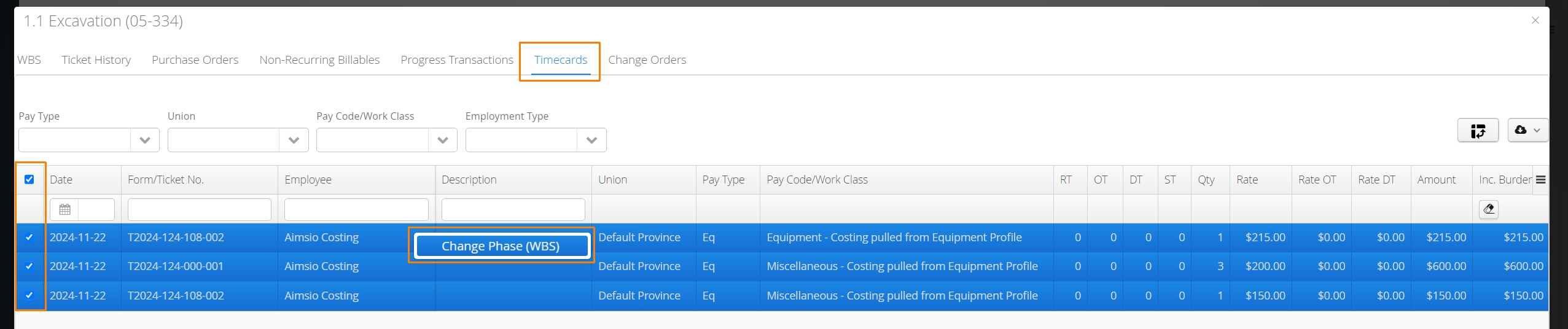
Navigate to the Timecards tab. Select any or all Timecards, right-click anywhere on the selection and select ‘Change Phase (WBS)’.
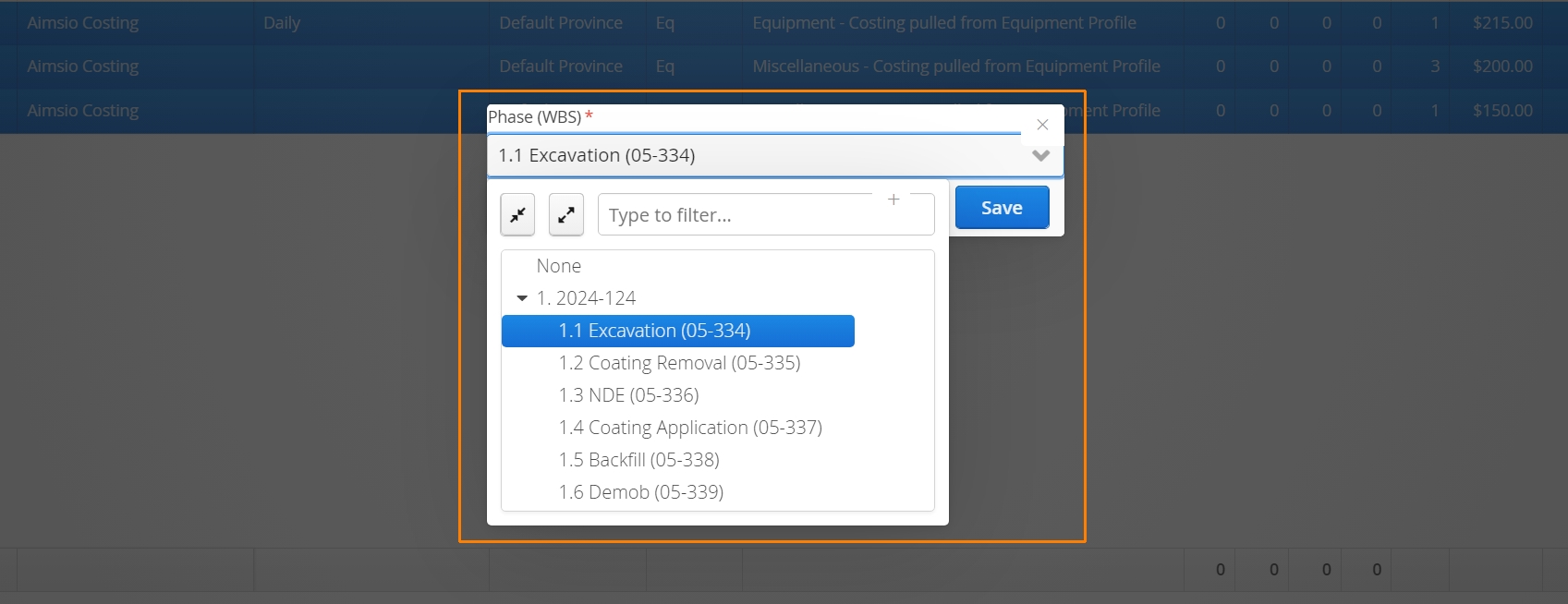
Choose the correct WBS Activity (Phase) and click save.
Aimsio supports changing the WBS allocation for Timecards included in ‘Closed’ pay periods.