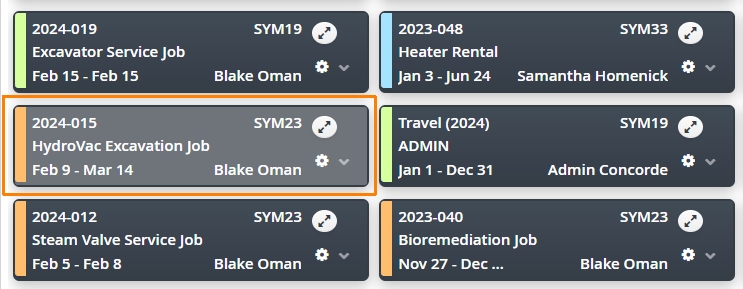
Keeping your Dispatch Job board in a manageable state is about ensuring Jobs are closed, once a project is complete. Jobs with outstanding Tasks or no End Date can still appear on your Job Board.
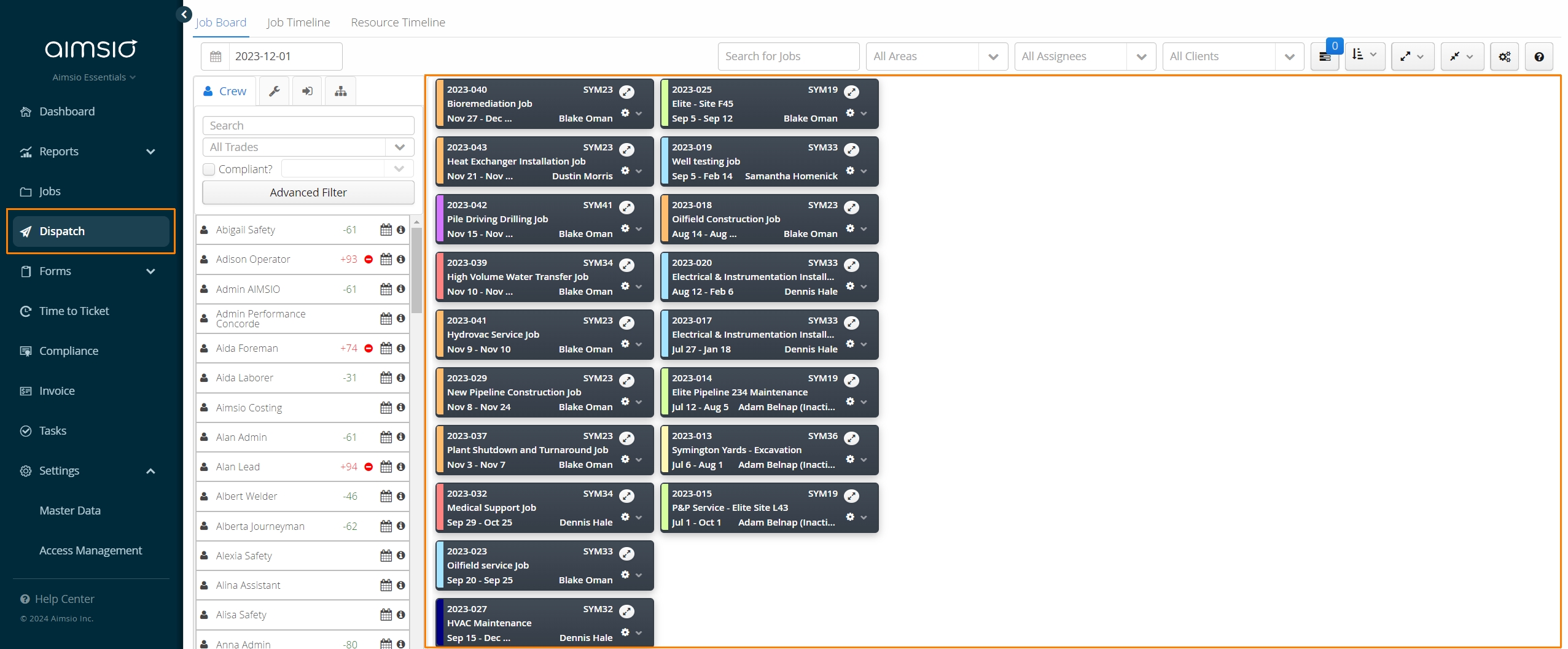
Close All Tasks Under a Job
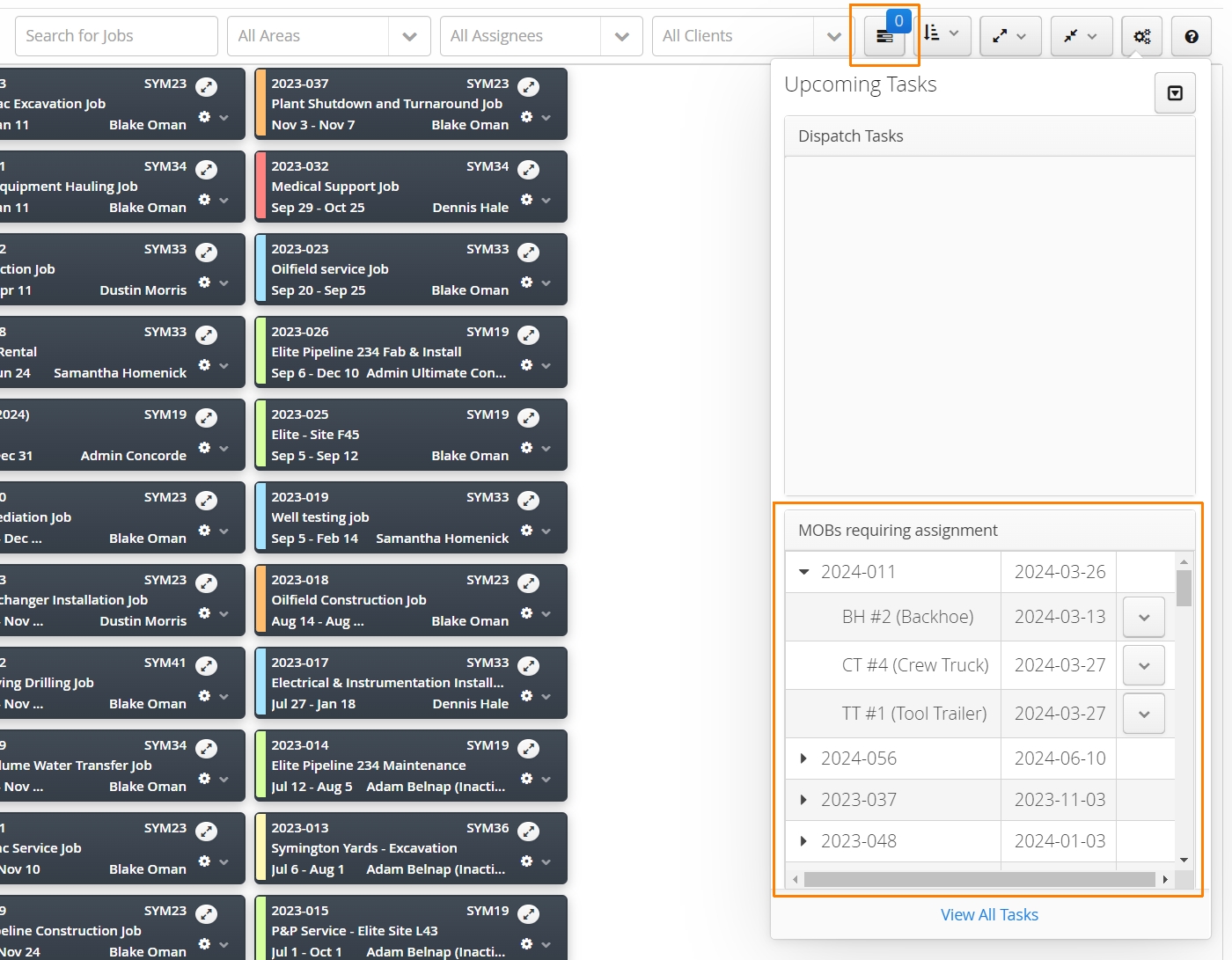
Jobs with outstanding Tasks, such as an Equipment Mobilization request (MOB / DEMOB), can keep a Job on your Job Board. Ensure you mark all tasks as Complete before closing a job. Click on the task display icon while viewing the Job Board to view any Jobs that may have equipment requiring a MOB/DEMOB task.
- Any Equipment that has been tagged in Master Data as requiring mobilization (Needs MOB?), will make a MOB / DEMOB task mandatory, so long as that resource is scheduled to a job.
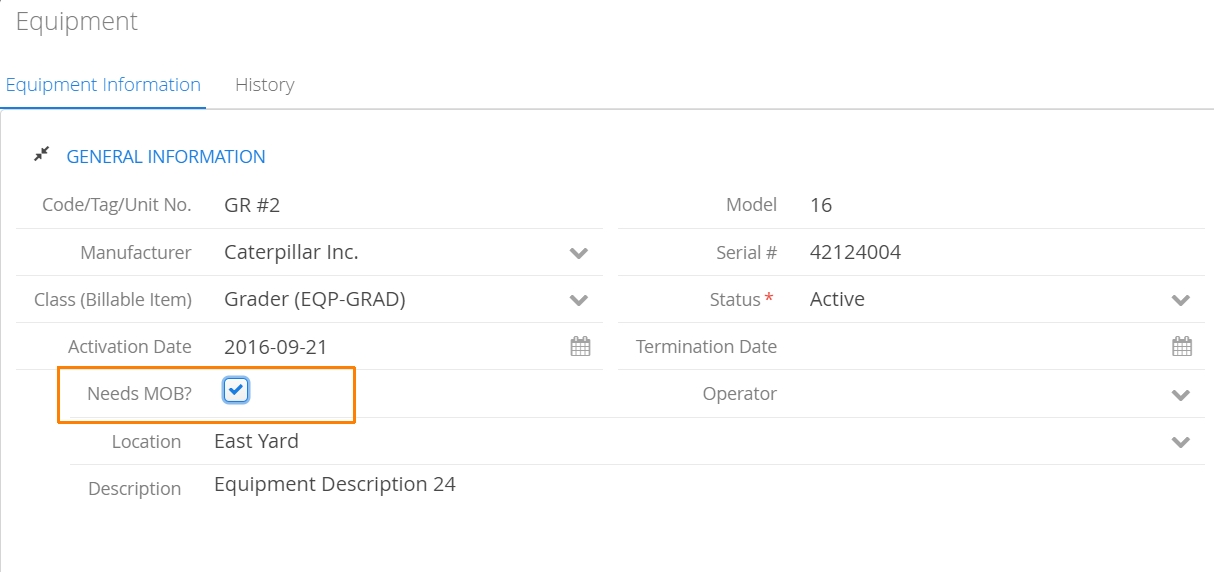
If a Job has been closed but is still appearing on your Job Board, it’s likely a MOB/DEMOB task is still required. Double check which equipment has been dispatched to this job and either complete a MOB task, uncheck the Needs MOB? checkbox under the Equipment profile or remove the equipment from the job.
How to Close a Job
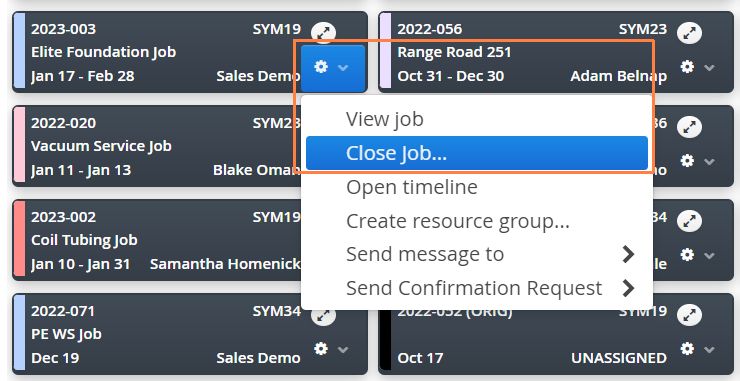
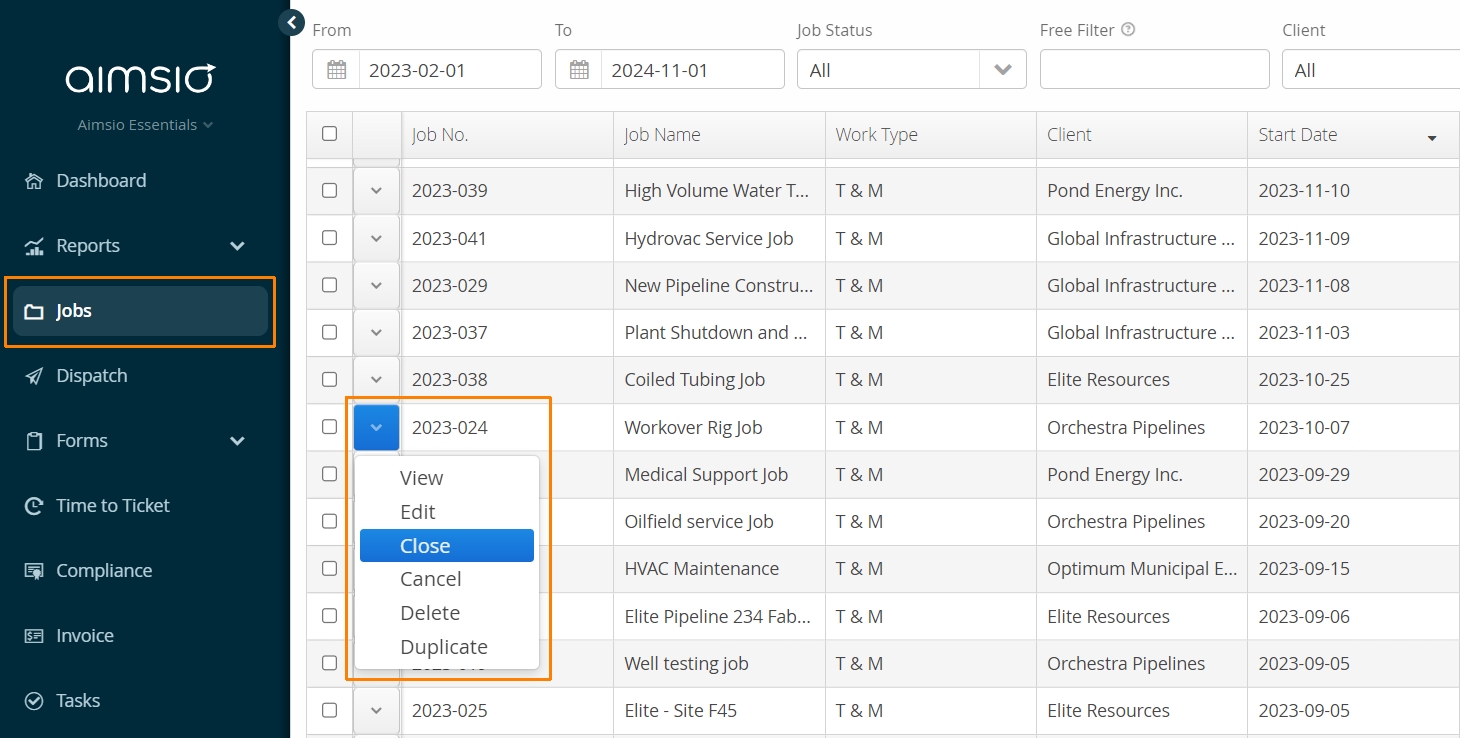
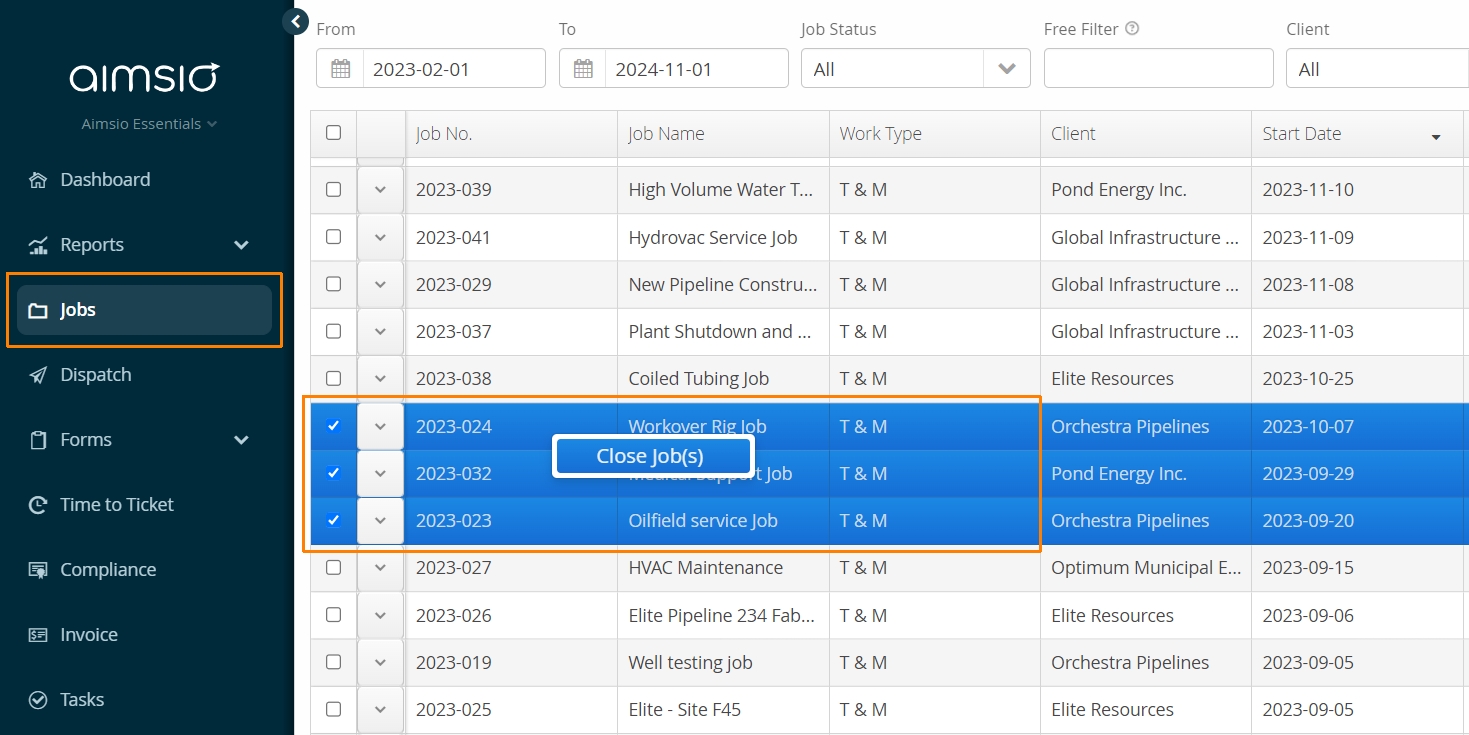
There are two ways to close a job in Aimsio:
- From any Job Card click the gear icon and select the Close Job action
- Alternatively, navigate to the Jobs page, use the action button located on the left of any job and select Close.
- To close multiple jobs at once, navigate to your Jobs page, select the relevant Job(s), Right-Click and choose Close Job(s).
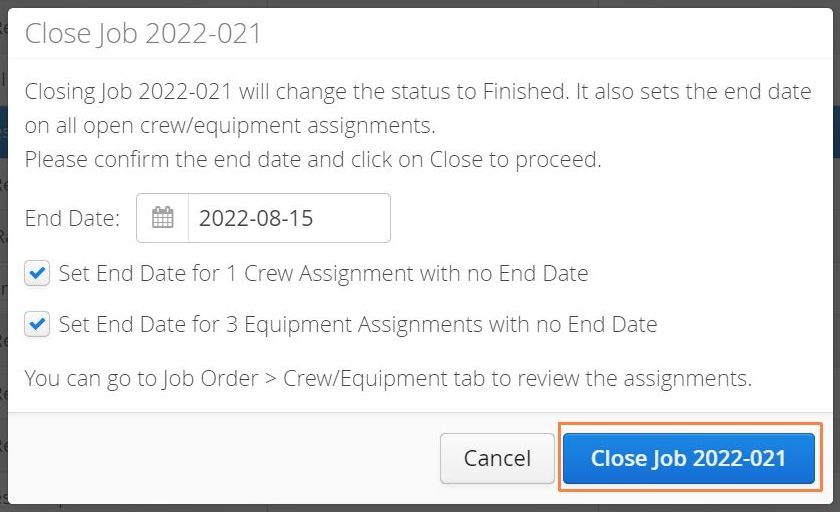
Aimsio will provide a summary of changes which include changing the Status to Finished, declaring an End Date and ending all Dispatch assignments currently active on the Job.
- Once you’re ready, select Close Job
-
Job Cards that have a status of Finished, that have been closed on the same day will appear opaque.
-
Jobs that have dispatched equipment that still require MOB/DEMOB Tasks will continue to populate your Job Board until those tasks are marked as complete.