Individual Timesheets function as a daily timesheet for a single user. Employees can record hours for multiple Jobs per day.
This article covers working with Timesheets via Aimsio’s web portal. For information on creating Timesheets on mobile, please see:
How to Create an Individual Timesheet
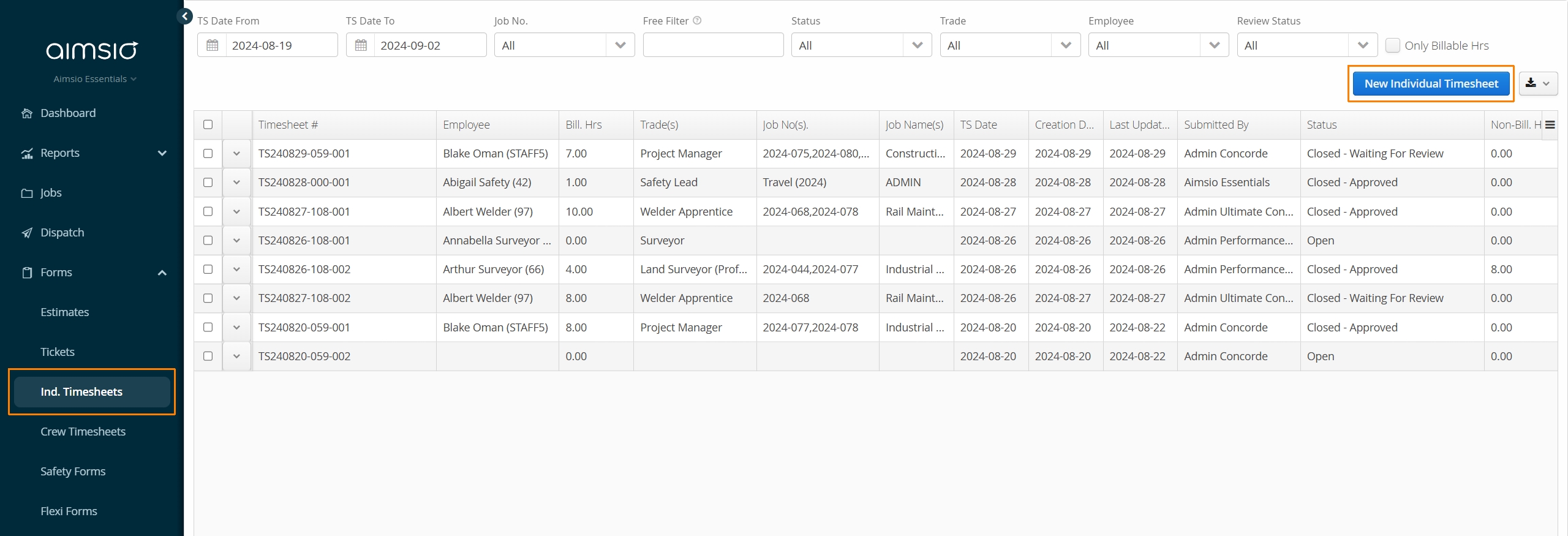
Navigate to the Ind. Timesheets form page using Aimsio’s left sidebar and click New Individual Timesheet.
Filling out an Individual Timesheet
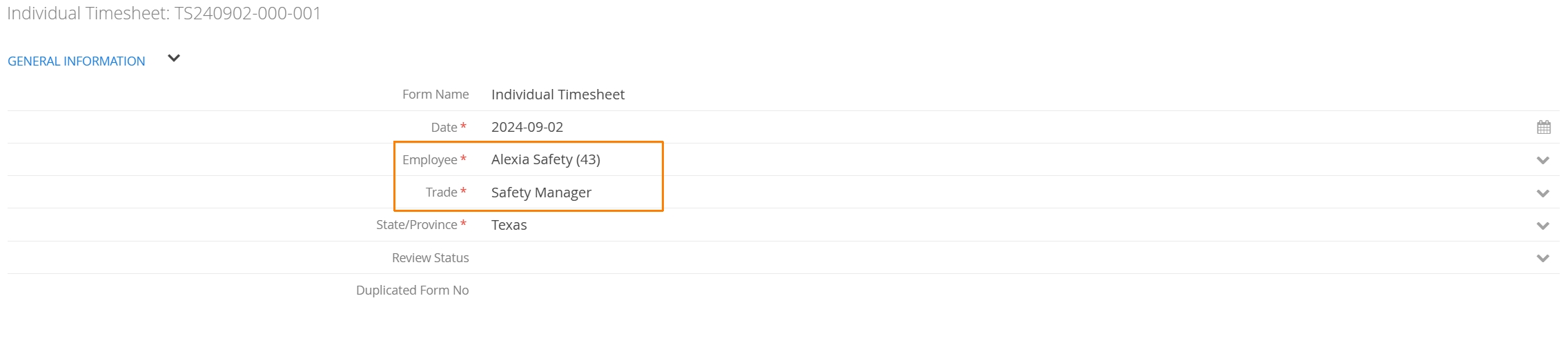
When an Individual Timesheet is created, Aimsio will identify the Employee who created the form so long as the Employee has a linked user account. Aimsio will also pre-populate the Employee’s default Trade.
Only one Trade can be used per Individual Timesheet. Trades control the billing rate used when an Employees hours are converted to a Ticket.
Under the Hours Summary section on the form, users can select the New Employee Hours or New Equipment Hours button to begin logging time.
Each time these buttons are clicked, a new row will be created on the form. Individual Timesheets support logging hours to more than one Job (one Job per row).
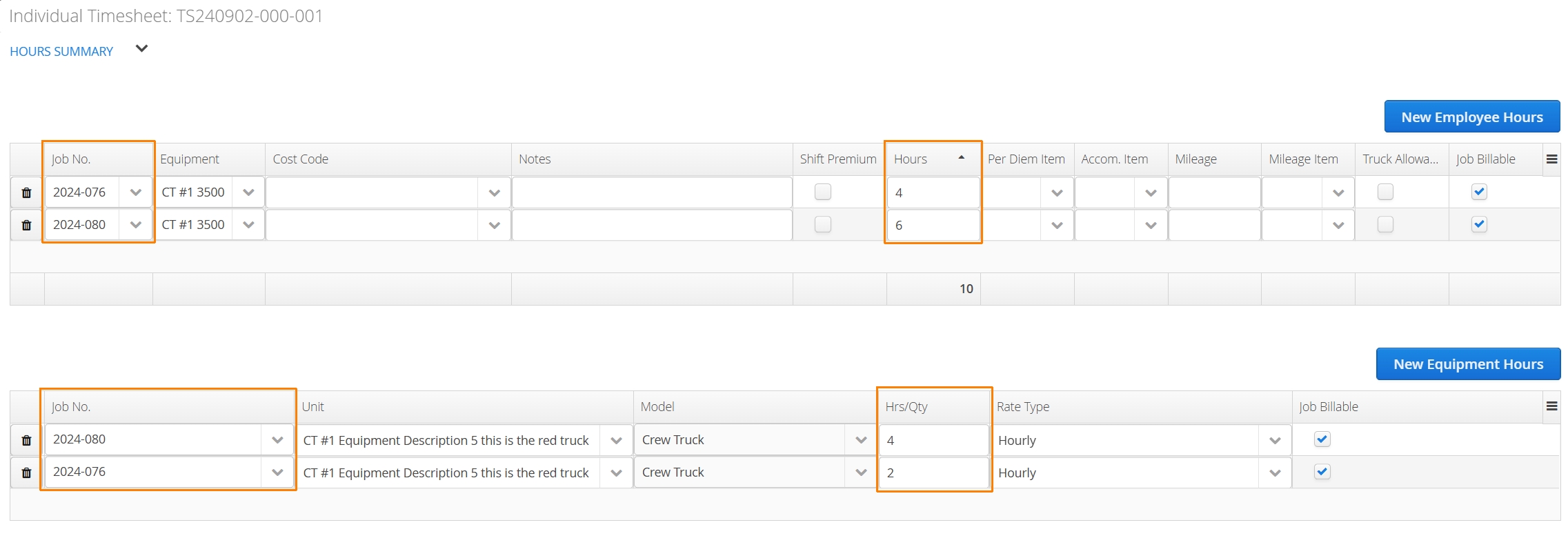
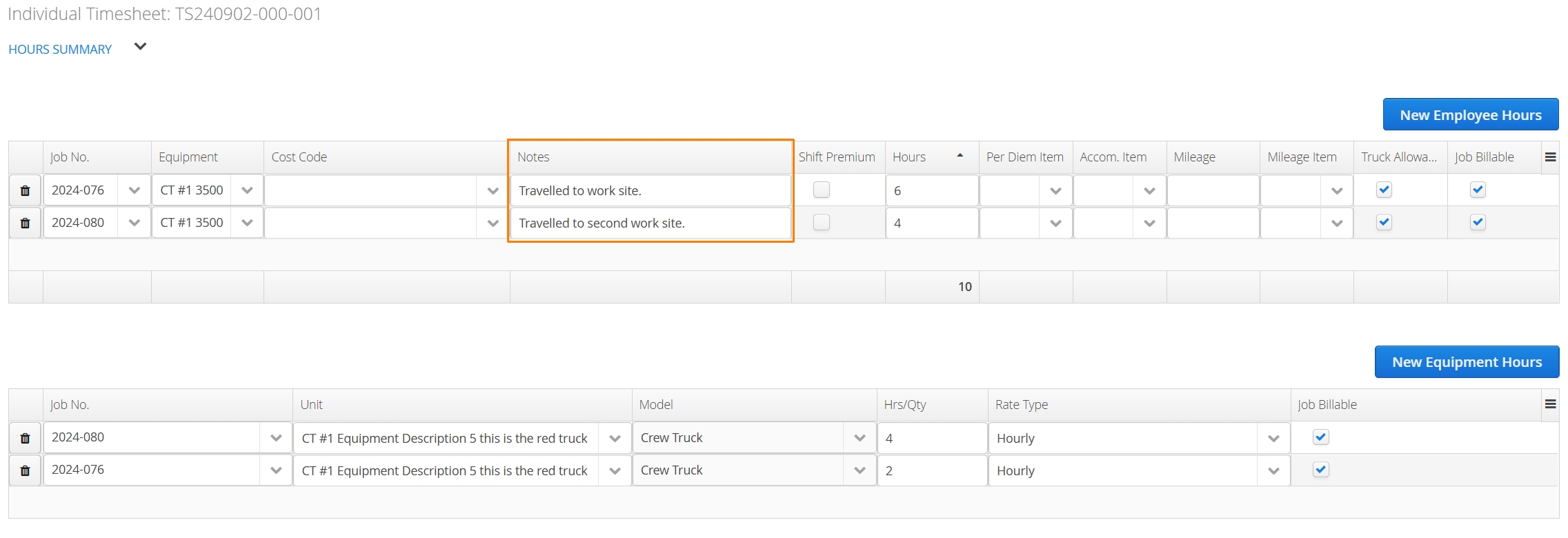
In the image above, the employee listed two job numbers on their timesheet. As a Safety Manager, they may travel to multiple sites per day to confirm health and safety protocols are being adhered to.
The Employee Hours table lets the timesheet creator select the personal equipment used. This may be used to track whether an equipment allowance (ie: Truck Allowance) is owed.
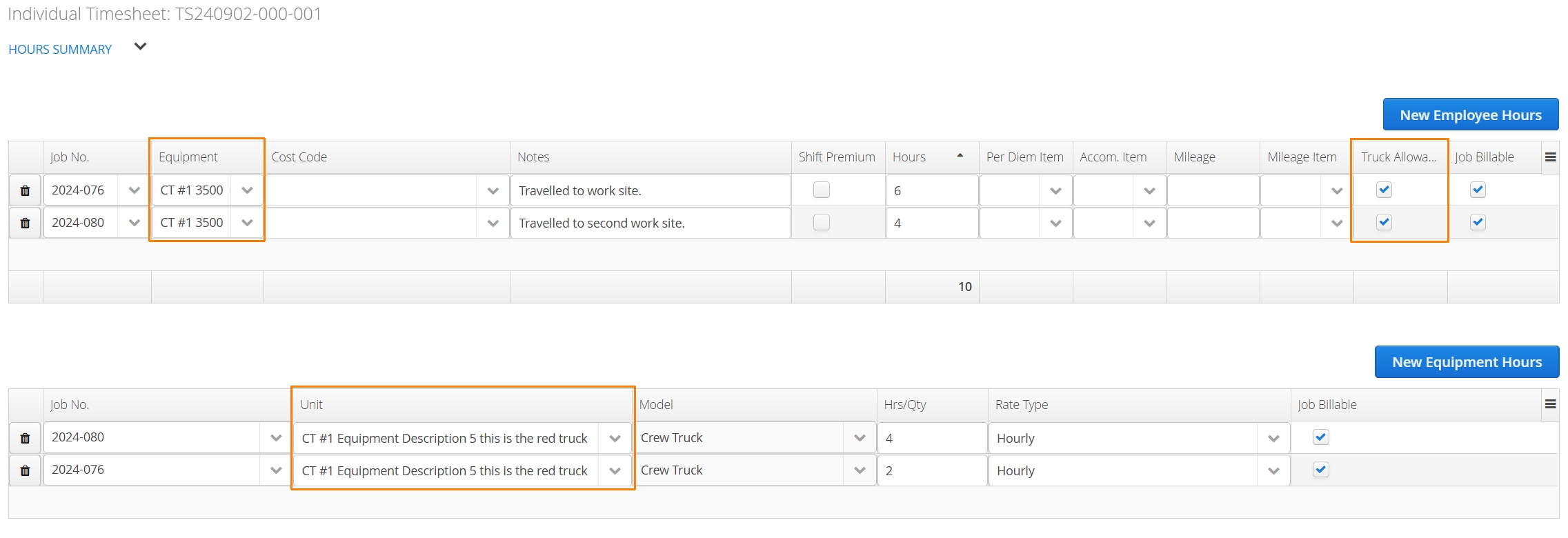
Equipment Hours can be tracked for the same Equipment for purposes of tracking costs or billing back equipment hours separately.
An employee can add notes (description of work) per line item along with their hours.
How to Save or Download an Individual Timesheet
The process of saving and downloading an Individual Timesheet on the web is similar to other forms in Aimsio.
If you haven’t yet, review our Form Fundamentals guide.
How to Review and Approve Timesheets
Supervisors or office admins should read our dedicated guide on reviewing and approving Timesheets.
How to Edit or Re-open a Timesheet
Editing or re-opening a Timesheet can impact hours that have been transferred to Tickets.
For best practices, please review the following: