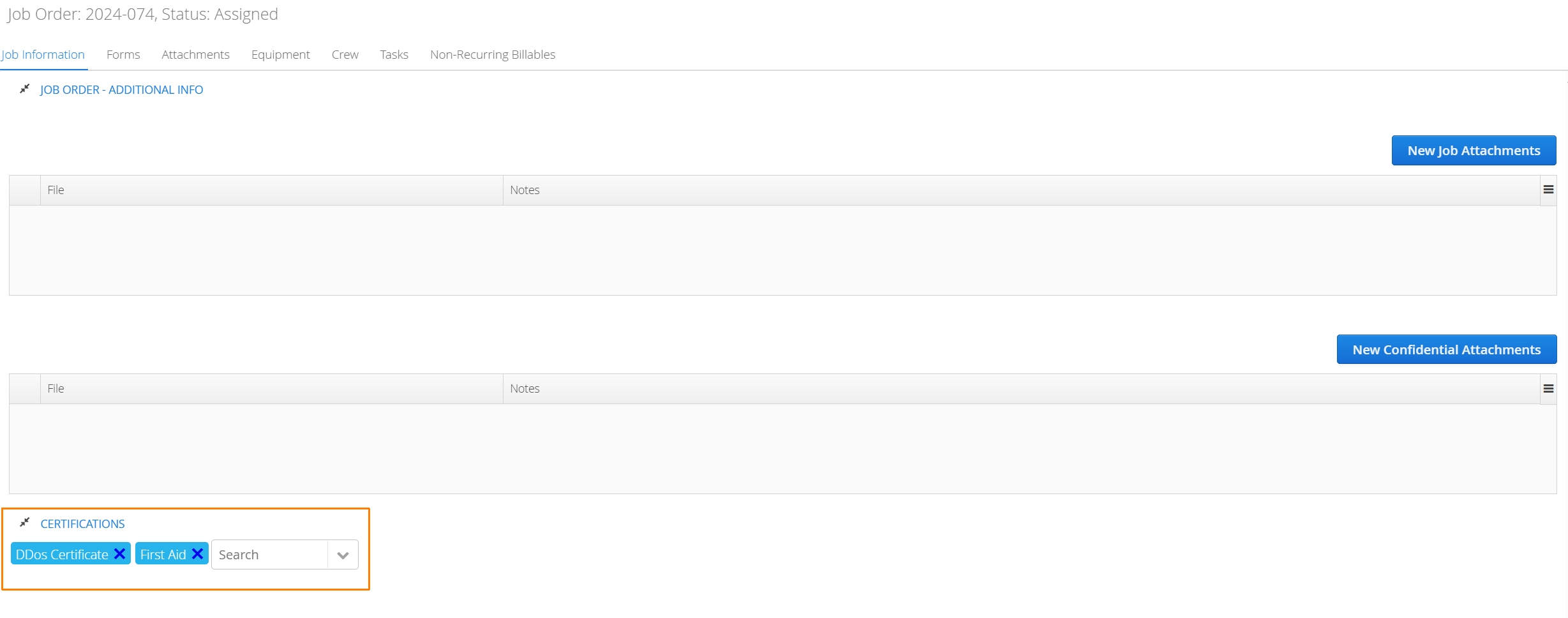
Aimsio’s Dispatch module can leverage your Compliance configuration to ensure only fully certified employees are available to select for scheduling.
How to Filter Compliant Crew using the Dispatch Job Board
Navigate to Aimsio’s Dispatch Job Board.
- Locate the resource menu located on the left and check the box marked Compliant to filter your list of crew resources. Optionally, select a Job to identify employees that have certifications related to a specific job.
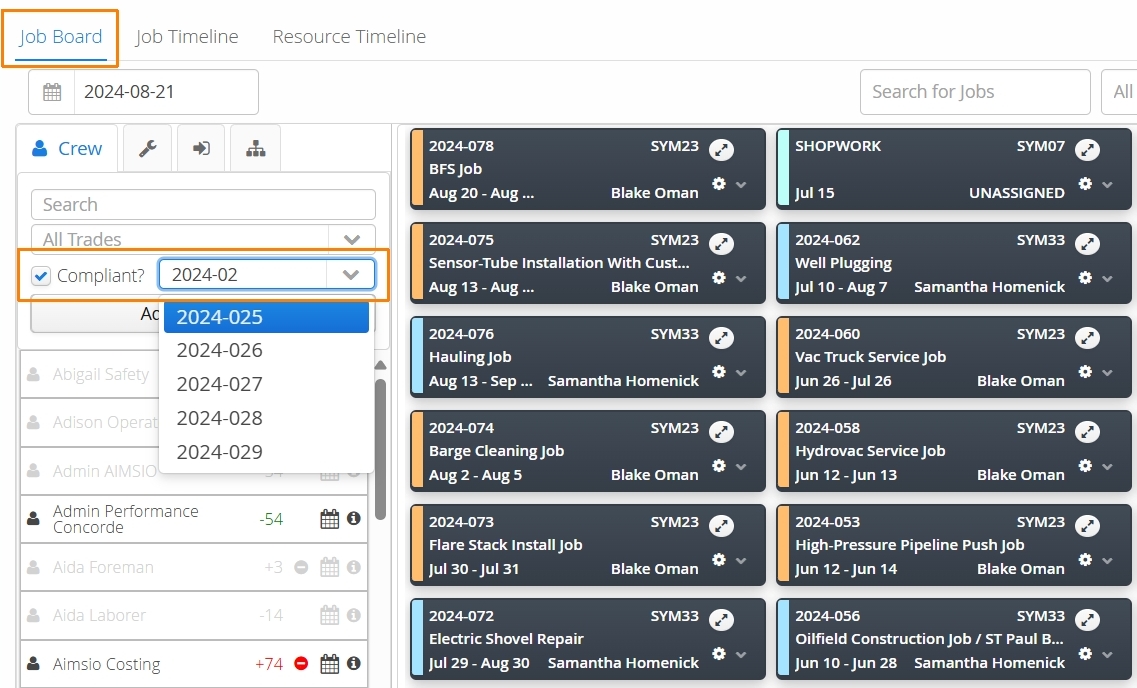
- Employees that are not compliant are greyed out. They can technically still be dispatched to the Job.
If an Employee has been marked as non-compliant, it indicates that they either do not have all certifications required by your Compliance configuration or they do not have the specified certifications related to the Job.
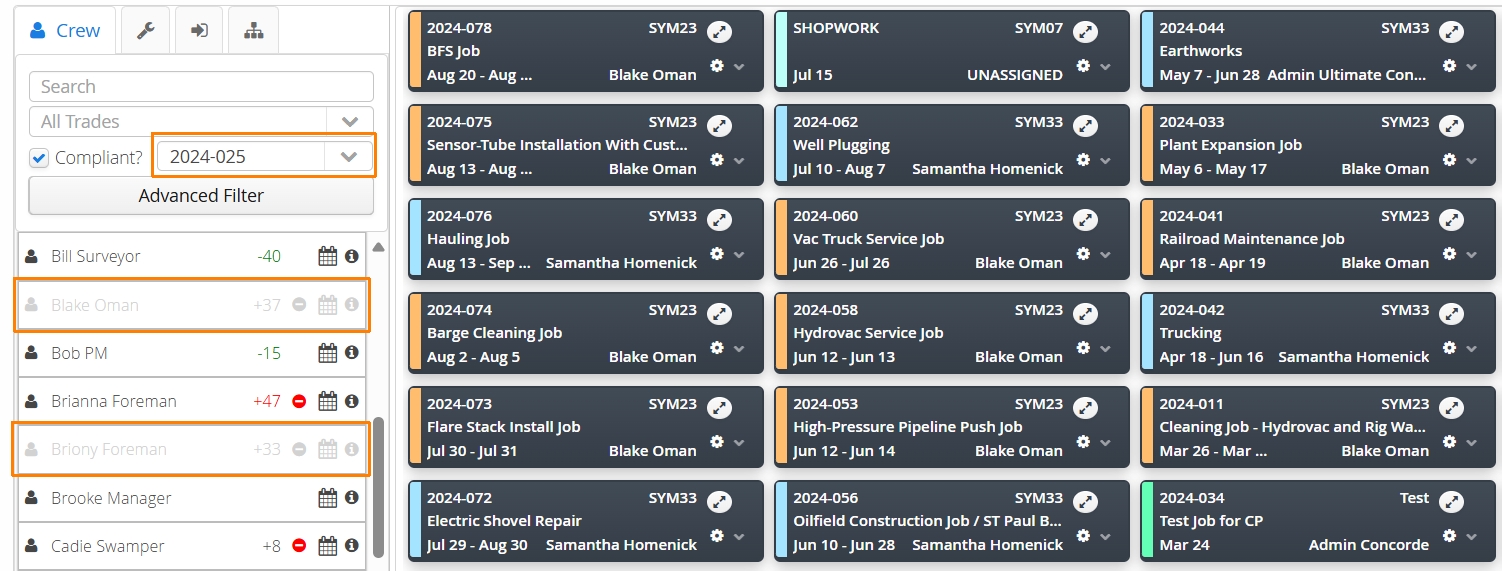
Some Employees may appear as compliant, despite not having any certification records. If your Compliance configuration has not tagged an Employee as requiring certification, then the system will treat that Employee as fully compliant.
Choosing which certifications are required for a Job
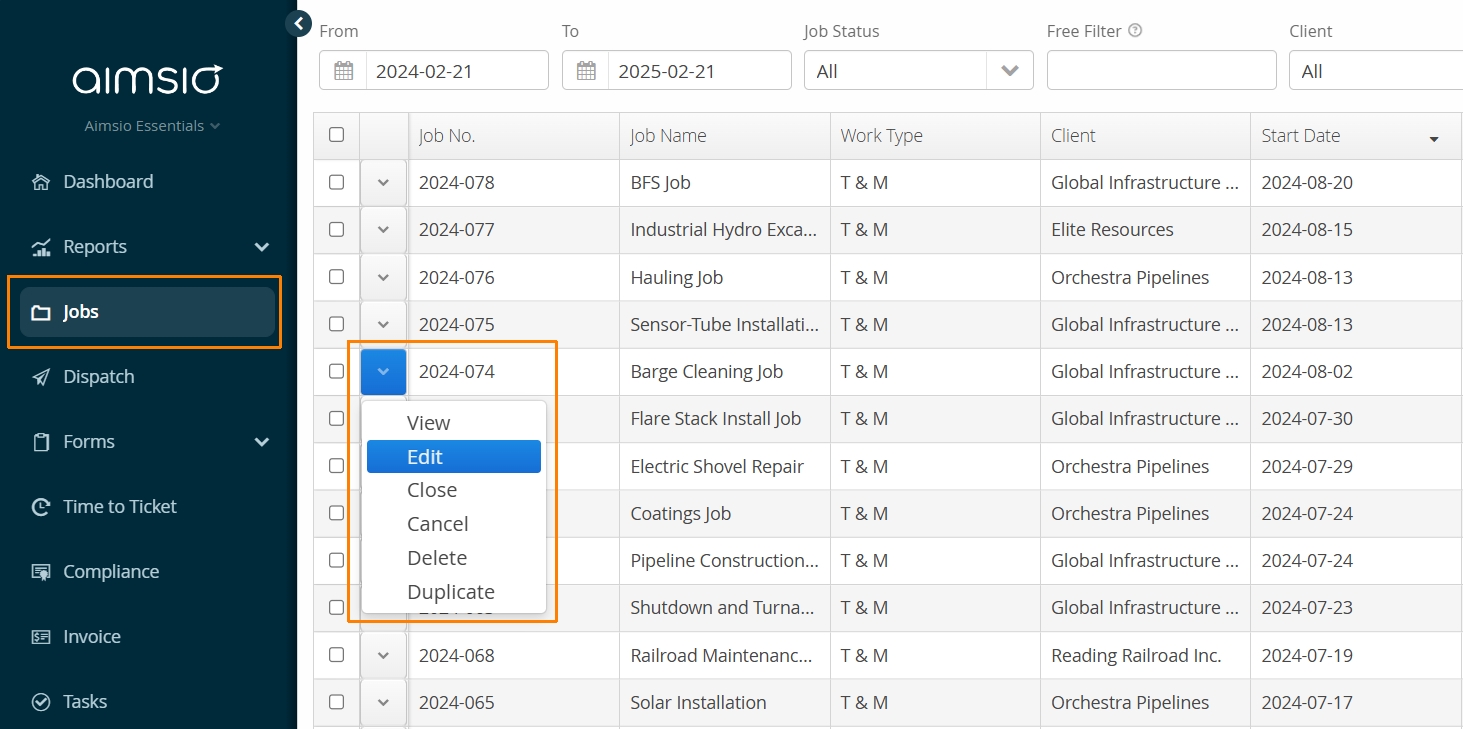
Navigate to the Jobs page using Aimsio’s left menu. Locate and edit a Job to bring up the details of the project.
Scroll down to the bottom of the Job to a section named Certifications.
- Use the drop-down menu provided to bring up a list of your active certifications. Choose all that apply for the current job. When you are done, select Save and Close.