Change Orders allow accounts to formalize, document and track changes to a Job’s scope, schedule or cost. Change Orders can be sent digitally for approval using our Client Portal and automatically keep your Job Performance report up to date.
Change Orders are available with Aimsio Ultimate.
How to Create a Change Order
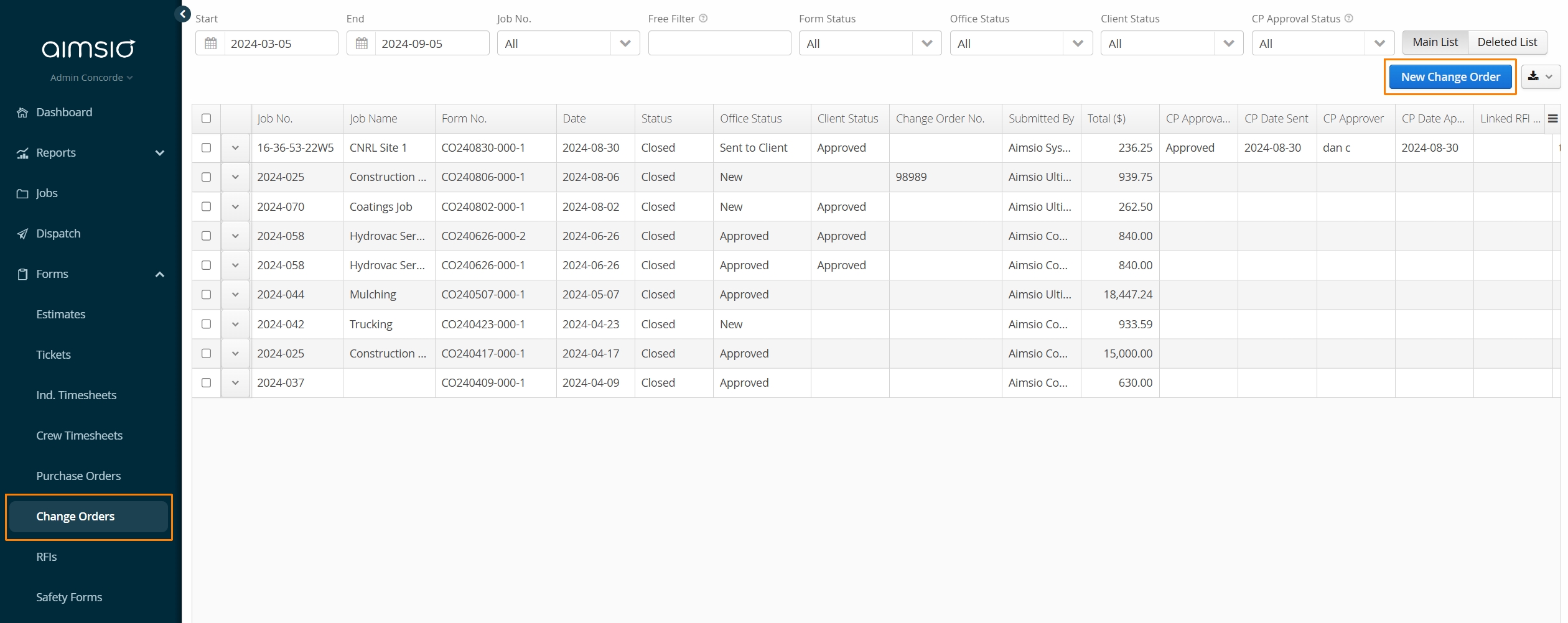
Navigate to Change Orders on Aimsio’s left menu and select the New Change Order button on the top right.
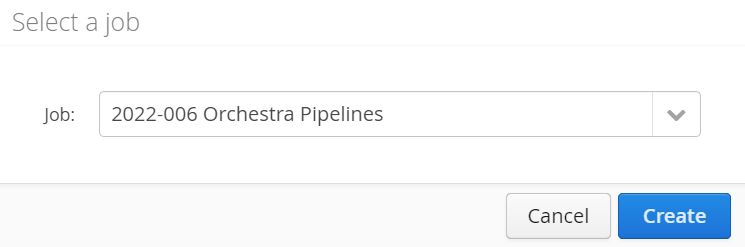
- Select the Job this Change Order concerns and click Create
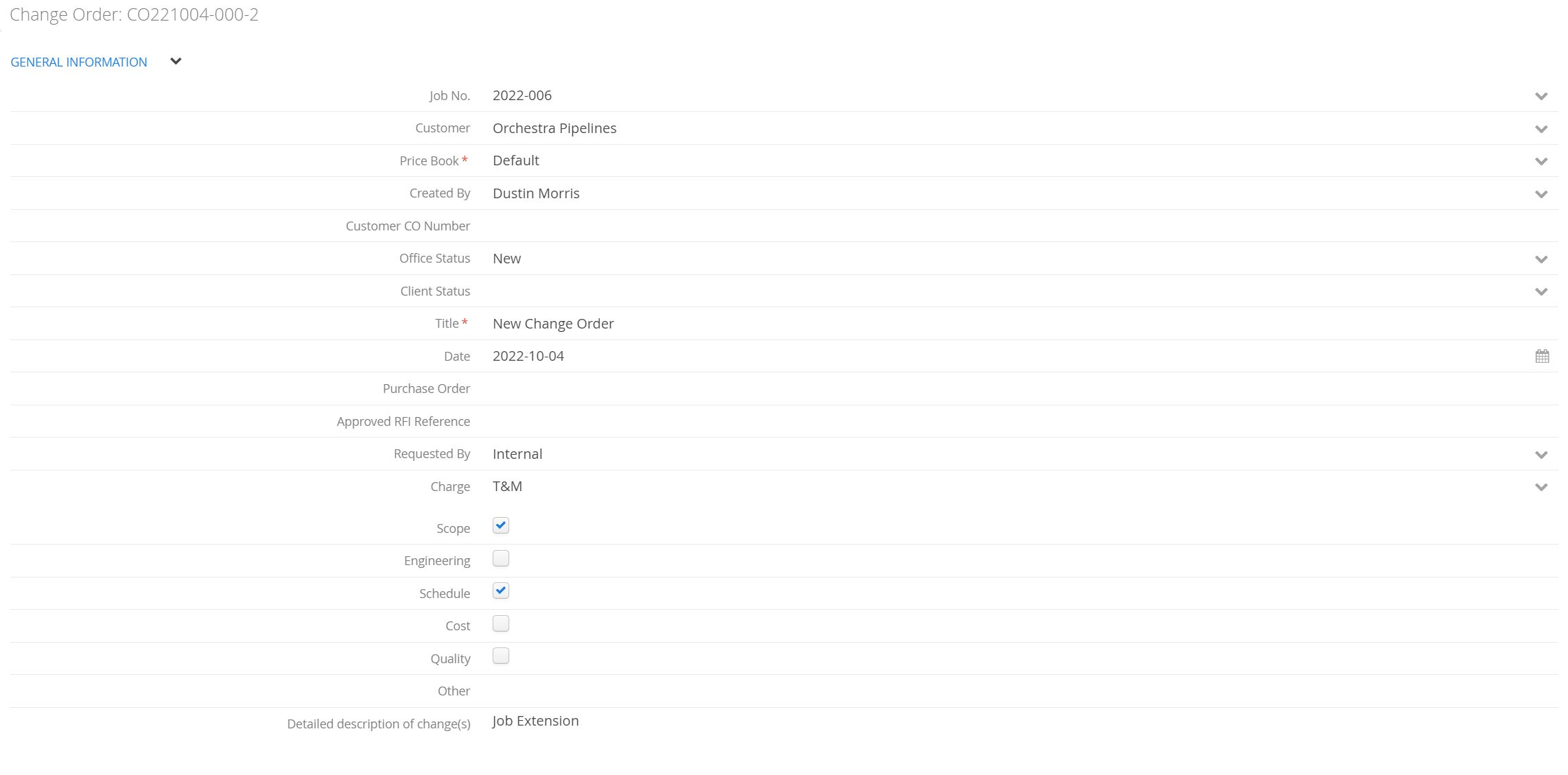
Creating a Change Order is very similar to creating an Estimate. You are given access to your Job’s Price Book Billable Items list. Users will input relevant costs associated with any change in scope or schedule of the project.
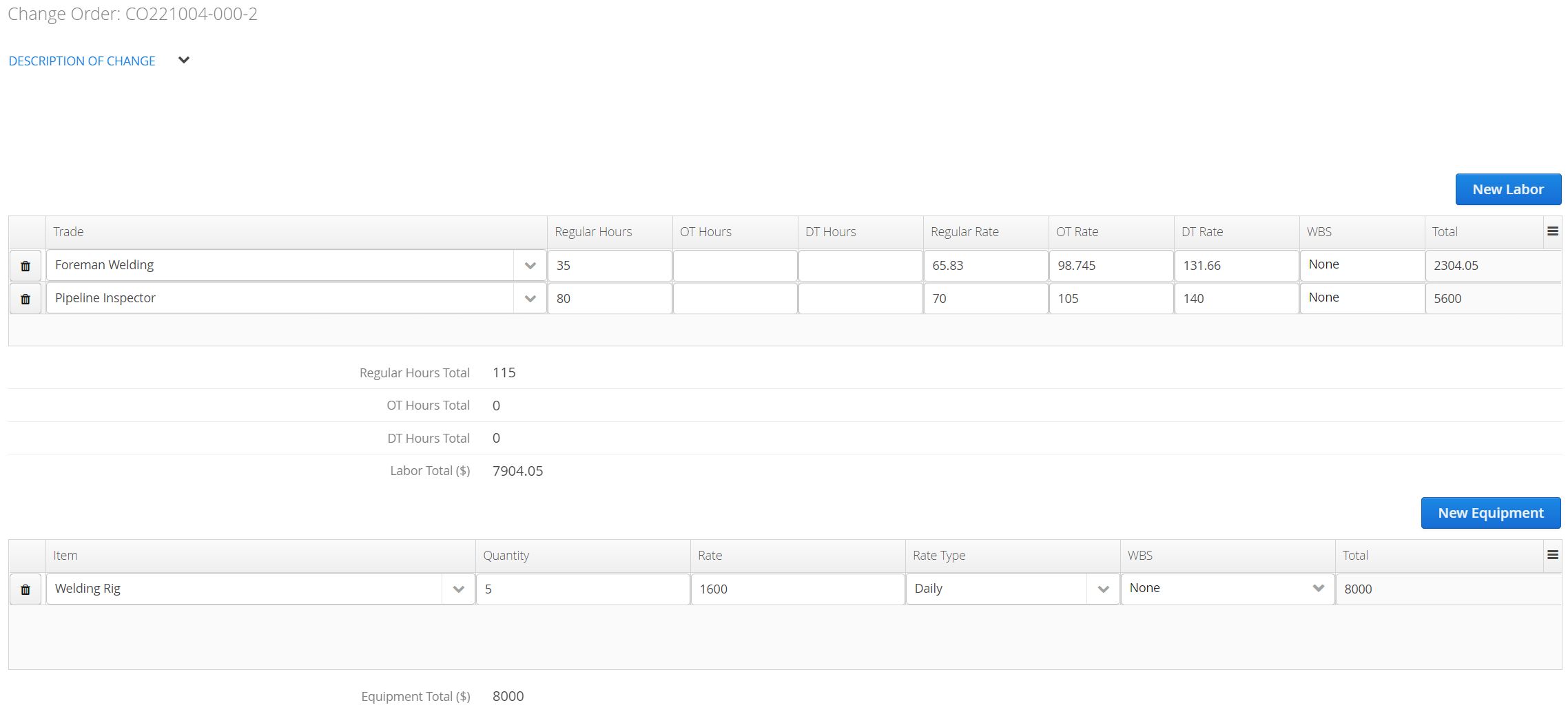
Description of Change
In this section of the form users input Billable Items and quantities to track changes in Labor, Equipment, and Materials related to the Job. The form will automatically calculate the Total $ for each billing category.
Updating Physical Progress
For customers utilizing WBS, users can track updates to Physical WBS Progress. In other words, accounts can make adjustments to the originally Planned Start and Planned End dates of a Phase/WBS Activity, as well as adjust the measurable quantities related to those deliverables.
- All Change Orders forms will contain a standalone section for Quantity and Date Changes to a WBS Phase.

This table updates values in the Deliverable Information: Dates + Physical WBS Progress sections found on every Phase/Activity in a WBS Schedule.
Aimsio tracks approved changes to the originally planned quantities / dates using a Revised Start Date, Revised End Date and Changes to Quantity field.
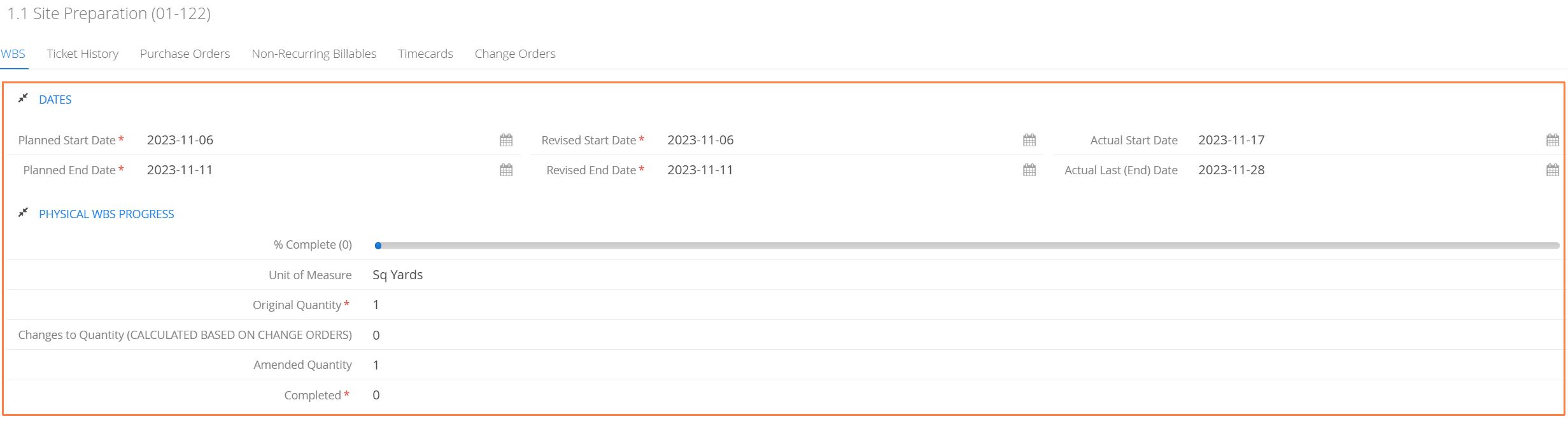
On a Change Order, when a user selects a WBS Activity, the current projected total quantity to completion will appear under the Amended Quantity column. Revised quantities can be inputted under the New Changes column.
New Amended Quantity column will display a sum of Amended Quantity and New Changes.

Users can also adjust the originally planned start or end dates under the New Revised Start and New Revised End columns.
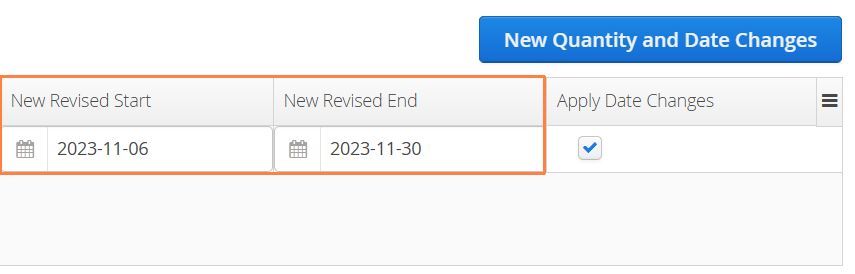
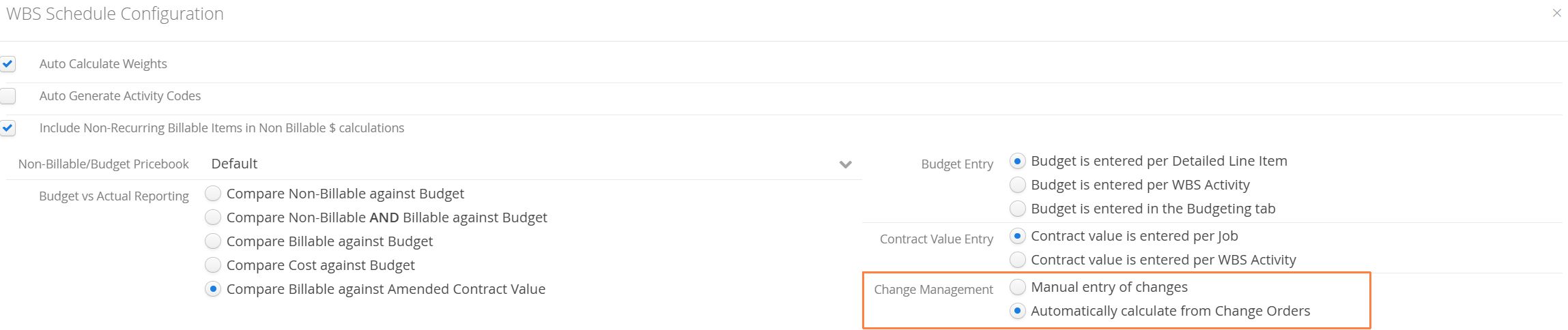
All revisions to quantities or dates can be updated manually, but the default behavior will be to automatically track updates once a Change Order has been approved.
This setting is located under the WBS Configuration under Change Management.
Signatures
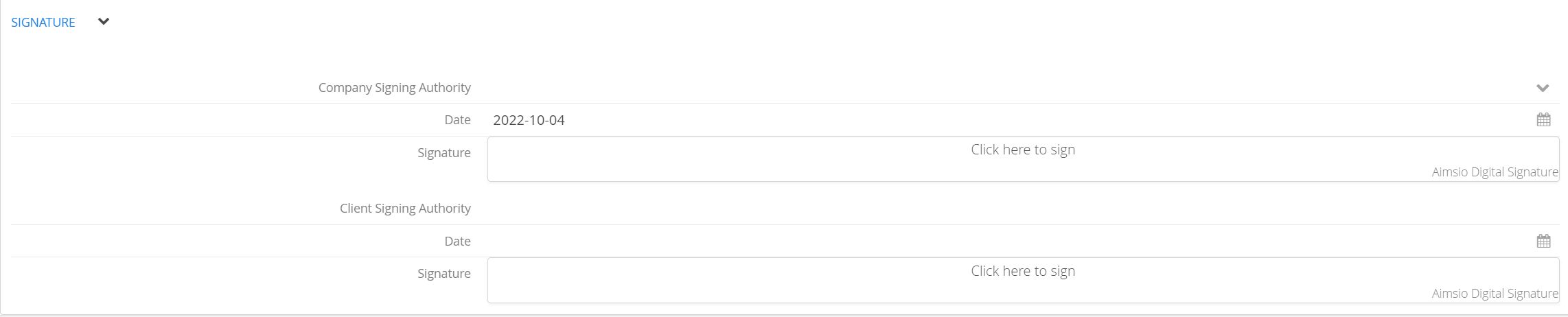
There will be a section on the Change Order form to allow the input of signatures of anyone internally who may be approving the order, or a client signature if you happen to be with them on-site.
How to Edit, Duplicate or Download a Change Order
The process of editing, duplicating or downloading a Change Order is the same as other Aimsio forms. We recommend viewing our Form Fundamentals guide for more information.
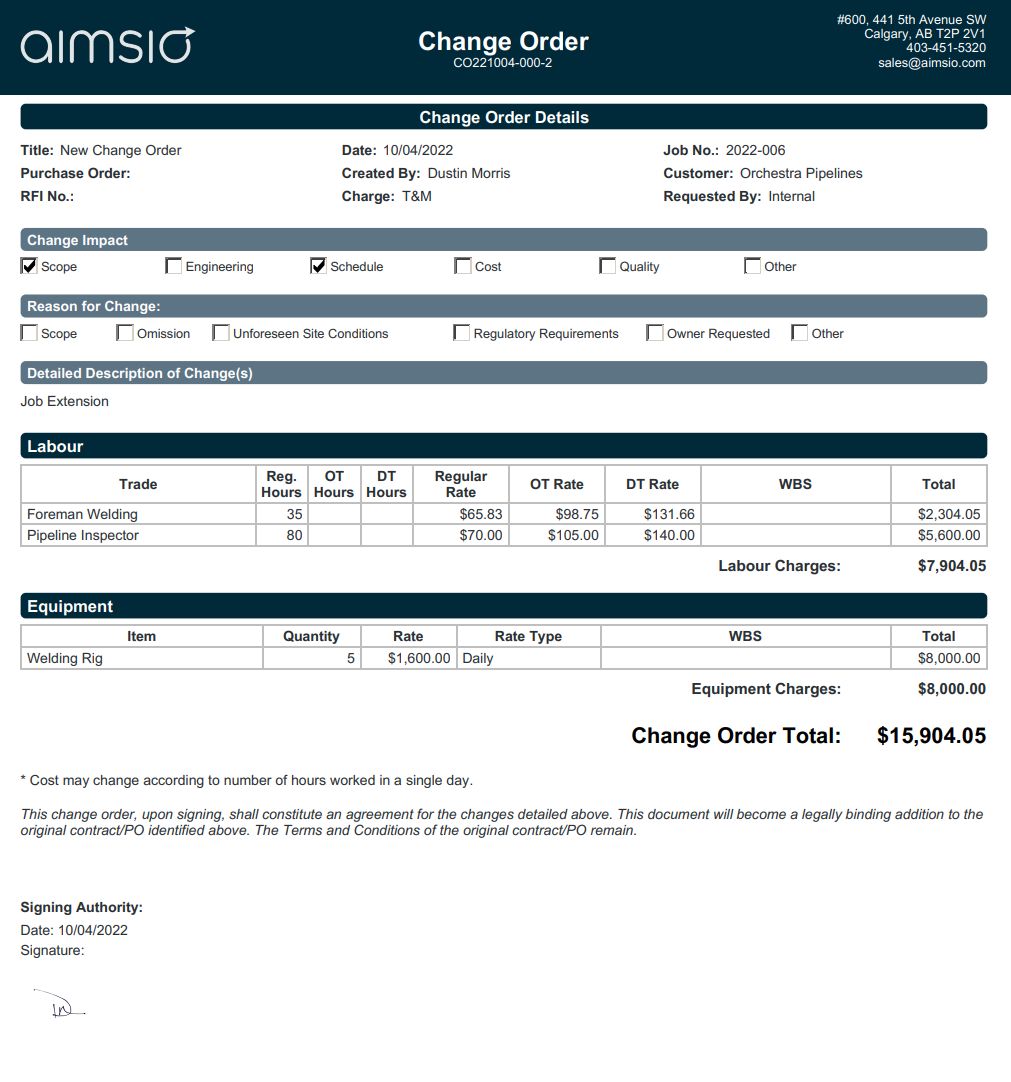
How to Approve a Change Order
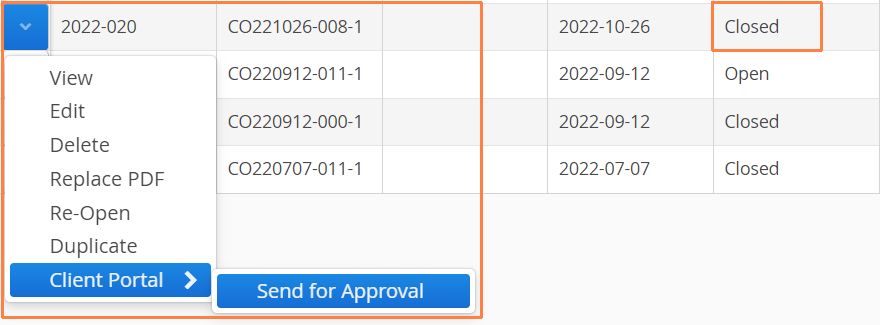
Change Orders are compatible with Aimsio’s Client Portal. When a document is approved through our portal, changes will automatically propagate to your WBS Schedule.
For more information on getting a digital signature from your clients see: Aimsio - Client Portal
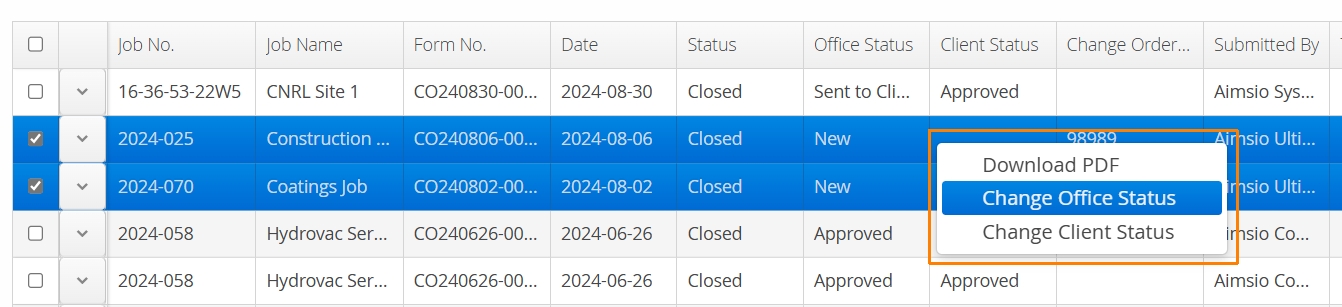
Users can also change the Status of a Change Order manually. Selecting forms from the Change Order page, right-click and selecting Change Office Status or Change Client Status.
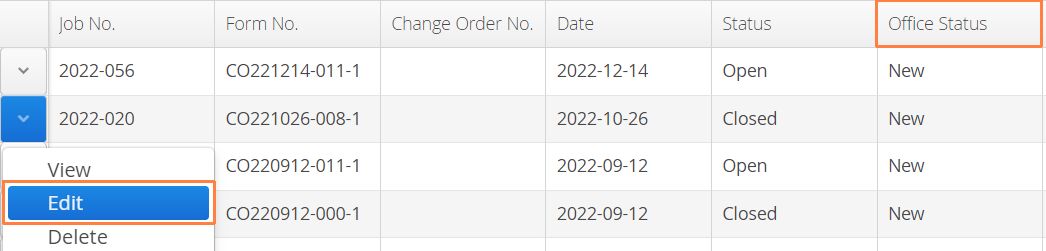
Alternatively, users can click the Action button to the left of the form and select Edit.
From inside the form, select the Office Status or Client Status dropdown menu and click Approved. When you’re finished click Save.

How to Manually Replace an Aimsio PDF
If the copy of your Change Order has been signed outside of Aimsio, users can use the Replace PDF action to upload and replace the copy inside your account. This action is available to authorized users by clicking the action menu beside any form on a form page.
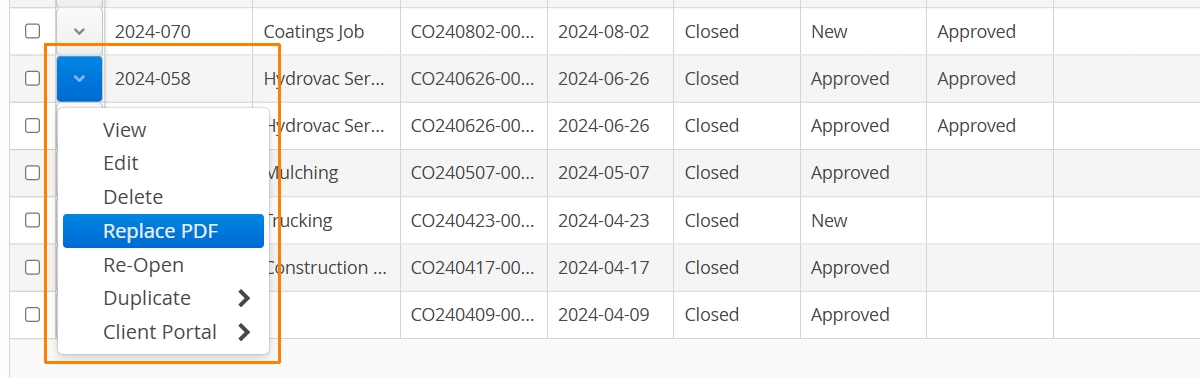
If users regenerate a PDF in Aimsio, after the Replace PDF action is used, accounts will lose access to the last uploaded copy of the PDF.
Change Orders and Job Performance (WBS)
Settings on a WBS Schedule can automatically scan for approved Change Orders and amend the Contract Value on reports. For more information on creating a WBS Schedule see: How to Create a WBS Schedule.
