What’s new in version 21.17
New Features
Web
- Our Payroll Module got a new feature! Timecards can now be moved/locked under a Pay Period. A Pay Period has a start/end date as well as an amount.
Android
-
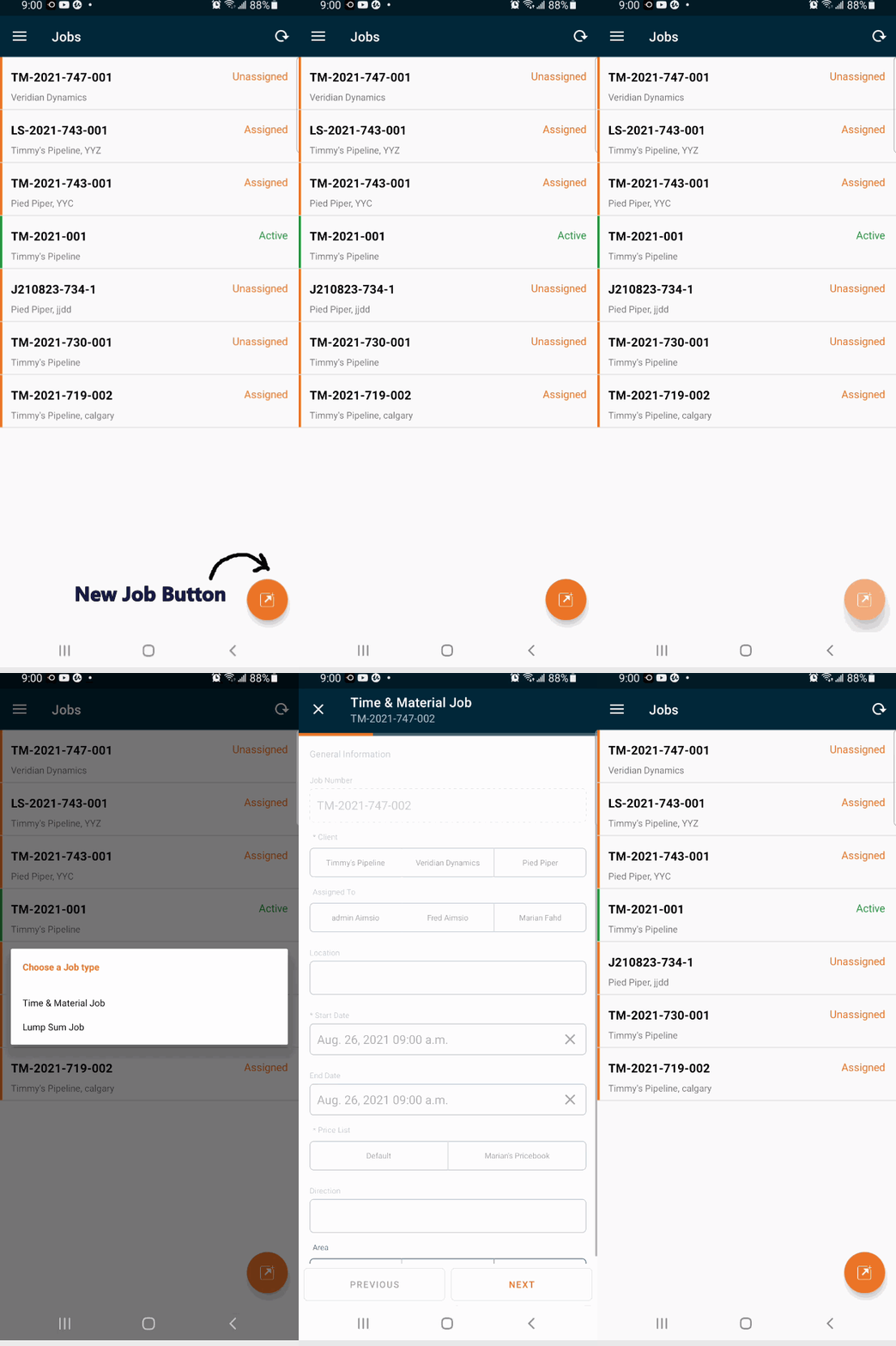
You can now create job orders on Android devices! If interested, talk to one of our representatives to get this feature enabled in your account.
The Job Number is auto-generated, the “Client” field is visible and required, the “Assign To” option is visible (but not required), Location can be converted to geo-coordinates, and you’ll see more fields such as Direction, Description, Start Date, End Date, Price List, and Area. -
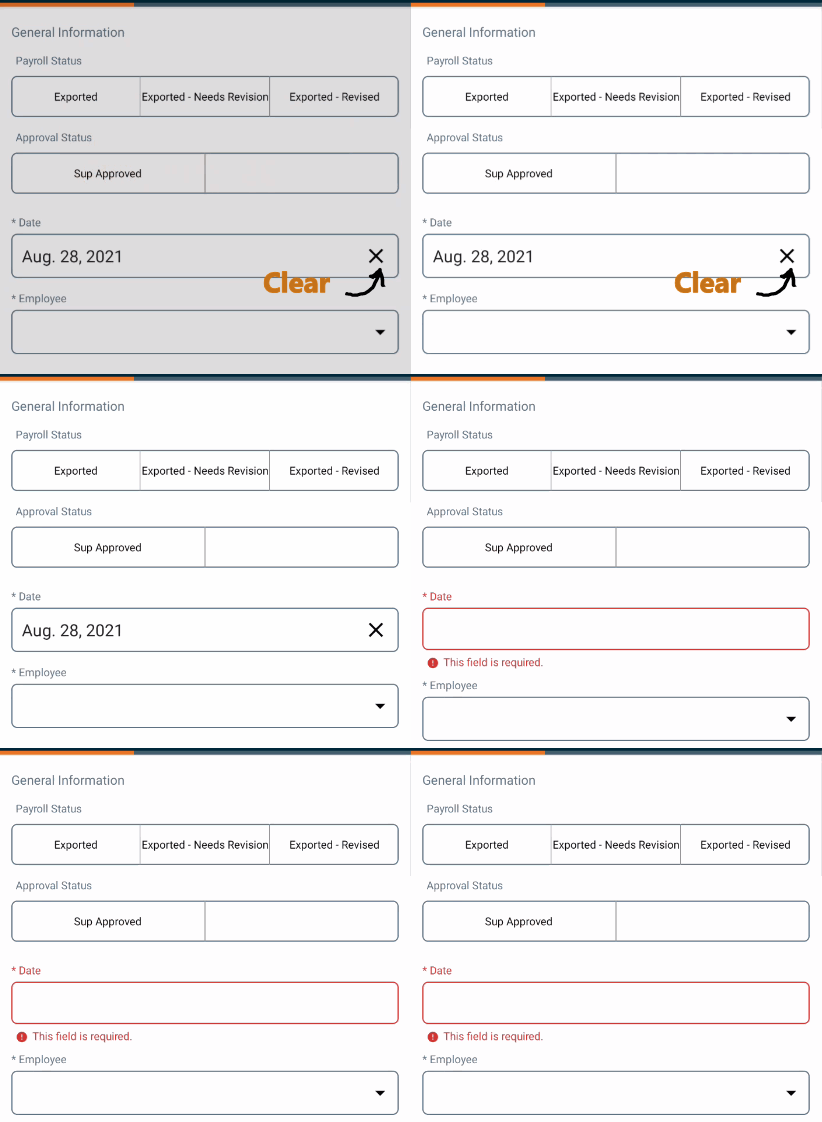
The Date fields on forms can be cleared easier now.
Bug Fixes
Android
-
There was an issue with text not being saved until the keyboard was closed or the user moved on to edit a different field. This has been fixed.
-
We also fixed a problem that was causing some text not to be displayed.
-
The overall typing experience in Android should be better now. Mavis Beacon would be proud.
Improvements
Web
-
Everyone makes mistaeks. That’s why deleted Pricebooks can now be restored.
-
System Notifications (emails/text messages) are no longer going to be sent to users whose accounts are marked as ‘inactive’ (no more spamming users, yay!)
Android
-
The synchronization function is now manual and you can use it when you want.
-
You can now clear a date field on any form using the ‘x’ button.
-
Some icons have been changed.