What’s new in version 26.06
This week, we’re introducing a highly requested update to our Purchase Order workflow to make batch processing faster, alongside significant improvements to system loading speeds and data integrity.
Questions about our new features? Get in touch with our Support team.
Batch NRB Creation (PO to NRB)
Based on your feedback, we’ve upgraded the Receive Partial workflow to offer more flexibility when converting Purchase Orders into Non-Recurring Billables (NRB).
Previously, you had to choose between two workflows: “Batching” all items into a single NRB (which hid specific line-item details), or “receiving” items one by one to keep the details (which was time consuming).
What’s New
Individual NRB Batching: You can now select multiple PO lines and choose to “Create a non-recurring billable for each individual item selected.” This allows you to attach shared documents or invoice numbers just once, while still maintaining line-by-line control over quantities, rates, taxes, and upcharges.
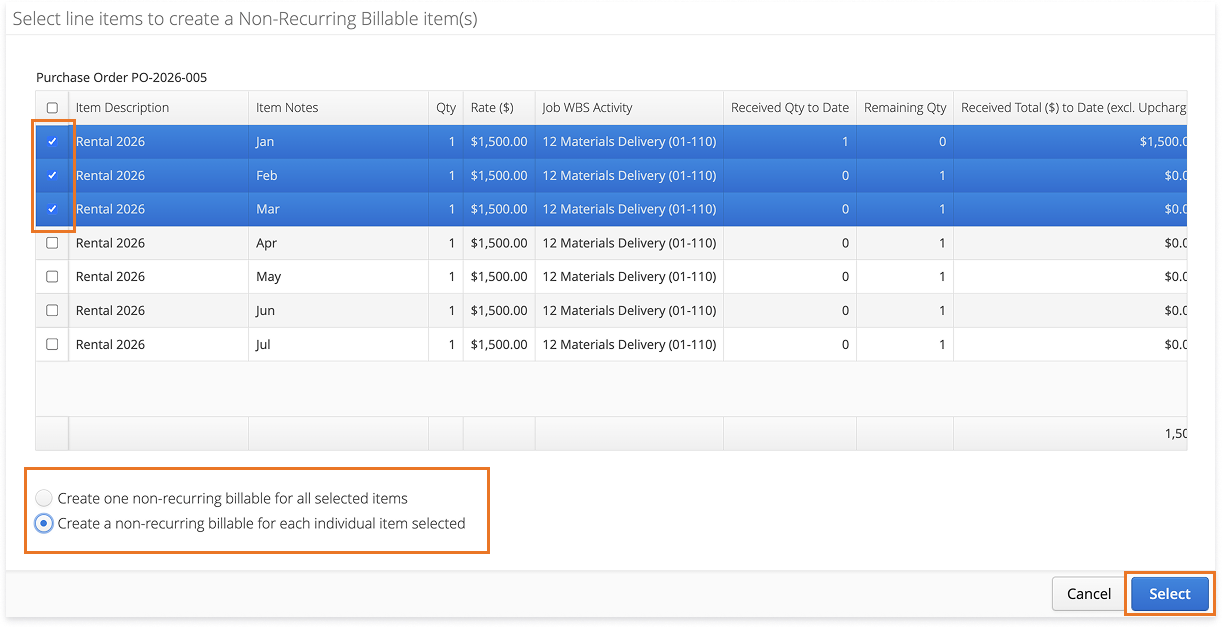
Preserving Granularity: Unlike our existing “summarized” batch option, this new method preserves specific item descriptions and notes for every record without requiring you to repeat the upload process for each line.
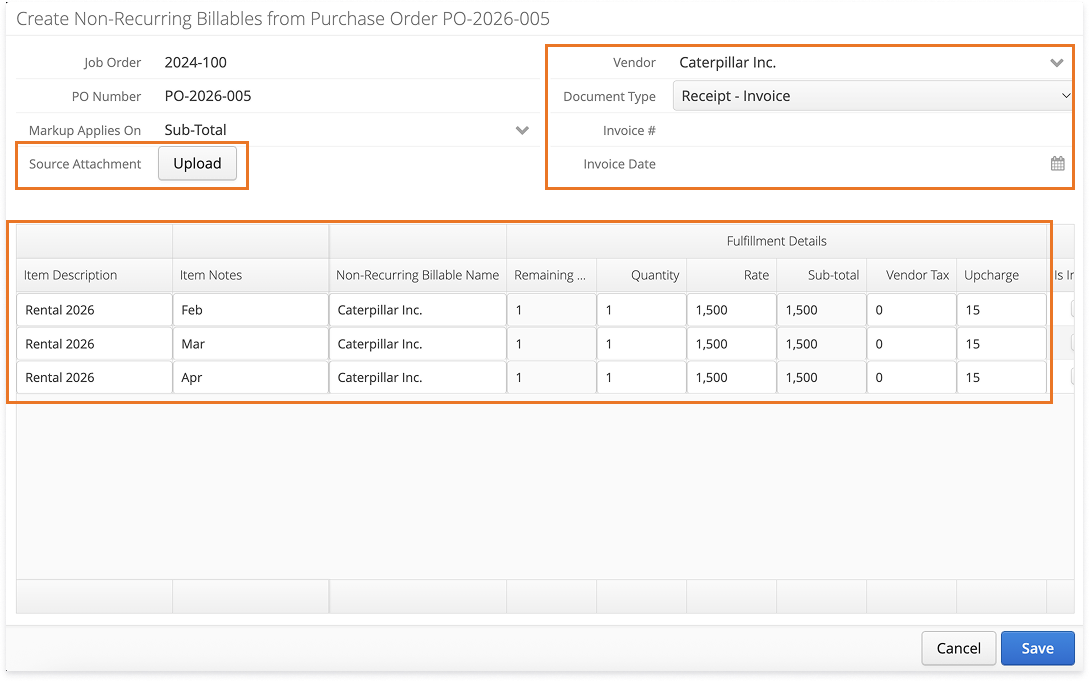
Flexible Workflows: Your existing workflows, whether receiving items one by one or as a single summarized NRB, remain fully available so you can choose the method that fits your current task.
For more information about Purchase Orders, please visit our product guide here.
Want to change your default selection? Reach out to support@aimsio.com to change the default from All Selected to Individual Items.
Enhanced Field-to-Payroll Integrity
To ensure your operations and payroll data stay perfectly in sync, we’ve added new safeguards to prevent accidental changes to extracted time.
“Has Timecard” Status: A new column has been added to the Timesheets listing page (Individual and Crew) to clearly signal whether time has already been extracted to payroll.
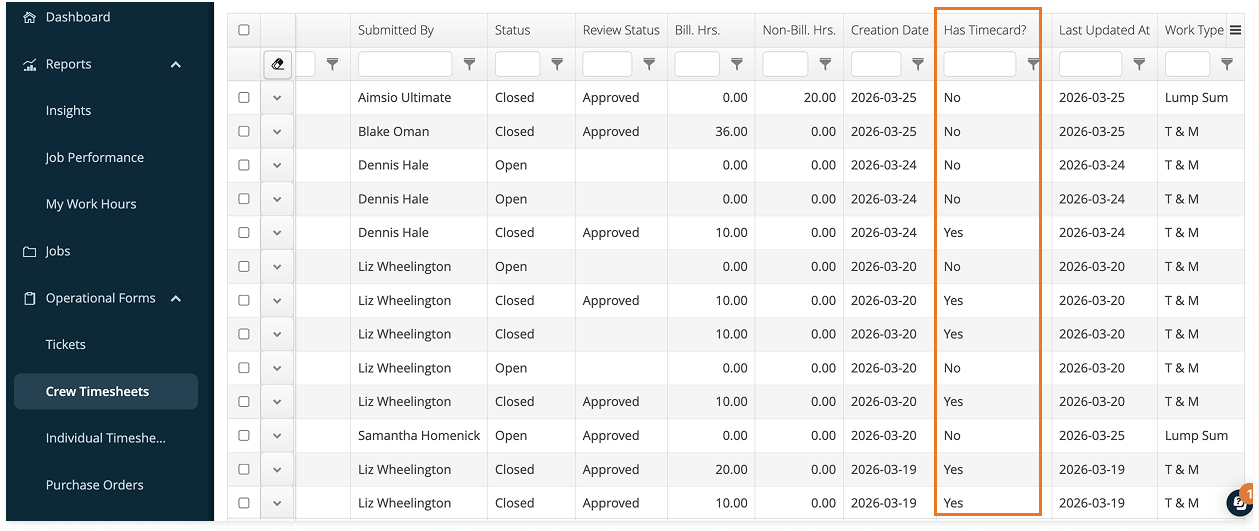
Automatic Edit Lock: If a timesheet has been extracted (Status: Yes), the Edit button will be automatically removed. This ensures that field-level edits do not get out of sync with your payroll records.
Managing Corrections: To make a correction to a locked timesheet, an authorized user must first delete the corresponding timecard in the Payroll module. This creates a clear “paper trail” and ensures everyone is aware of the change.
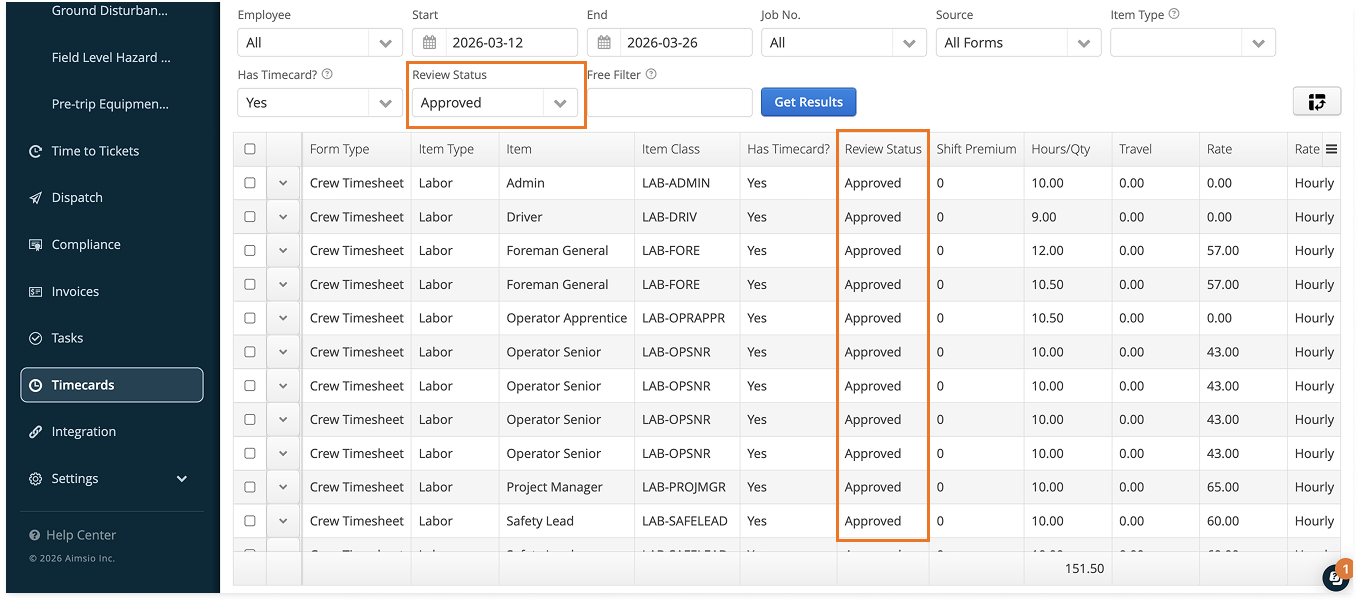
Payroll Review Status: Payroll admins can now filter raw data by Review Status, ensuring only “Approved” time is extracted for processing.
Optimized Loading Speed
We’ve improved how Aimsio loads your dashboard to get you into the system faster. By prioritizing the page you are currently viewing rather than loading your entire menu at once, we’ve significantly reduced wait times.
Questions about our new features? Get in touch with our Support team.