What’s new in version 25.15
Users that are authorized to view or edit Master Data will now have access to a historical record of changes. Read on for details.
Questions about our latest updates? Contact our support team.
Master Data
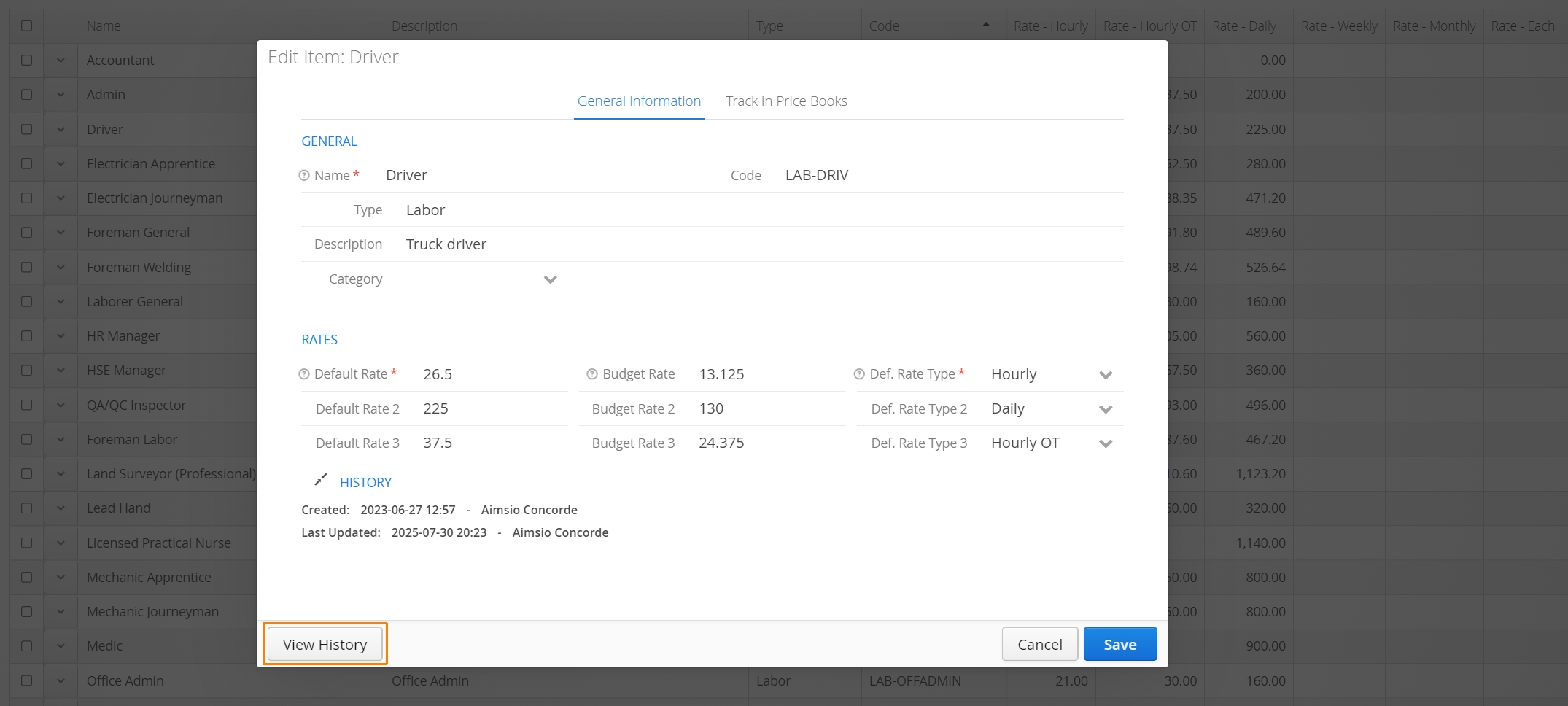
Starting this week, when a Master Data item is being viewed or edited, users will have access to a View History button located on the bottom left of the item window.
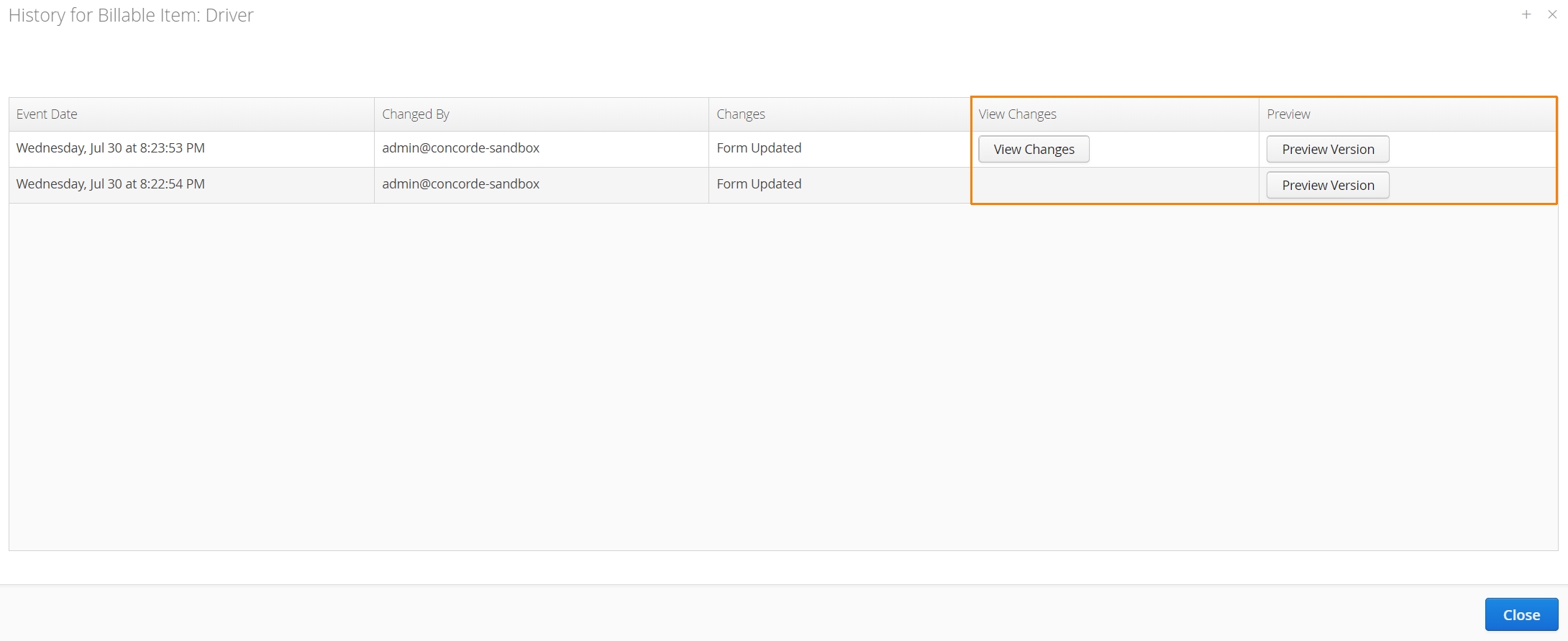
View History functions very similarly to how we capture historical changes to forms. When users access the history, an additional window will appear with a data stamped list of all changes. Accounts will be able to see which user created the change.
Users can click View Changes to review what was changed and Preview Version to see a snapshot of the item window demonstrating the change.
We are currently tracking changes to Billable Items, Price Books (item rates), Equipment, Locations, Companies, Contacts, Users and Employees.