What’s new in version 26.13
This week’s update introduces improvements to the Client Portal, giving you more control over notification tracking and preserving a complete interaction history with your clients.
Questions about our new features? Get in touch with our Support team.
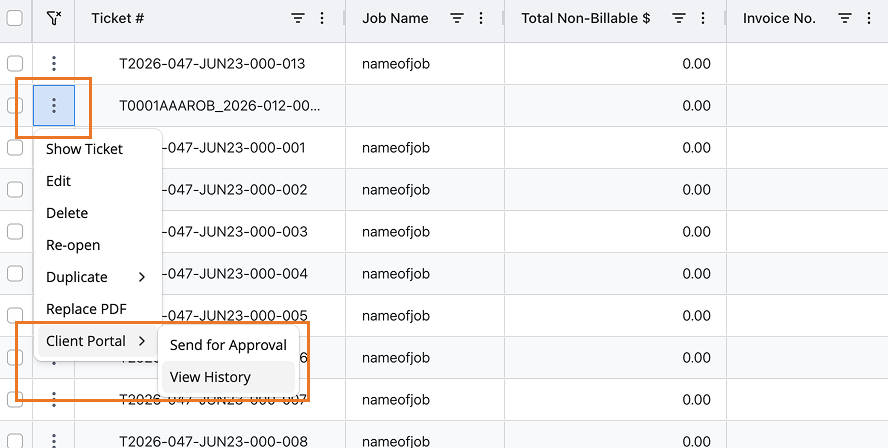
Client Portal Interaction History
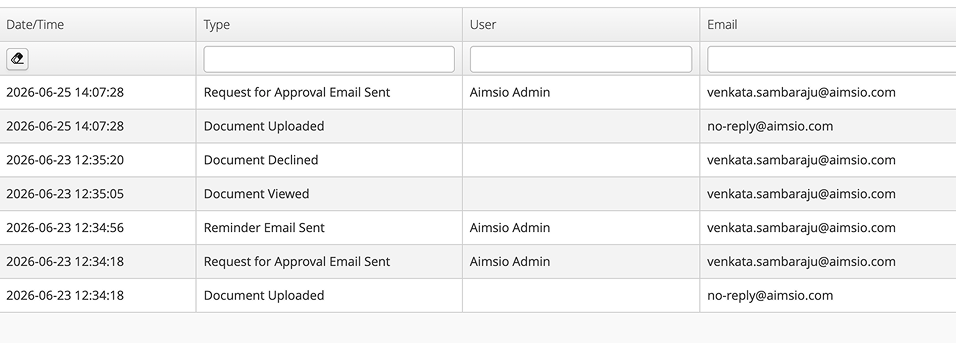
When a ticket or document is sent to a client via the Client Portal and subsequently declined, re-submitting that document will no longer overwrite your previous rejection records.
Aimsio now preserves and displays a complete chronological history of the approval history.
Client Portal Approval Notifications
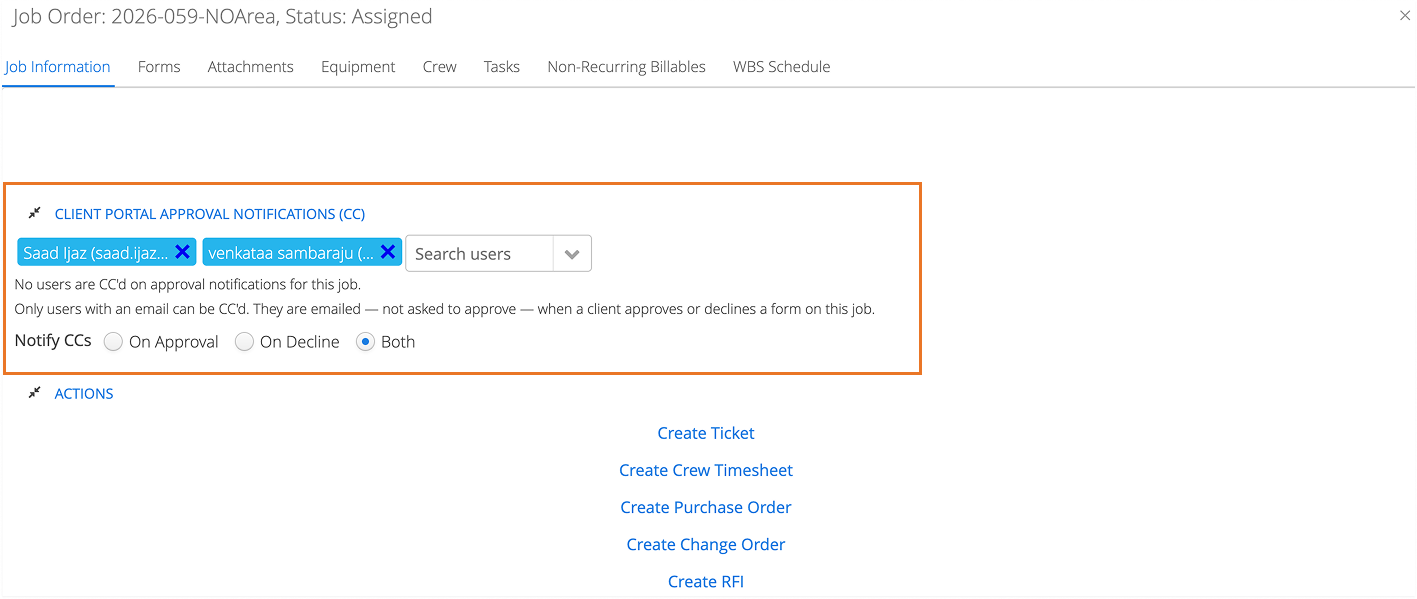
A new Client Portal Approval Notifications section has been added to Job Orders. This allows you to pre-select team members to receive updates regarding a job’s Client Portal activities.
-
Pre-Set CC Contacts: When creating a new job, you can select team members to be CC’d on portal approval activities. These users are simply sent view-only email notifications when a client approves or declines a document; they are not asked to approve it themselves.
-
Granular Alerts: CC’d recipients can be customized to receive email updates only when a client Approves, Declines, or Both.
-
Set it and Forget it: Once the CC list is established on a job, those recipients automatically populate whenever someone sends a document for approval.
-
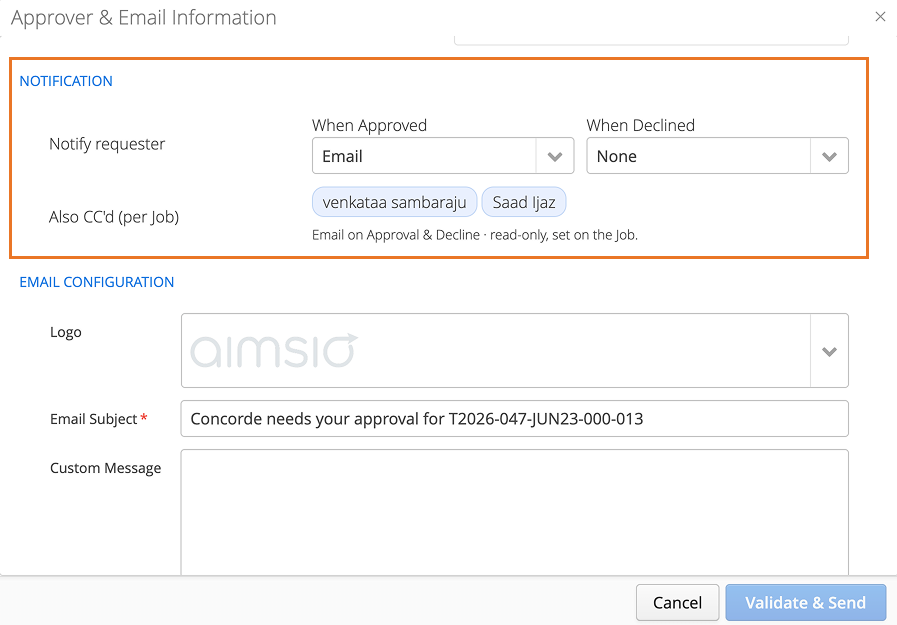
Notify Requester: Upon sending a document for approval, you, the requester, can also tailor your preferences to decide if you want to receive an alert when the client approves, declines, or both.
Questions about our new features? Get in touch with our Support team.