What’s new in version 24.03
We’ve deployed a number of enhancements across the platform this week, including improvements to Payroll, WBS, Change Orders and more. Read on for details!
WBS
Accounts actively maintaining large WBS Schedules can look forward to performance improvements, as we’ve made adjustments to the way these charts are loaded into forms.
Change Orders (WBS Budgeting)
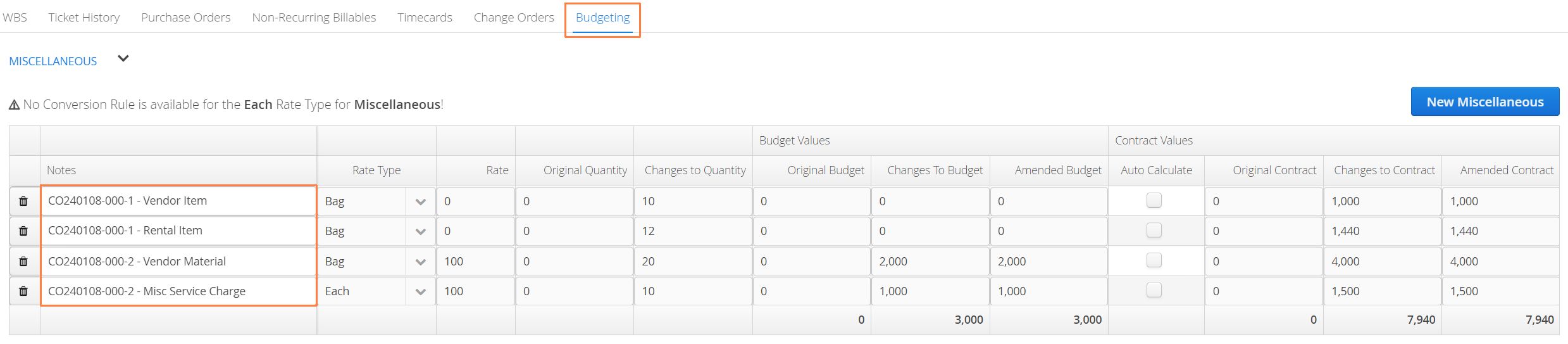
Users leveraging our latest budgeting features can now accurately track miscellaneous charges through a Change Order and feed that information back into their original bid.
- On a Change Order form, under the Misc table, new line items will now display a Cost/Budget Rate.

- Once a Change Order is approved, the individual line items under the Misc table will flow through to the original budget, under the Budgeting Tab. This ensures Aimsio captures all line-item costs that fall outside of your Billable Items list.
Payroll
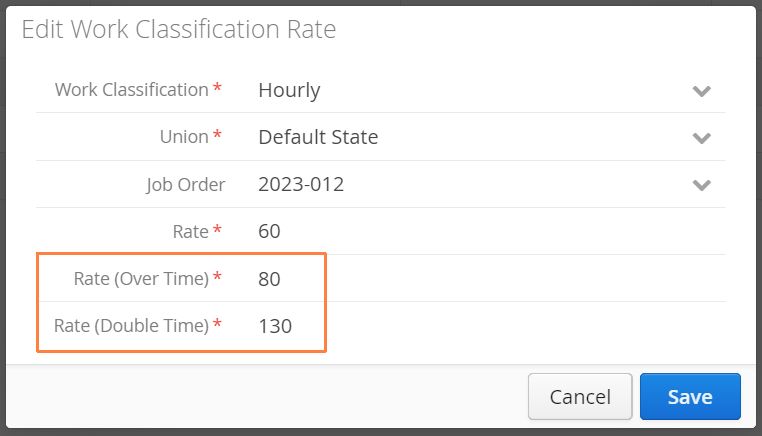
It is now possible for accounts to manage the OT and DT rates of their employees independently from their RT rate. Prior to this week, over-time and double-time rates were always handled as a factor of an employee’s hourly rate (ie: OT would be calculated at 1.5x their regular rate, DT would be 2x the regular rate).
We can now enable accounts to have finer control over these rates by allowing them to attach a custom over-time or double-time rate to an employee profile, or by leveraging a Work Classification Rate.
In addition, we have deployed a small change to the way Time Bumping is handled. Under a Union configuration, it’s possible for accounts to direct any day of the week to treat worked hours as either Regular, Over-Time or Double-Time.
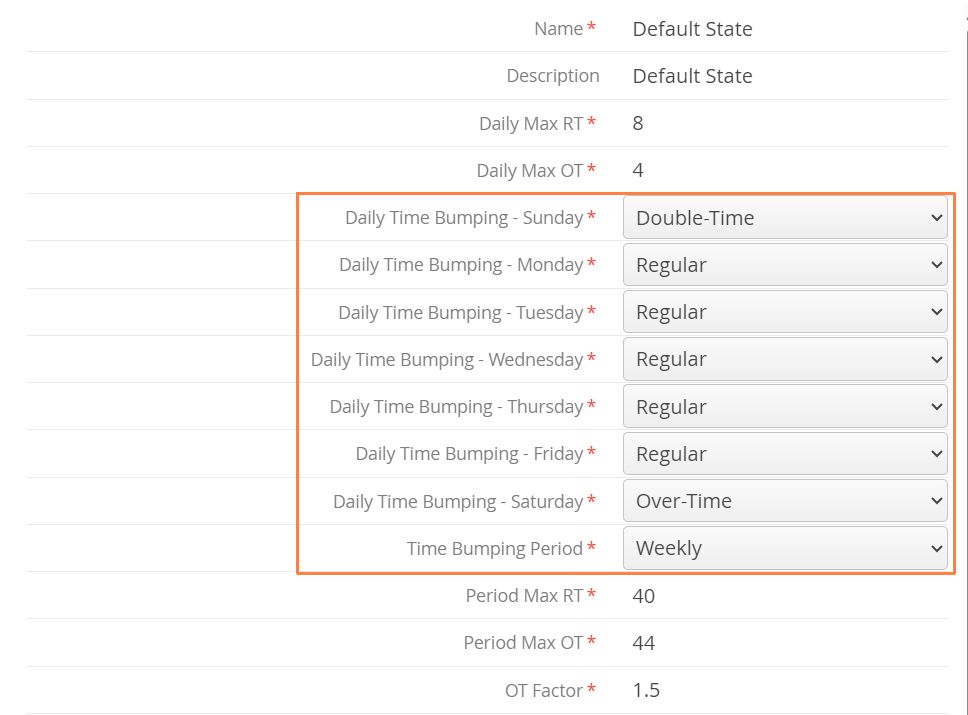
Previously, if we had an Overtime time bumping rule (say Sunday > Overtime), then the system was only looking at Daily Max OT when allocating hours to OT, while everything else was going to DT. Now, the system looks at both Daily Max RT + Daily Max OT and puts those hours into OT first.
For example, let’s assume Sunday was Overtime and we want the first 12 hours to go to OT while anything after goes to DT. Previously, we couldn’t do that with Daily Max RT as 8 and Daily Max OT as 4. Now we can!
For more: Learn how Aimsio can be configured for Payroll.
Purchase Orders / NRBs
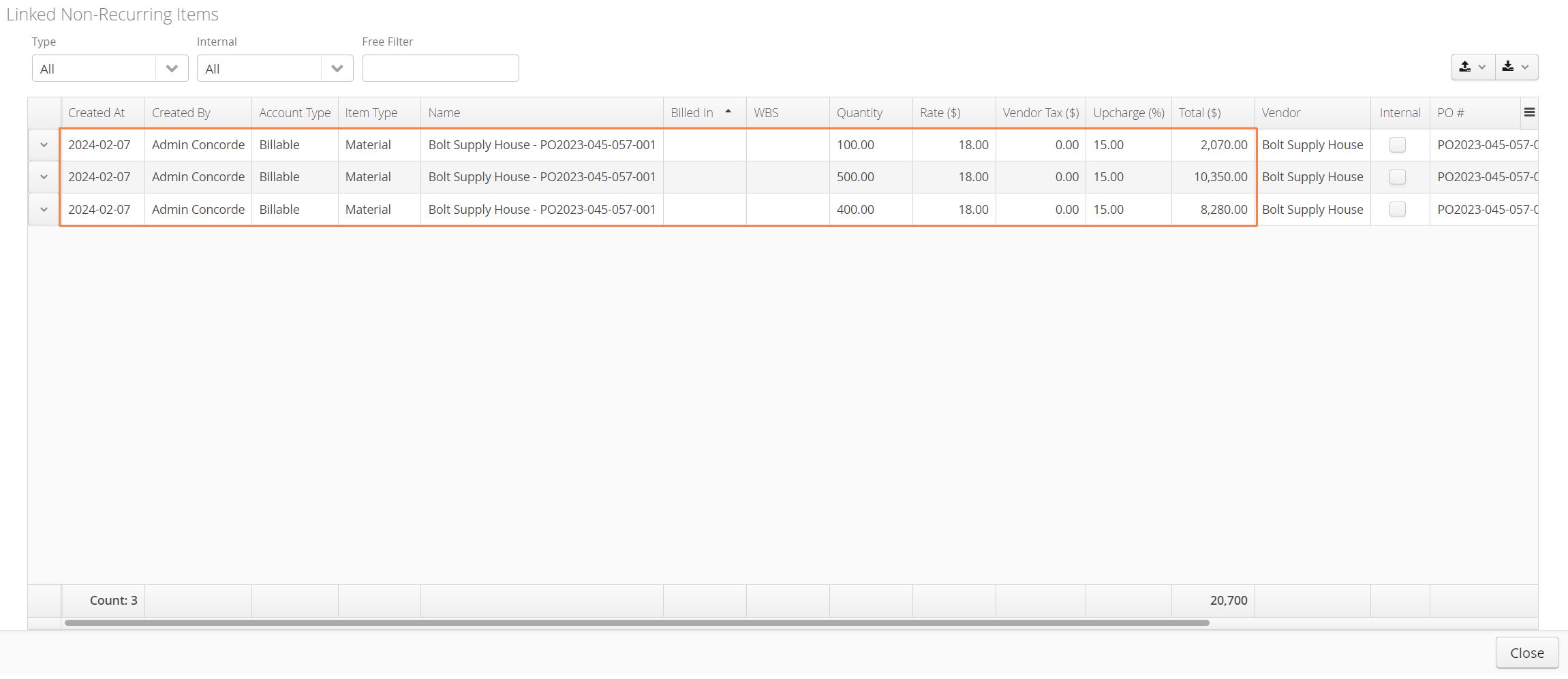
It’s now much easier to view NRBs linked to a Purchase Order by using the View NRBs action. Find the action to the left of any Purchase Order on the Purchase Order page.
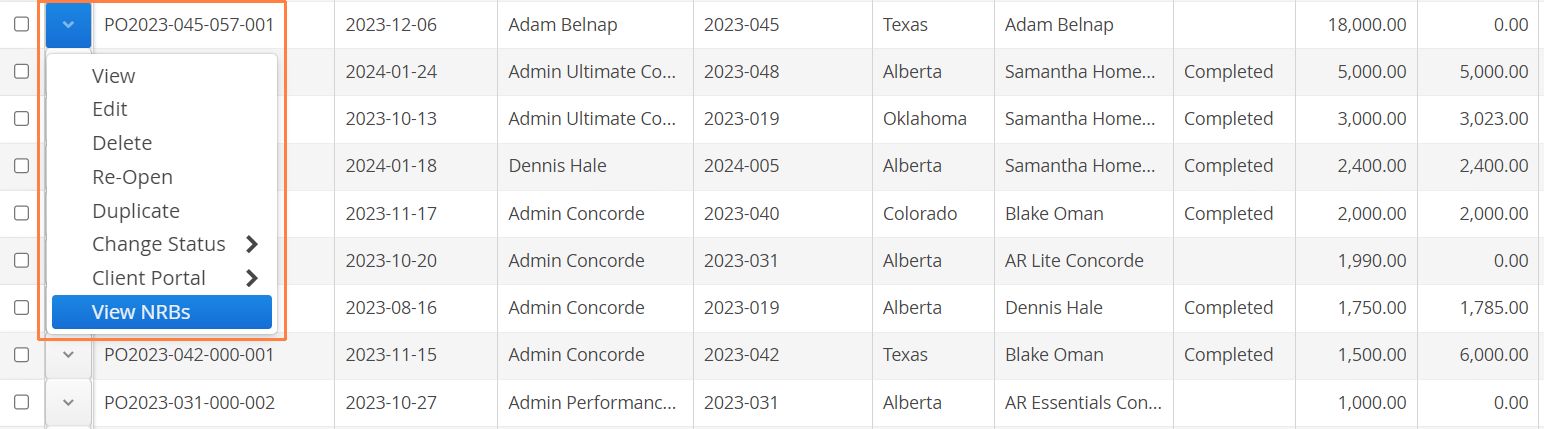
This action enables users with the ability to see and edit linked NRBs without having to navigate to the Job > Non-Recurring Billables tab.
Ticket Breakdown Report
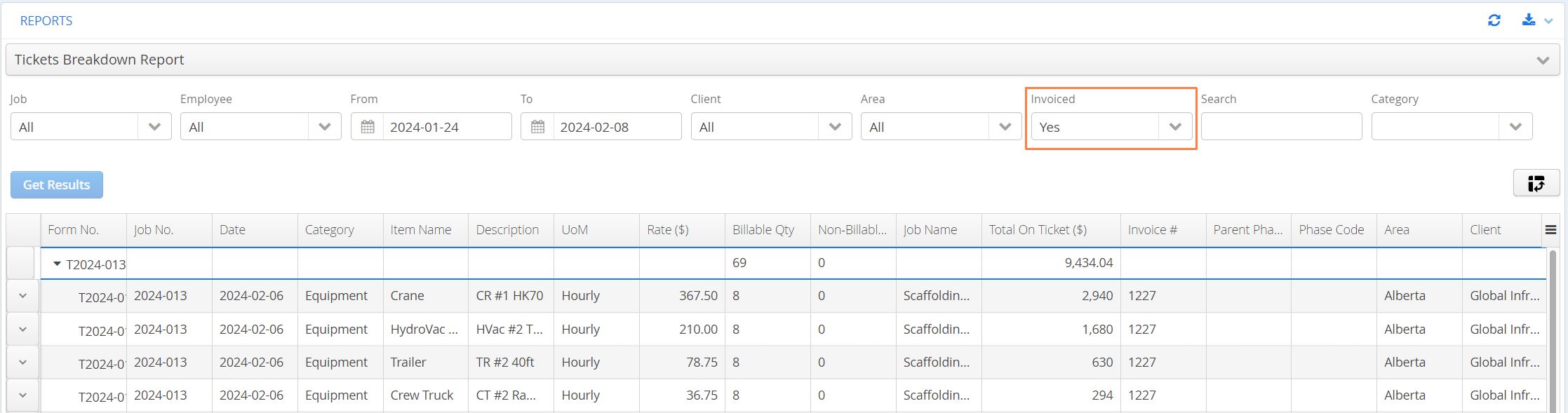
We’ve introduced a new filter to the Ticket Breakdown Report that allows users to quickly see whether ticket line items have been invoiced. Much like users will find on the Ticket page, simply select Yes or No while using the Invoiced filter drop-down.