What’s new in version 21.22
New Features
Web
-
You’re in total control!…well, you’re in control of which columns you see in the WBS screen. If you’re anything like us, you are totally out of control when it comes to compulsively eating leftover Halloween candy.
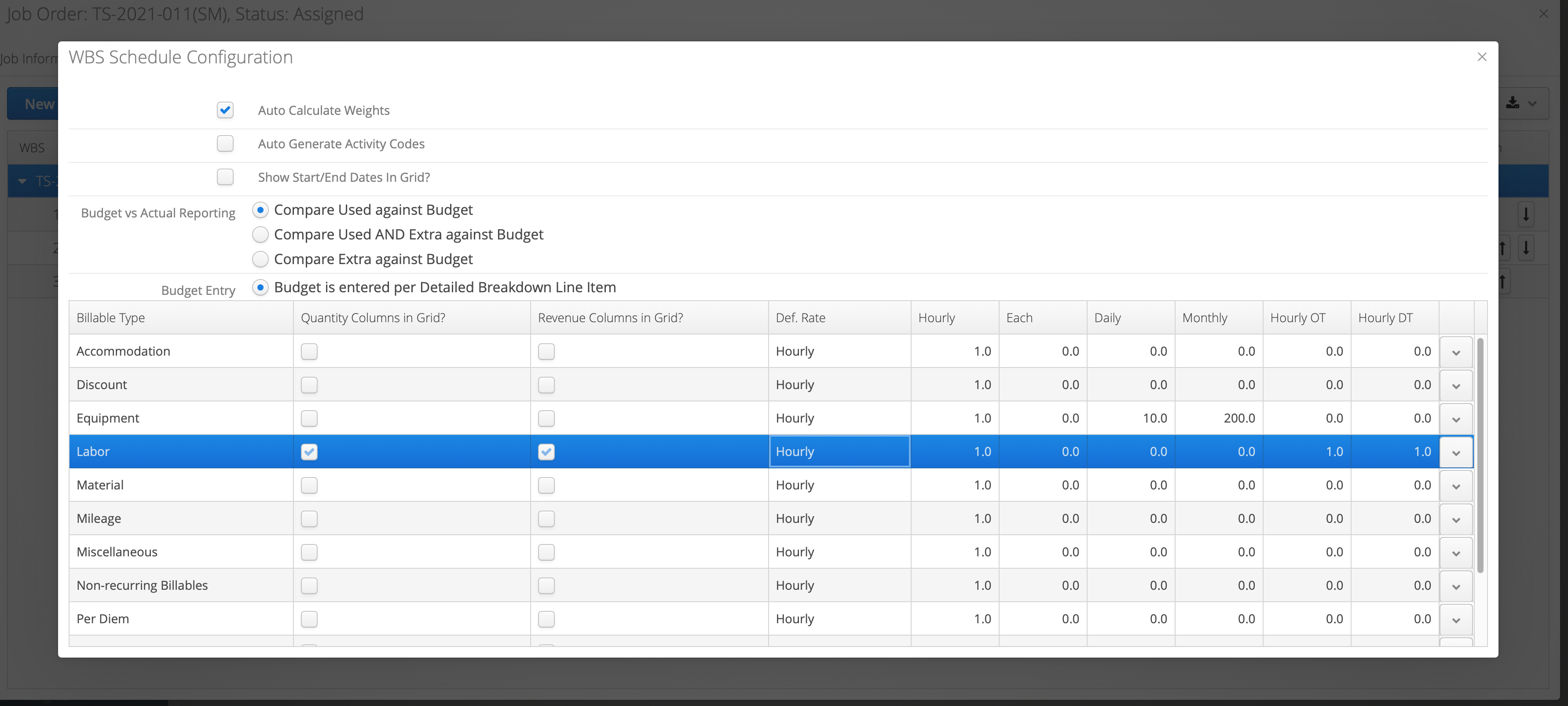
-
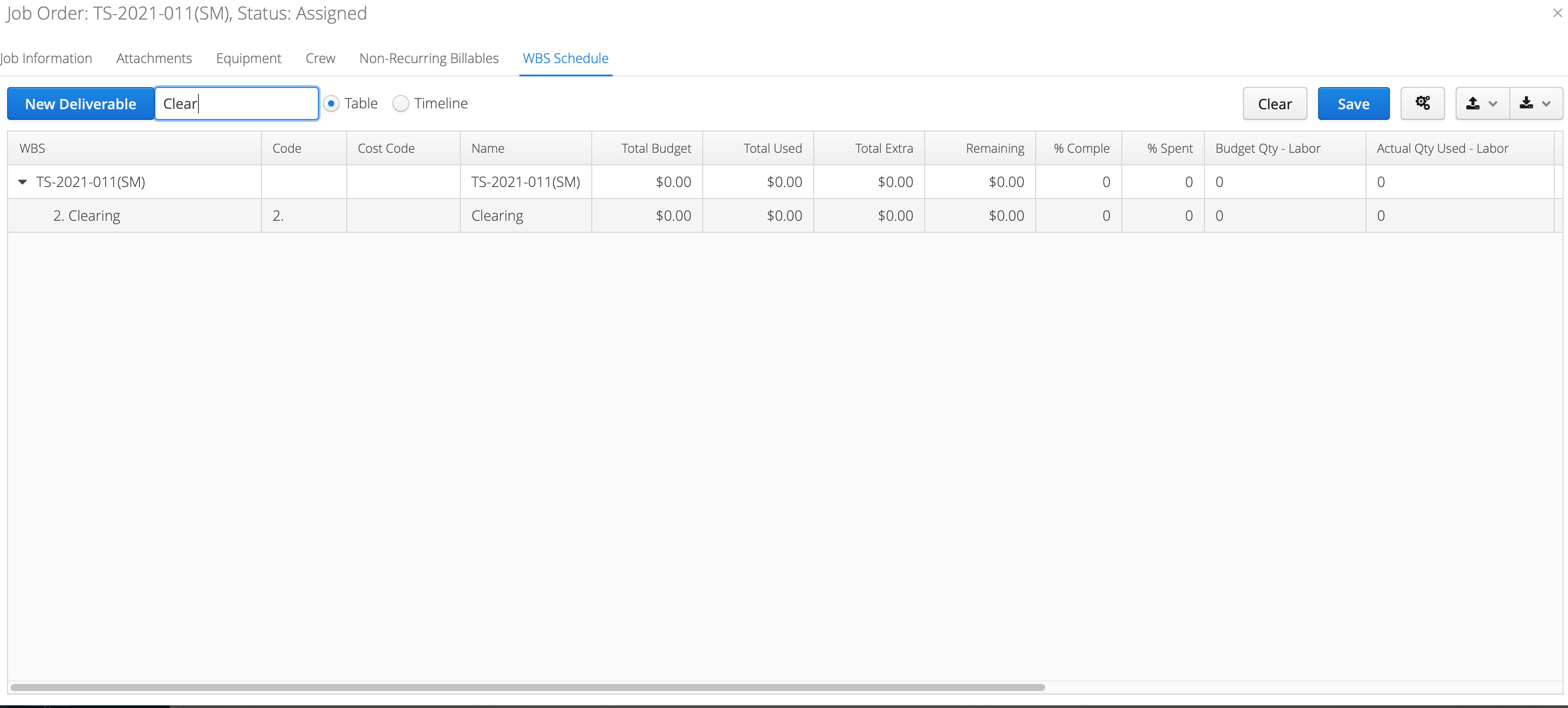
Speaking of WBS, you no longer need to open each WBS to see how you’re doing regarding budget vs. actual of a specific item.
Bug Fixes
Web
-
Some of you were experiencing blank totals in your change orders. This has been fixed.
-
In some accounts, there was a problem that caused an error when exporting to OpenInvoice or Cortex. This has also been fixed.
iOS
- A select few of you lucky people had slow reports on iOS. And when we say lucky, we mean…the exact opposite. Our apologies for the s…l…o…w…n…e…s…s.
Improvements
Web
-
When importing and exporting company data, you will no longer be asked for “Type”. Now you will see the complete set of data instead of it being filtered.
-
On the Form History page, you’ll see that the “Date Modified” column has been renamed to “Event Date”. Also, the creation date of the form is now in the text above the table.
iOS
- You know when you fill out a form and it’s like YYYY/MM/DD or MM/DD/YY or DD/MM/YYYY and you’re like $#&%*@#? Well, from now on, all date formats will be the same.
Android
- There were quite a few improvements done on Android this release. You’ll see the colours across the app are more cohesive, naming conventions have been fixed, and unused resources have been removed. There were also lots of behind-the-scenes improvements done that should better the overall performance.