What’s new in version 25.09
This week we’re helping streamline how accounts complete their Estimates, Crew Timesheets and Tickets. We’ve also deployed support for read-only access to your account’s Master Data settings. Read on for details.
Questions about our latest updates? Contact our support team.
Estimates
T&M Estimates now support a ‘Pull from Price Book’ button. When activated, Aimsio will pull all Billable Items from the selected Base Price Book onto the Estimate form. This will make it much faster to complete quotes for an upcoming Job.
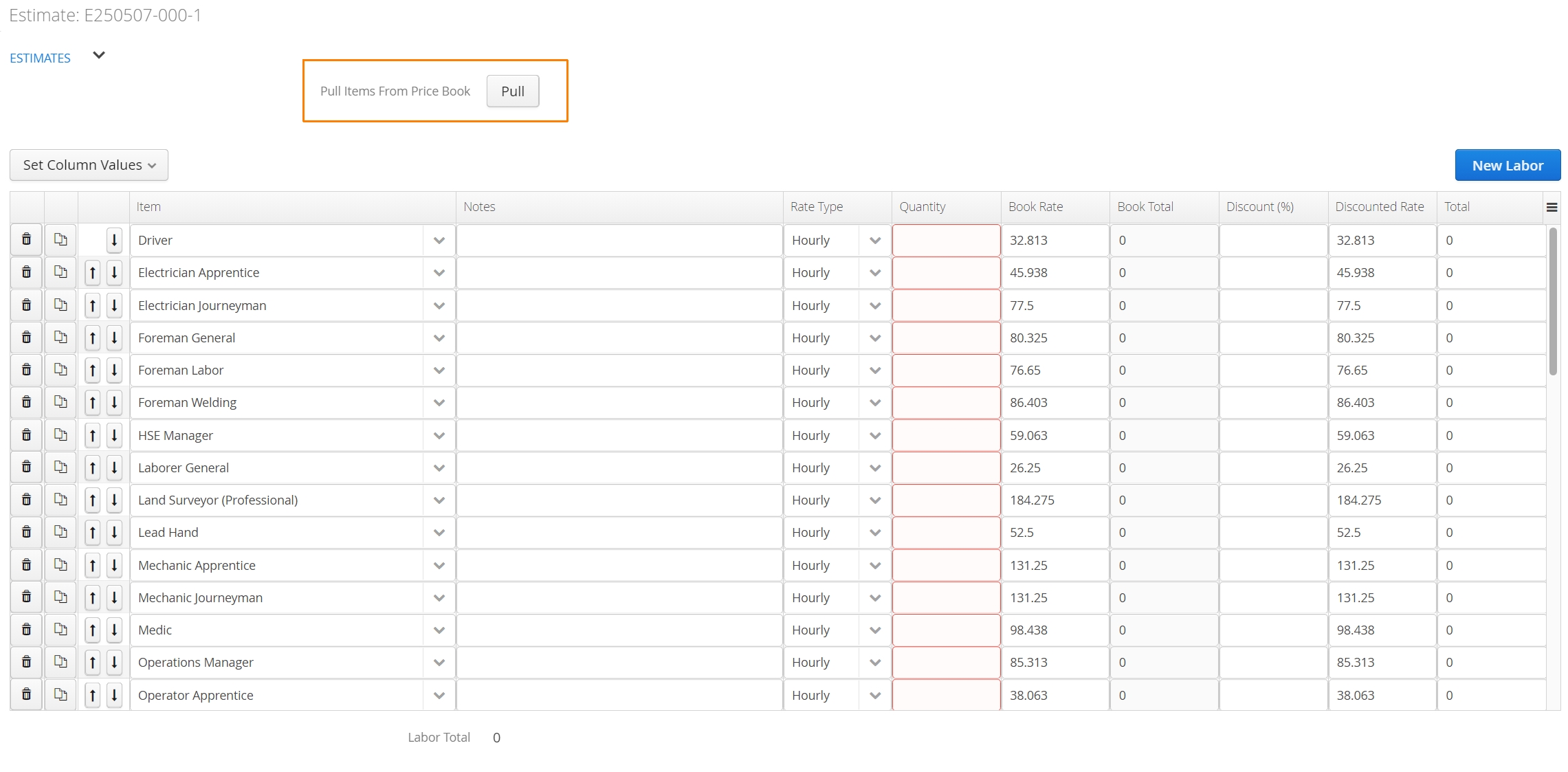
Accounts interested in this feature will need to get in touch with our Support team.
Crew Timesheets & Tickets
Accounts can now control whether their Material, Service or Unit Billing items will automatically appear when a Crew Timesheet or Ticket is created. These settings are available at the Job level under a Job’s Billing Rules.
Select the appropriate checkbox. The following options will be available:
Automatically Add Material
Automatically Add Service
Automatically Add Unit Billing
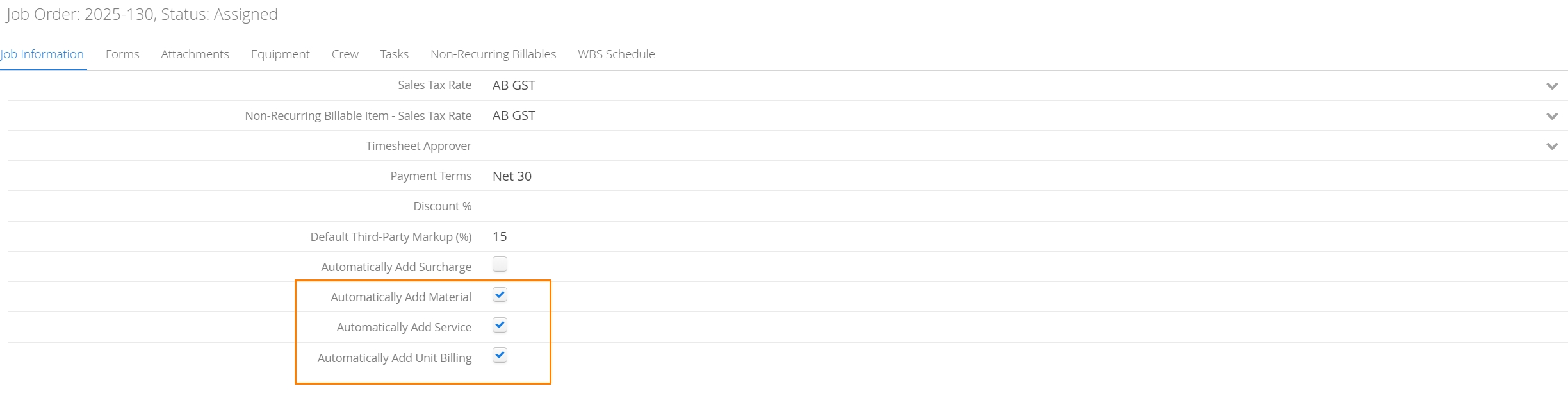
If any of the boxes are checked, Aimsio will pre-populate all Billable Items included in the Job’s Price Book under the selected table. This can make it easier for staff to remember which items they should be recording quantities against each day.
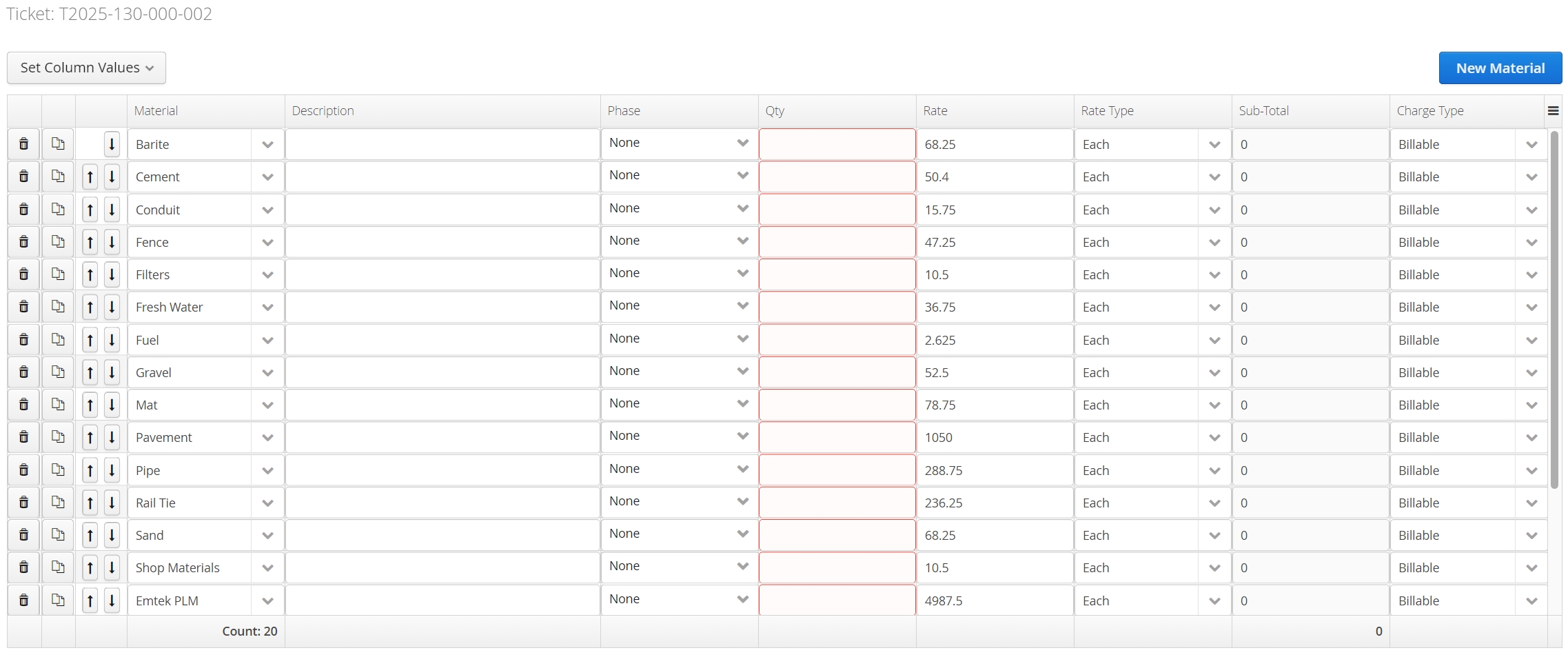
Accounts interested in this feature will need to get in touch with our Support team.
Access Management
Accounts that need to provide additional user visibility into their account’s settings, but do not want to authorize those users to make changes, we now support read-only access to select Master Data pages.
As part of our suite of Access Management tools, we currently support read-only access to Billable Items, Equipment, Locations, Companies and Contacts. All changes to your Access Management settings will require the assistance of our Support team.
Billable Items
Accounts can now export an individual Billable Item’s rate on every Price Book it belongs to.
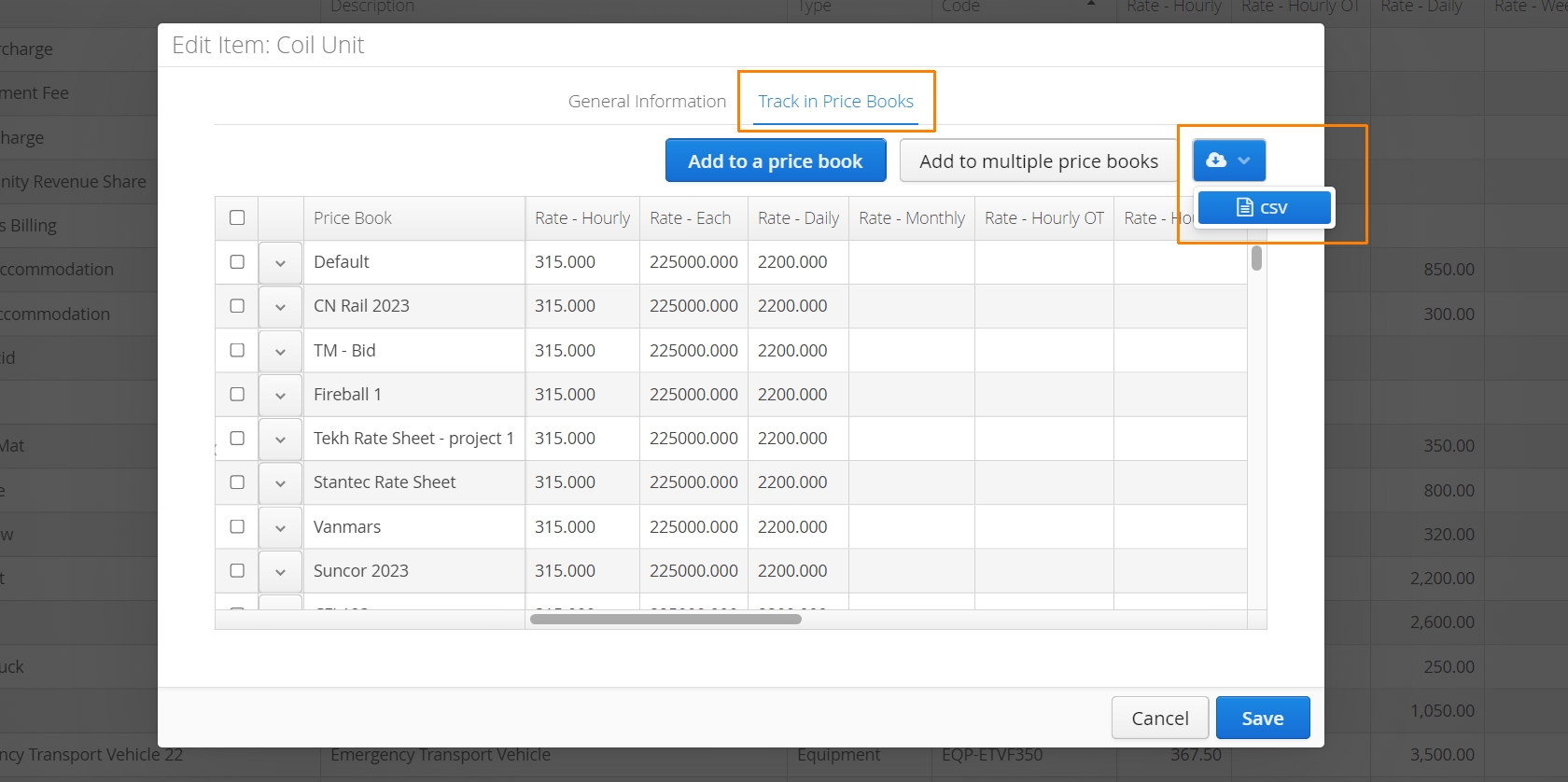
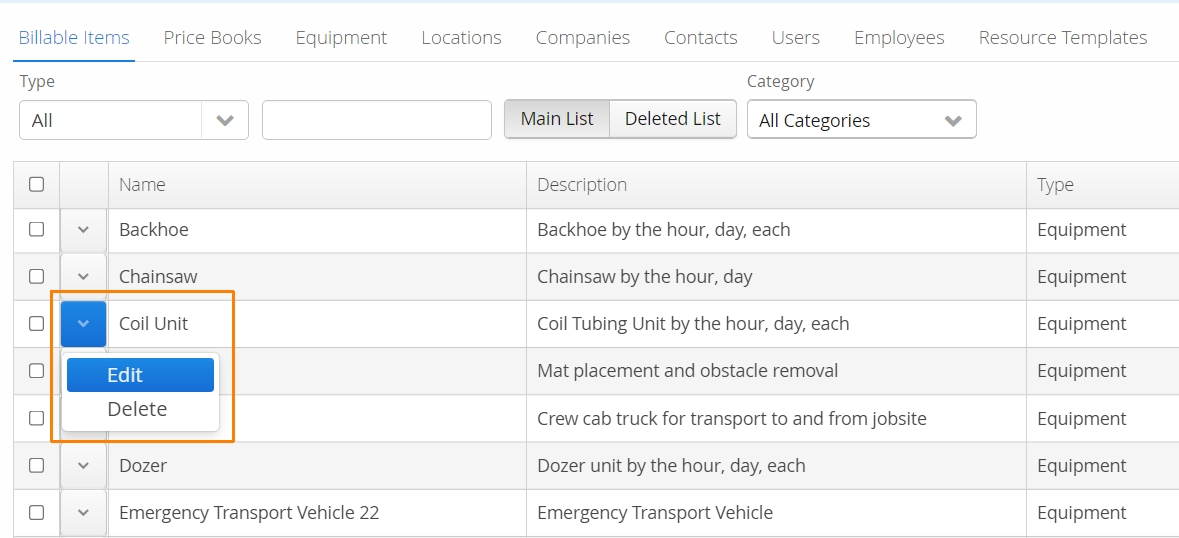
First, navigate to your Billable Items page and edit an item.
Navigate to the Track in Price Books tab and locate the csv export button on the right.