What’s new in version 24.12
Performance and stability updates this week. We’ve also patched a workflow to make group-based dispatching more efficient. Read on for details.
Dispatch
For teams that require dispatching into Job-related groups (ie: Day Shift or Night Shift), we’ve made this process easier by addressing a workflow now available from the Job Timeline.
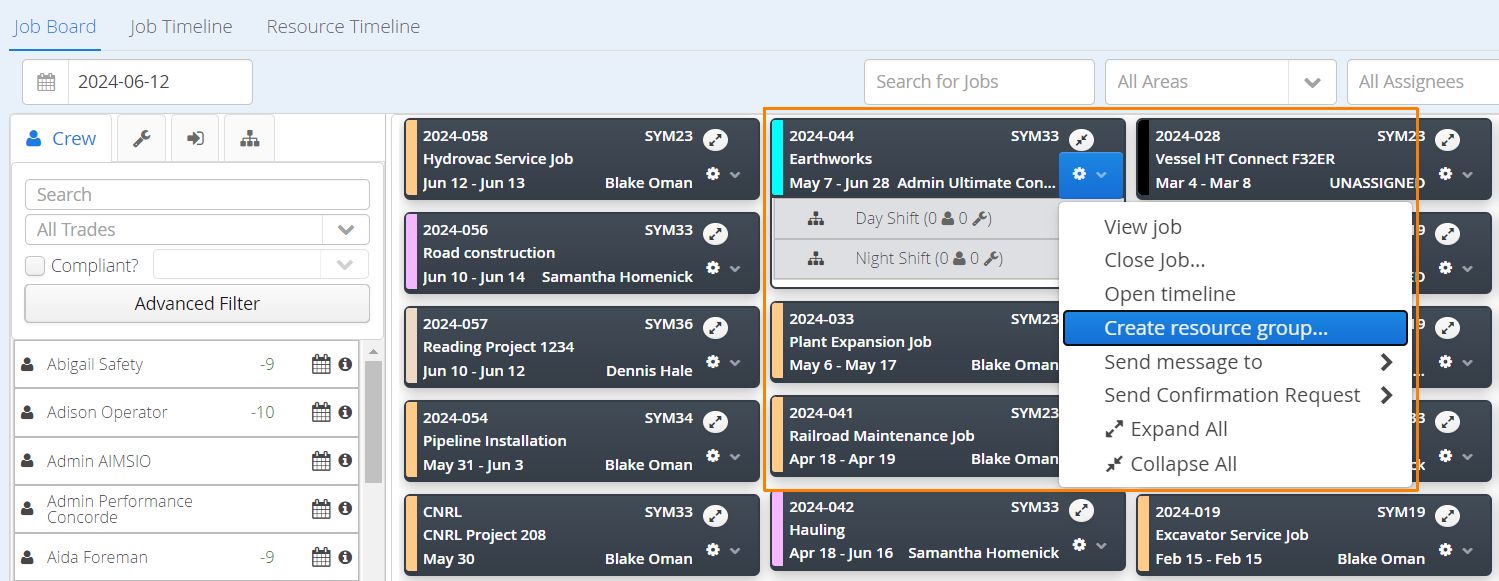
Groups still need to be created using our Dispatch Job Board. Use the gear icon on any Job Card and select Create Resource Group. Name your groups and save.
Prior to today, dispatchers would have to drag and drop resources into their respective groups first, then adjust the schedules of each resource separately.
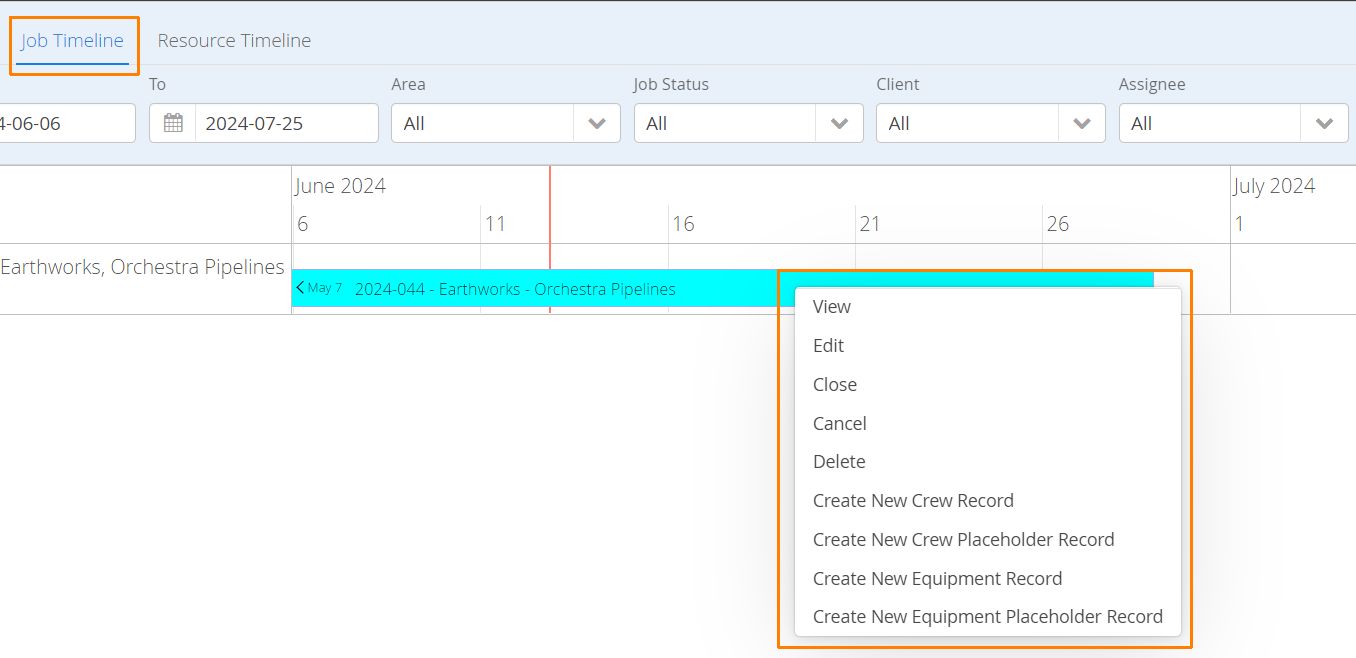
It’s now possible to batch schedule into groups, while controlling the Start and End Dates of your resources at the same time. Navigate to the Dispatch Job Timeline and locate the Job requiring scheduling. Right-click on the Job and add Crew or Equipment.
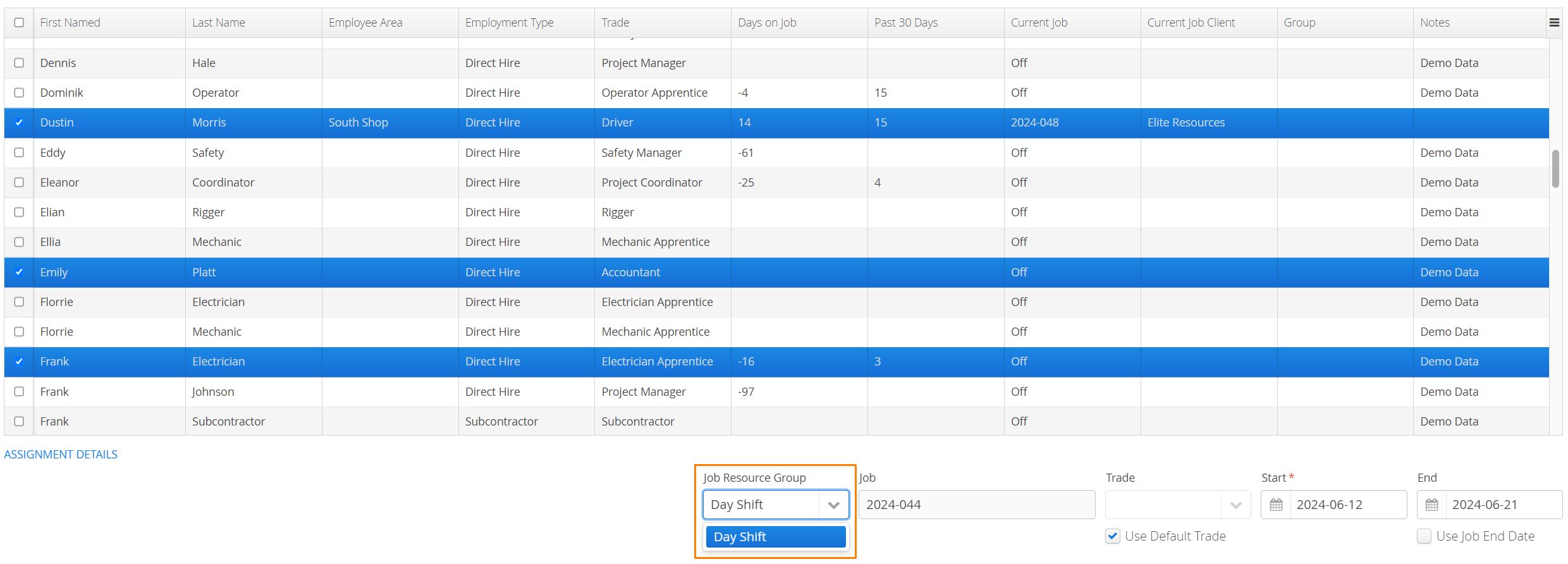
Select multiple resources, adjust the Start and End dates and select any groups (Job Resource Groups) that have been created under the Job.
To learn more about our Dispatch tools, click here to visit our Product Guide.