What’s new in version 24.07
Accounts can now track deleted invoices, more control for WBS users and new daily email digests for document approvers. Read on for details!
Invoices
From today, Aimsio will store and surface information when an invoice is deleted. All accounts now have access to a ‘Deleted’ list, which includes the ability to view the contents of a deleted invoice, the date it was deleted and the reason an authorized user performed the action.
This feature is not retroactive. Only invoices that have been deleted after today’s release will be saved in this report. Deleted invoices cannot be restored. If an invoice is deleted, the invoice number becomes available for a future invoice.
- To view a list of deleted invoices, navigate to the Invoice page and locate the Deleted List on the far right.
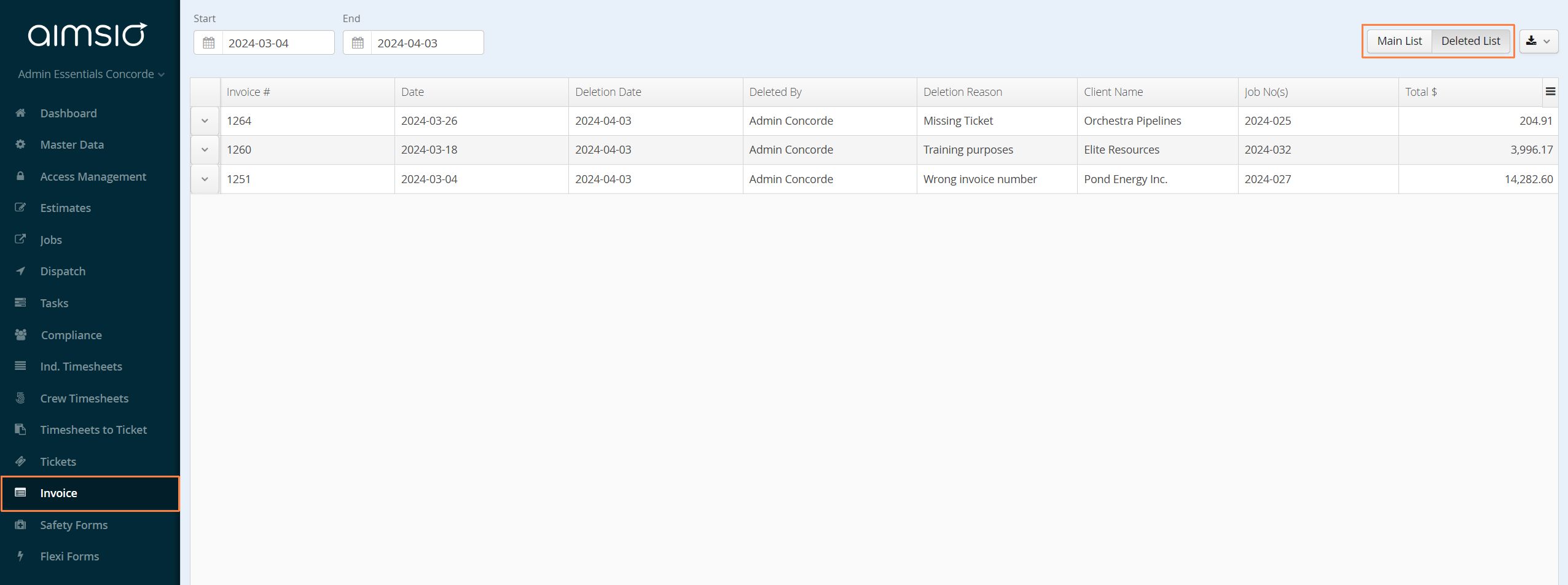
- View the contents of a deleted invoice by using the action button to the left of the invoice and selecting View.

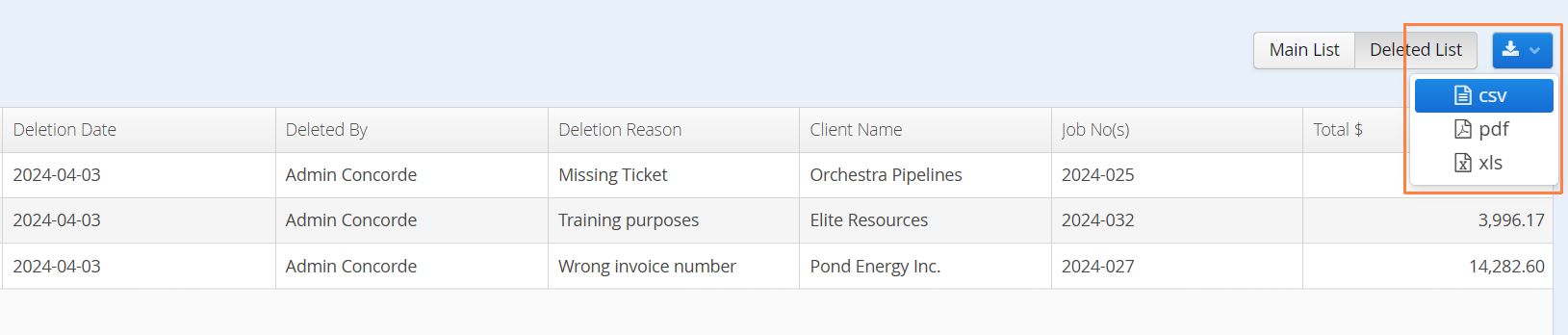
- A report of deleted invoices can also be exported to csv using the export icon on the right.
WBS
Users that require more control over the Actual Start and End Dates of their project can now choose to manually enter these dates on their WBS Schedule. A new WBS Schedule Configuration setting is available that allows users to turn the actual dates auto-calculations on/off.
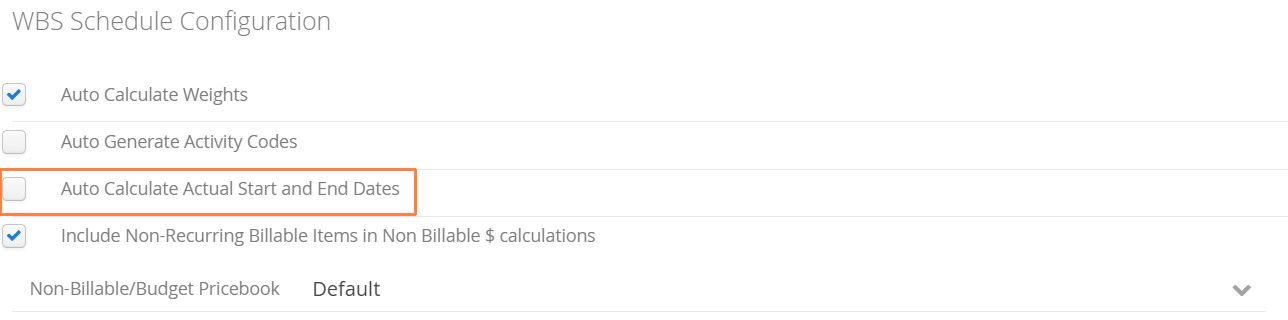
Prior to today, the Actual Start Date and Actual Last (End) Date of a WBS activity looked solely at the dates of any Tickets created under the Job. Aimsio’s automated approach is to track by strictly looking at when the work was recorded. If this option is unchecked, users can edit a deliverable and manually set these values.
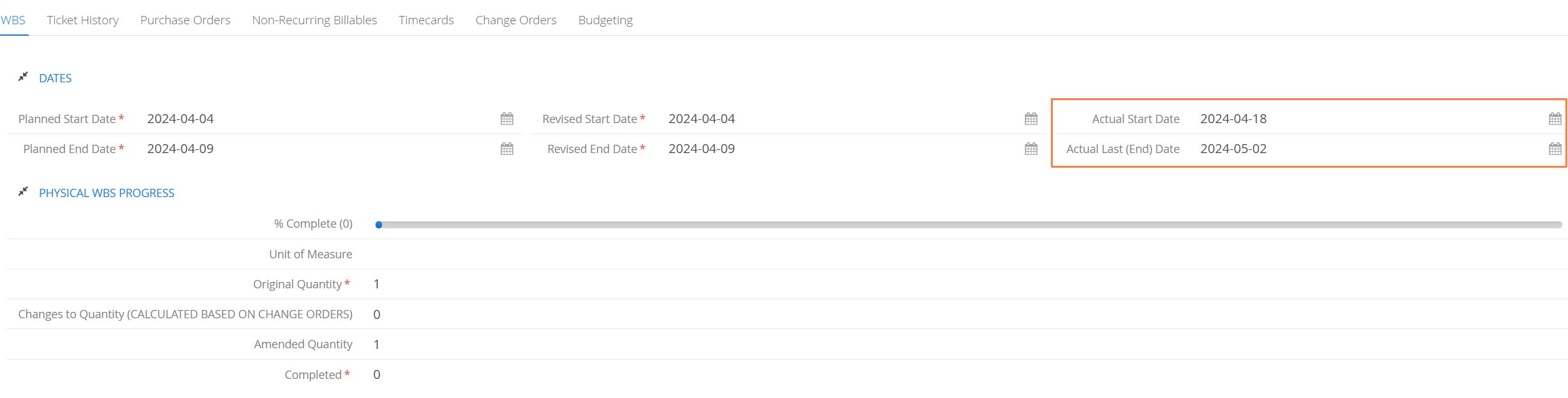
These values can also be imported via csv. For more information please see: How to Export and Import a WBS Chart
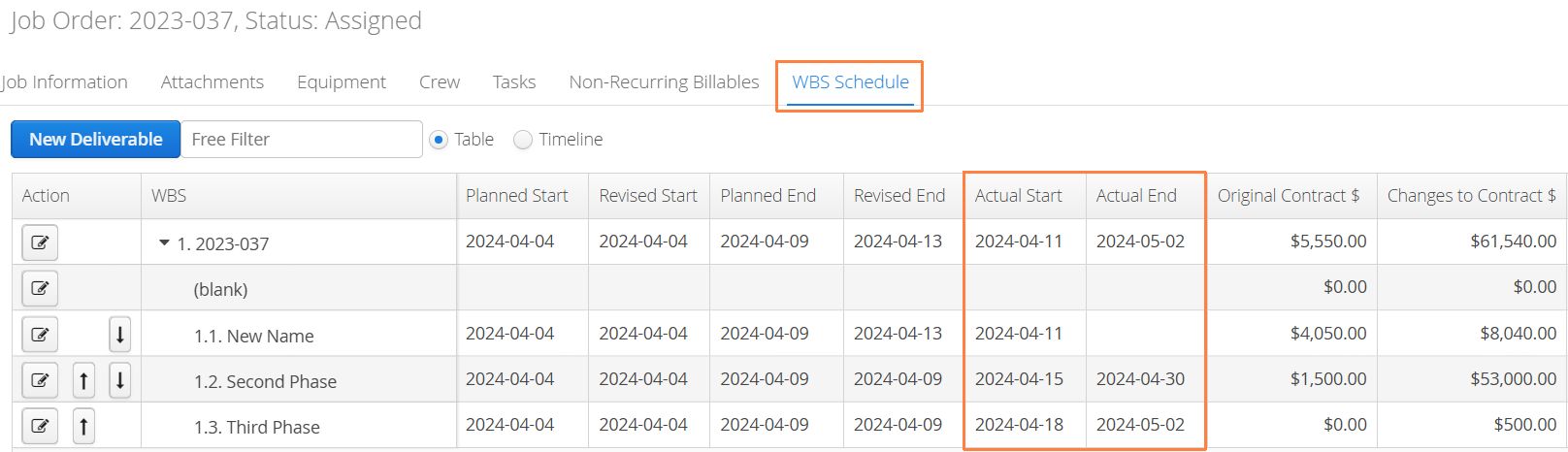
We’ve also deployed an improvement to prevent two users from editing a WBS Schedule at the same time. If two users have the same WBS Schedule open for editing, the moment one user saves their changes, the second user must reload the WBS Schedule before they can make additional edits.
Approver Portal
Client Portal Approvers that have created an account to review documents in Aimsio will now have access to a daily digest summarizing all of their pending approval requests.
Daily Digests emails will be delivered each morning at 6am MST. The summary includes all pending requests over the last 30 days, the dollar amounts of each document and a call to action button enabling approvers quick access to log into Aimsio and perform their review.
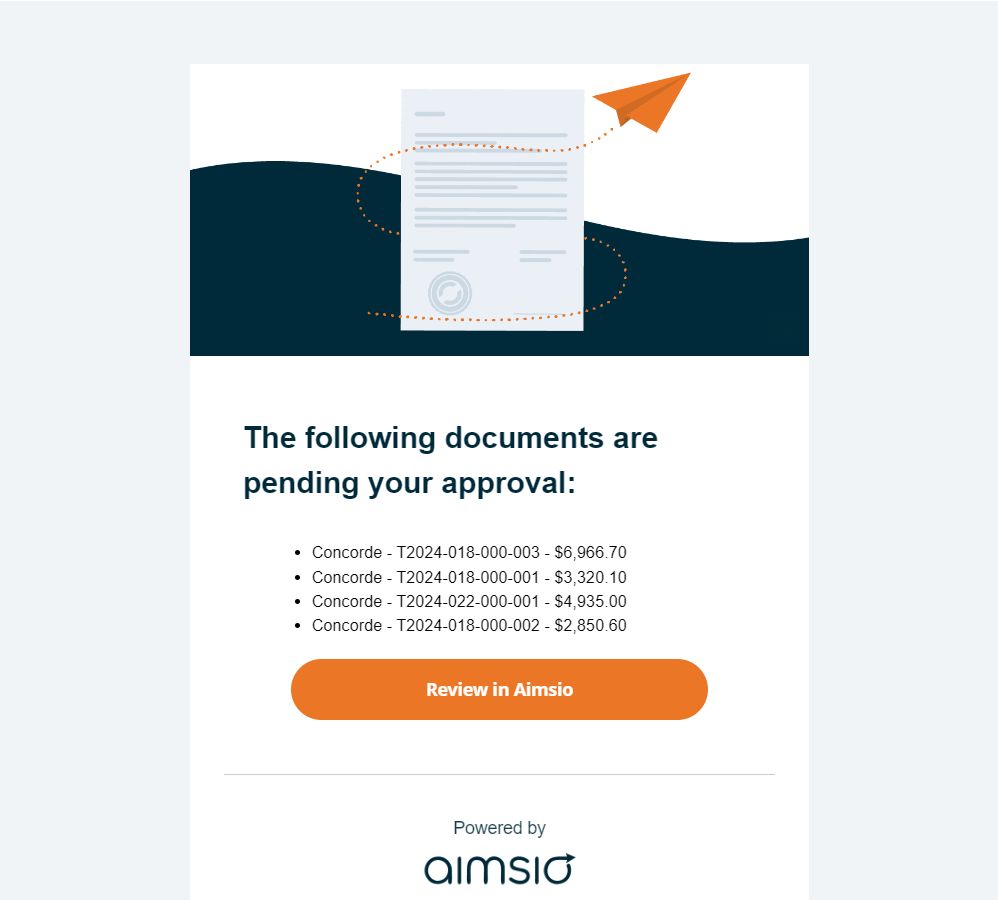
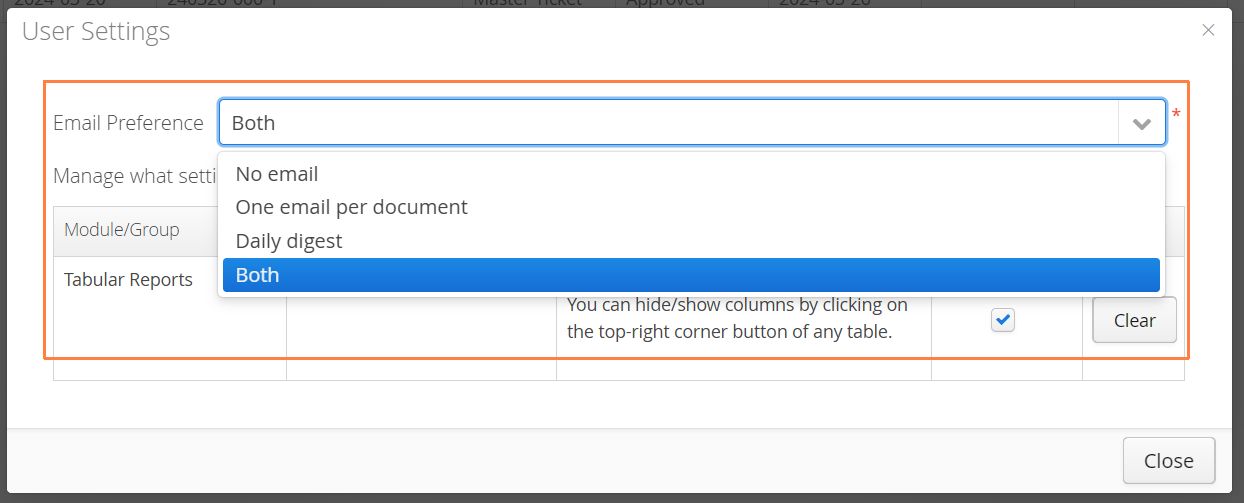
Approvers with an Aimsio account have the ability to change their email preferences after logging into the Approval Portal. By clicking their name and selecting User Settings
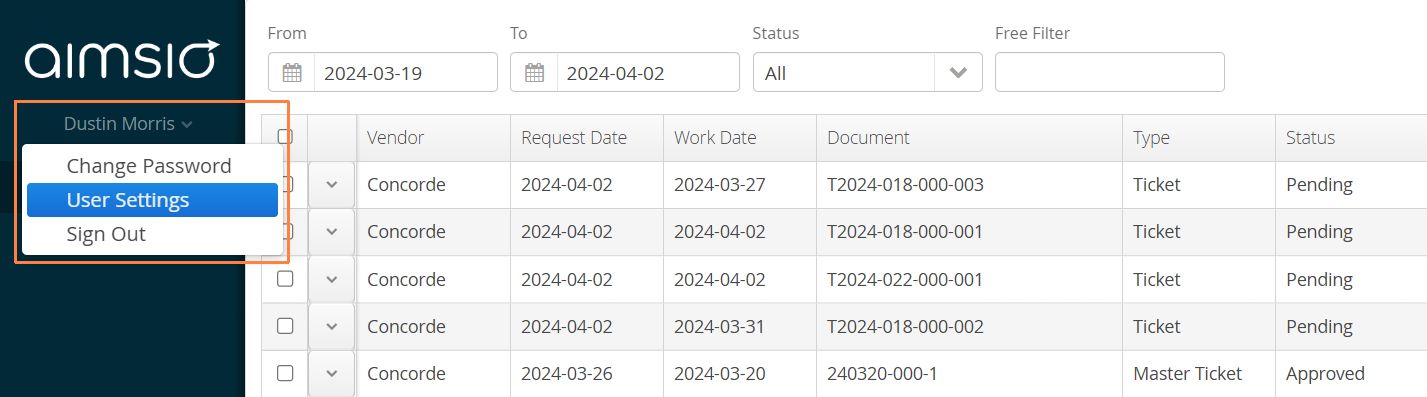
Approvers can opt out of receiving emails reach time they receive a document approval request and simply rely on the daily digest to inform on approvals. Alternatively, approvers logging into Aimsio daily can opt out of receive emails all together.