What’s new in version 26.15
This week’s update introduces new tools to simplify how you review and display summary data across your forms.
Questions about our new features? Get in touch with our Support team.
Read-Only Pivot Mode
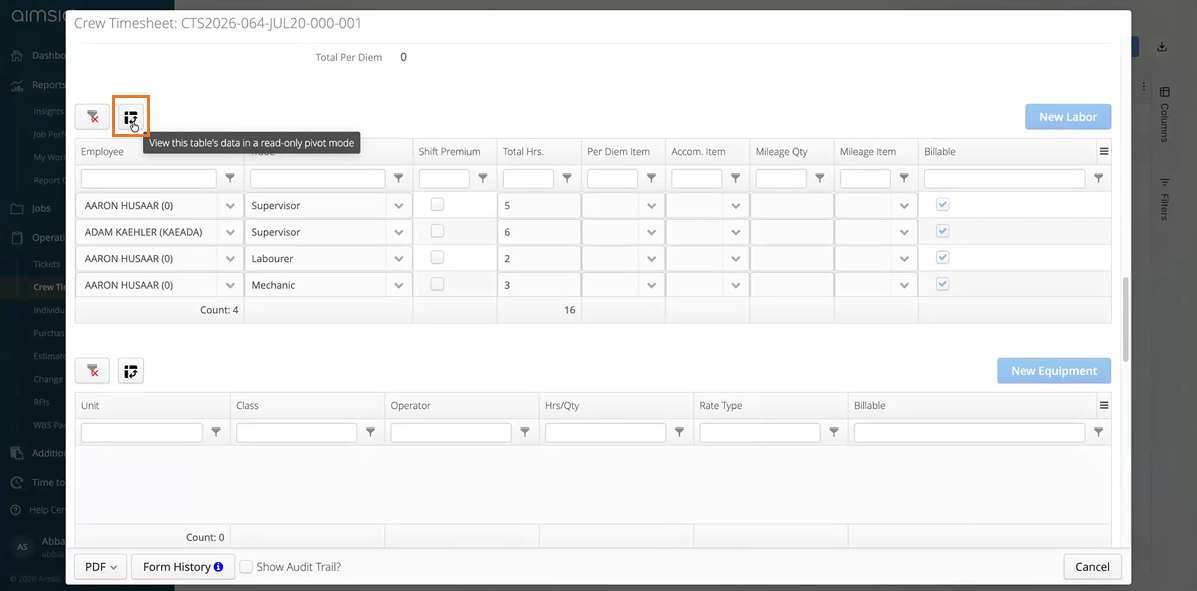
Reviewing large tables of data such as labor hours across multiple employees, trades, or phases can quickly become overwhelming. To make reviewing data faster and easier, we’ve added a new Pivot Mode review tool directly inside your tables.
-
Instant Summary View: A new Pivot icon now appears above each form table. Clicking it opens a window where you can group and total your data on the fly (for example, summarizing total hours per employee across all assigned trades).
-
Safe & Flexible: This tool is designed purely for visual checks while filling out or reviewing a form. It creates a temporary summary on your screen, meaning you can adjust or close the pivot view without permanently changing your original line items or affecting your standard PDF layout.
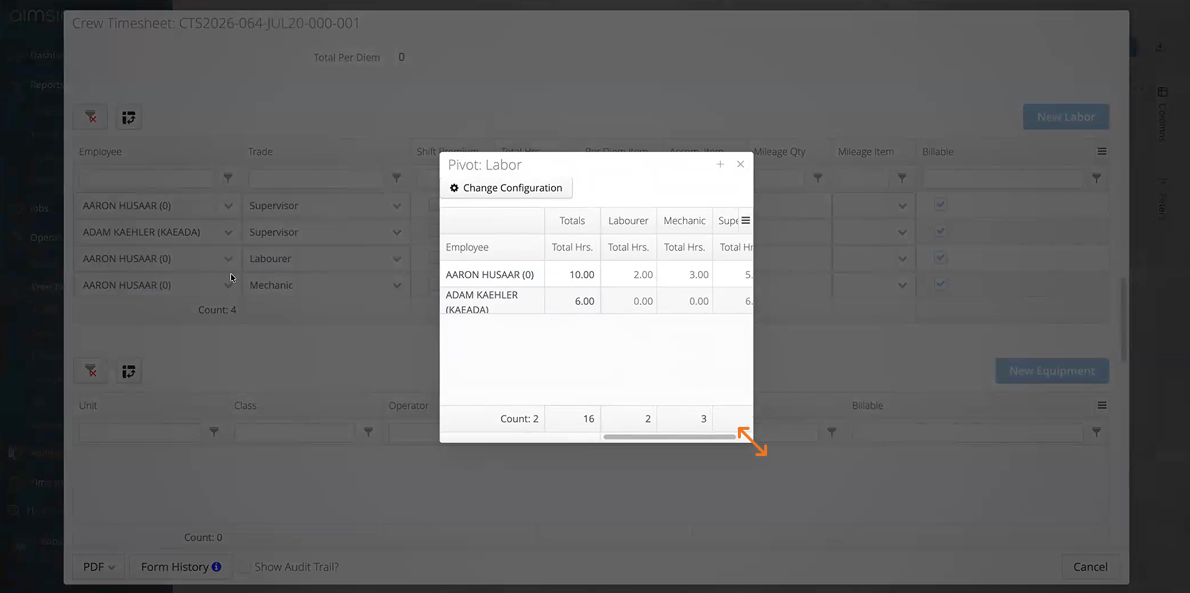
Tip: You can click and drag the bottom right corner of the pivot window to adjust the size as needed.
PDF with Pivot View (On-Request)
For clients who need their exported PDFs to display summary totals rather than detailed line-items, we have expanded our PDF builder capabilities.
-
Aggregated PDF Tables: Our Support teams can configure your PDF templates to automatically group and total table rows by specific categories (such as summarizing labor hours by trade or billable item).
-
Optional Form Toggle: This setup can be linked to a checkbox on your form, giving field teams the flexibility to choose whether a specific document prints as a standard line-item list or a summarized pivot view.
How to Enable This: If your organization requires custom pivot layouts on your exported PDFs, please reach out to our Support/Professional Services team to set up this configuration.
Questions about our new features? Get in touch with our Support team.