What’s new in version 25.20
Accounts that bill Labor using ‘Daily’ rates have new options available when using Time to Ticket.
Questions about our latest updates? Contact our support team.
Time to Ticket
This week we’ve introduced new options available under a Job that give accounts using Time to Ticket more flexibility in how they handle daily billing.
Under the Time to Ticket Billing Rules section on a Job form, we’ve included 3 new fields that control how Daily Labor Rates are handled:
-
Standard Hours when Billing Daily Rate
-
Handling Excess Hours
-
Handling Shortfall Hours
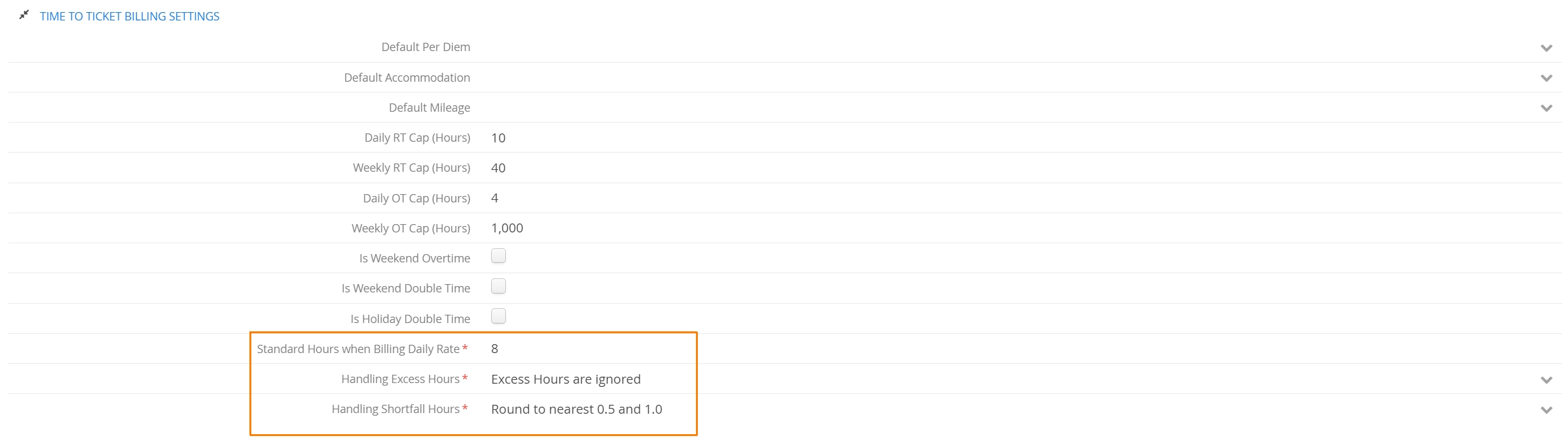
Accounts first determine how many Timesheet hours equate to a single Day Rate using the Standard Hours when Billing Daily Rate field. From there, they can decide how to handle any hours that either fall short of that amount or exceed it.
If Excess Hours are ignored, Aimsio will simply bill a single day and ignore any additional hours that may have been recorded. Excess hours will still be accessible via the Timesheet.
Alternatively, accounts can direct Aimsio to bill excess hours using an hourly billing rate, treating those hours as Regular Time, Overtime or Double Time. It’s also possible to Pro-Rate excess hours by taking the total number of recorded hours and dividing that by the Standard Hours total (e.g. 10 hours divided by 8 for a total that amounts to 1.25 x Daily Rate).

Hours that fall short of the total required for daily billing can be handle 3 ways. Shortfall hours can be pro-rated the same way excess hours are handled or they can be rounded up to a minimum of .5 or 1.0. Alternatively, accounts can direct Aimsio to always charge for a full day if the hours fall short.

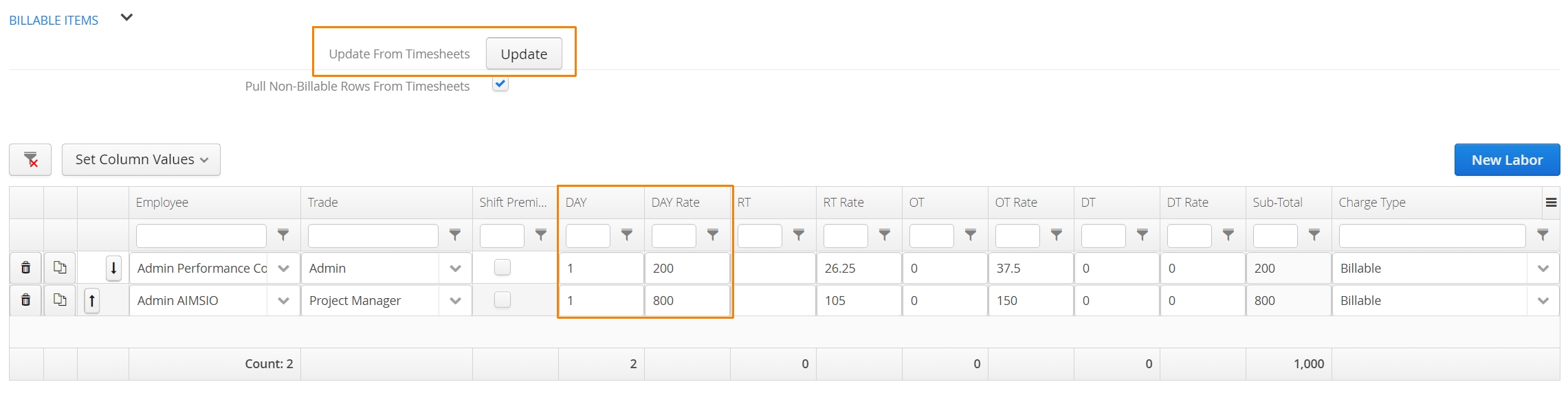
After a Job’s Time to Ticket Billing Rules have been set, Aimsio will leverage these rules when using the Update From Timesheets action on a Ticket, during the Time to Ticket process.
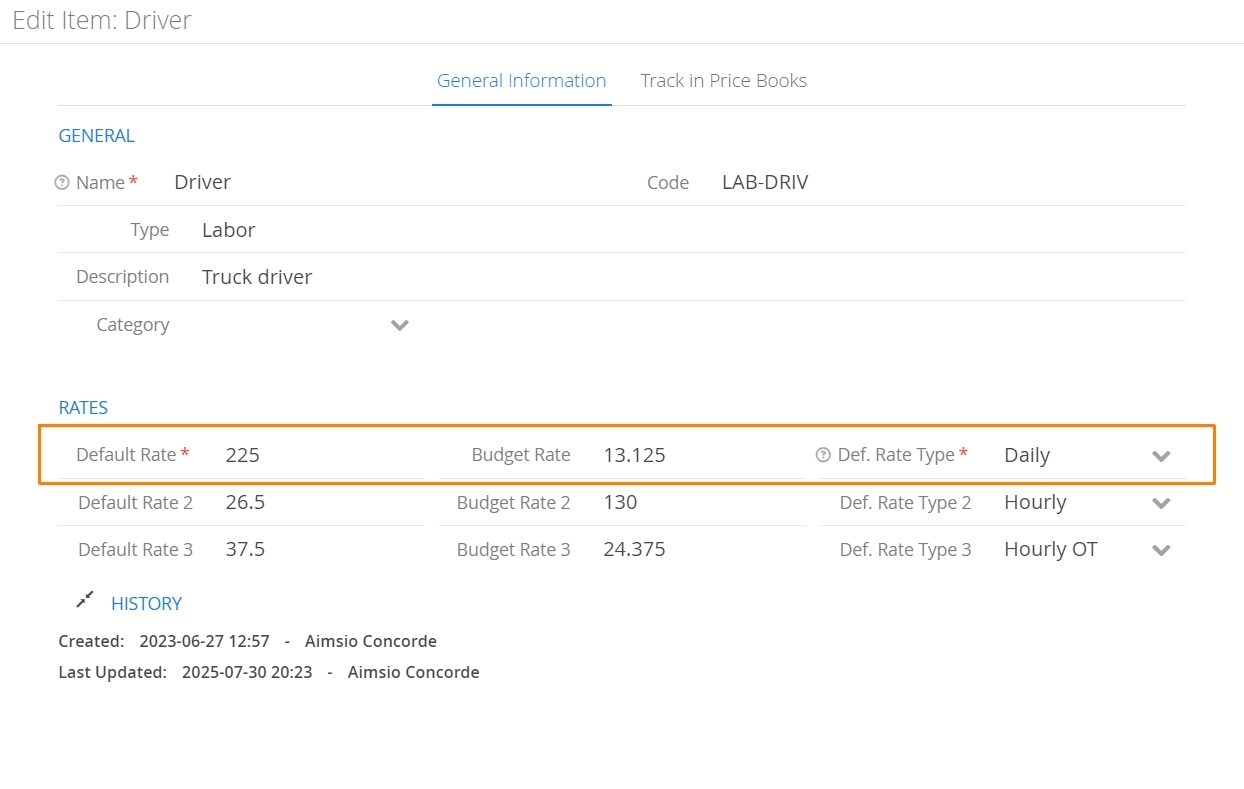
These rules only apply when billing Labor Billable Items (Trades). Labor Billable Items must have Daily Rates enabled as a Rate Type.
Interested in this feature? Get in touch with our Support team for implementation in your Aimsio account.