What’s new in version 25.10
Accounts can now quickly identify missing Billable Items from their Price Books and get them imported. We’ve also deployed a few updates behind the scenes as we prepare for more features planned later this year.
Questions about our latest updates? Contact our support team.
Price Books
Users that are authorized to access and export Master Data will find a new action available from the Price Books tab. Clicking the export button on the right will give the option ‘Missing Billable Items’ as a csv file.
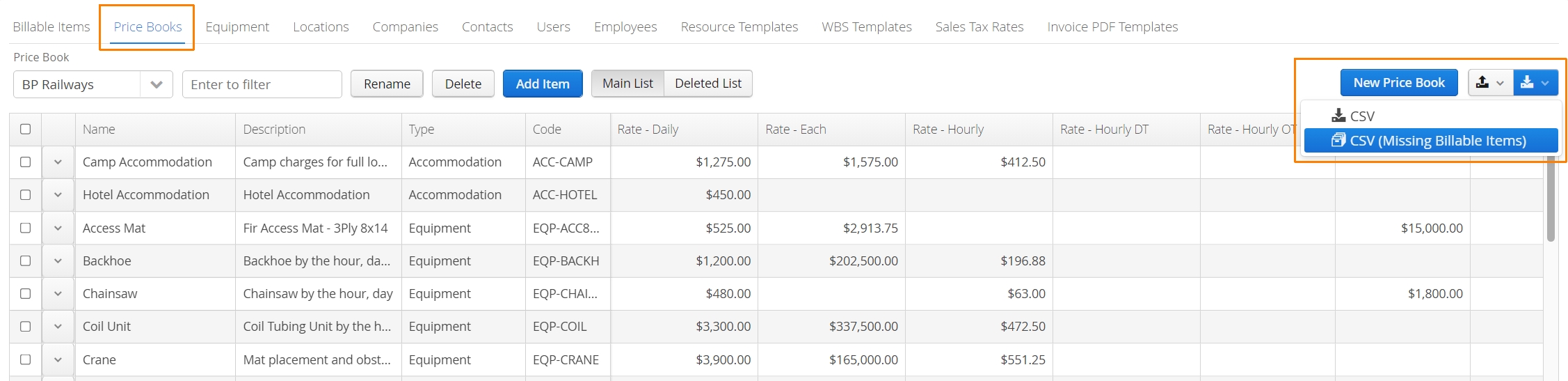
Accounts can open this csv file in Excel to identify which Billable Items were missing from the selected Price Book. Rates can be reviewed or adjusted before being imported back into Aimsio for the same Price Book.
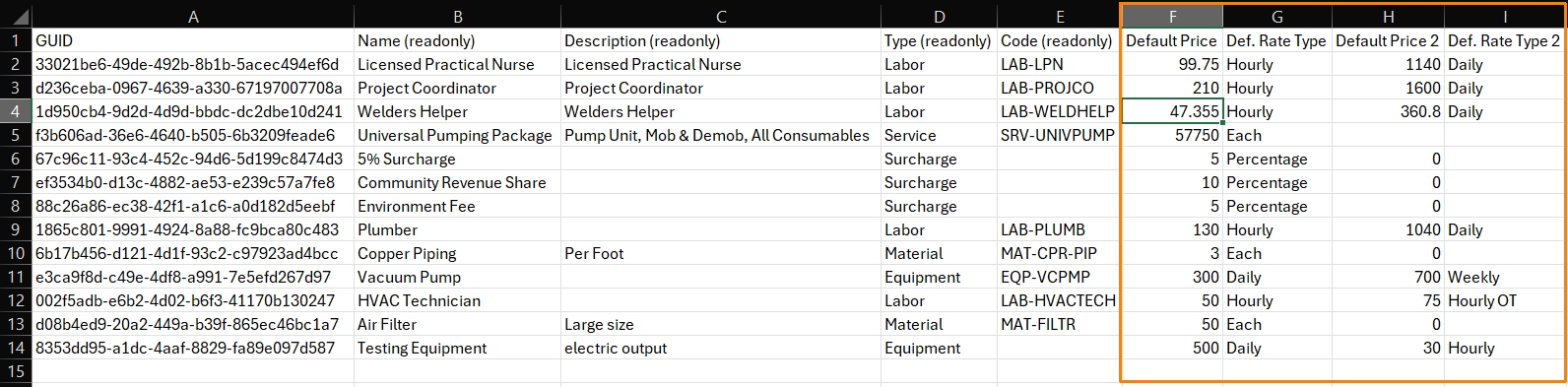
When users are importing, ensure the correct Price Book is selected first. Click the import button and select CSV.

Fore more information on Price Books visit our Product Guide.