What’s new in version 24.04
This week we’ve deployed a highly requested feature for our Client Portal and a quality of life improvement for Dispatch schedulers. Read on for details!
Client Portal
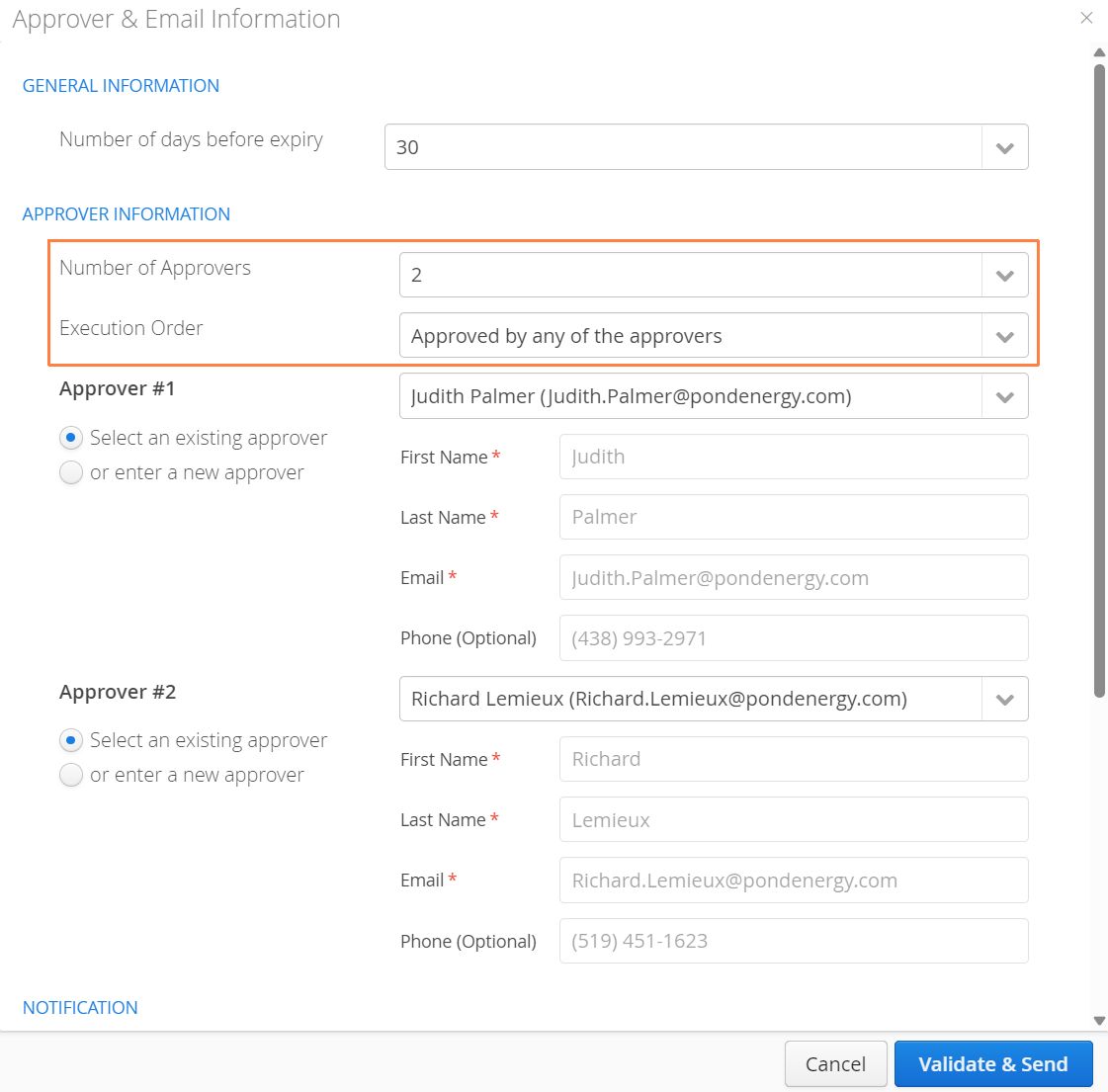
It’s now possible to send a form to multiple approvers, but have only one of the approvers sign and approve the document.
When sending a document for approval, a new field entitled Execution Order will be available. Users have the ability to choose one of the following:
-
Approved by all approvers in sequence
-
Approved by any of the approvers
The former will behave as before, with all listed approvers requiring to sign the document in succession. Selecting the second option will deliver the document to all approvers, but only one will be required to sign.
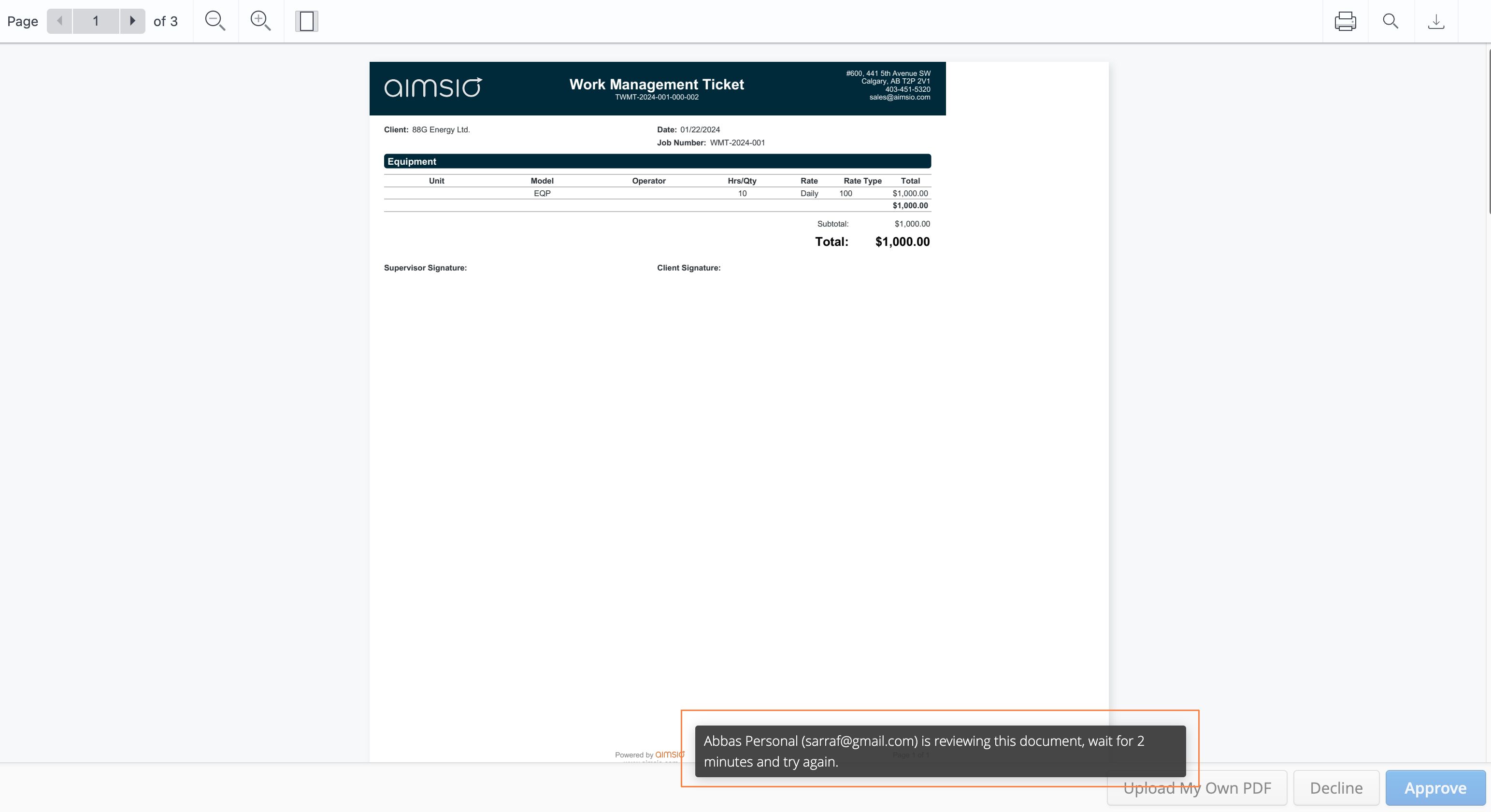
If two approvers happen to open the document around the same time, there will be a temporary hold on the document for the approver who opened it first. The second approver will be notified that another user is currently reviewing the document. This lock will last for 2 minutes.
Once a document has been signed, other approvers will still have the ability to view the document, but will not have the ability to approve or decline the request. For more information on using our Client Portal, read the overview on our Product Guide.
Dispatch (Close Job)
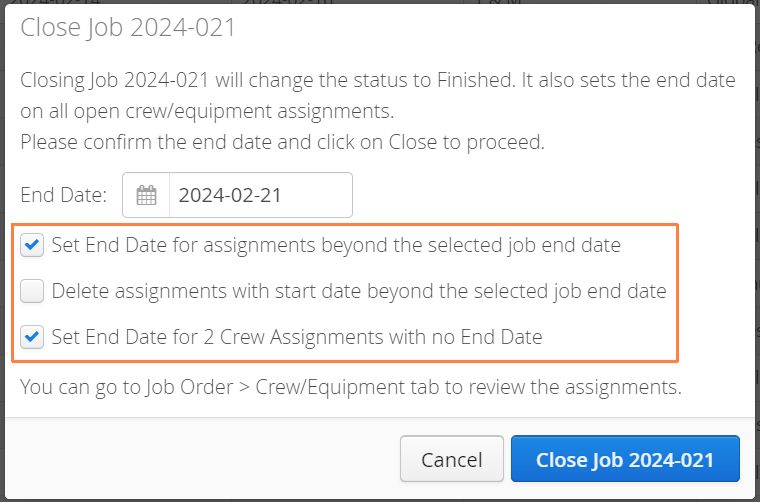
We’re providing a little more control over scheduled resources when closing a job. Aimsio will now check to see whether there are resources scheduled beyond the End Date of a Job and offer to adjust those schedules in accordance with the day the Job is being closed.
Help Center Support
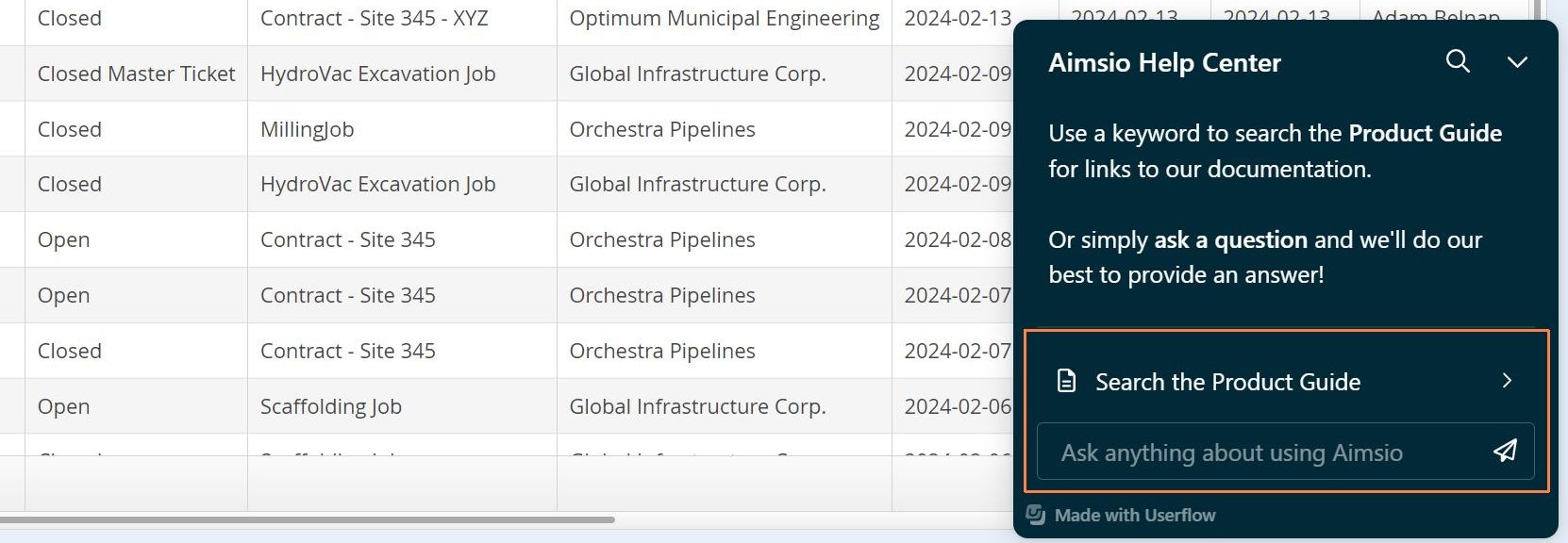
We’re now making it easier to search our documentation or ask product-related questions right inside Aimsio. Find the new Help Center icon located on the lower right your screen while using our web app.

Use keywords to search for articles or ask a direct question about using a specific feature in your Aimsio account using our AI-powered assistant. We are monitoring all activity to ensure we can answer as many of your questions as possible. We will improve this service as quickly as we can and thank you for your patience!
We’ve taken care to make this service as minimally invasive as possible. For users on smaller screens, a friendly reminder that it’s possible to customize the location of where your Aimsio columns appear. For more information please see: How to Customize Report Layouts