What’s new in version 24.17
New functionality available for Dispatch this week, with the ability to pull scheduled resources by group.
Dispatch
We now support pulling scheduled resources onto forms by their assigned Resource Group.
In other words, if your Employees or Equipment have been dispatched into Resource Groups, form creators can pull those specific groups onto their Tickets or Crew Timesheets.
Resource Groups can be created under a Job using the Dispatch Job Board by clicking on the gear icon on a Job Card.
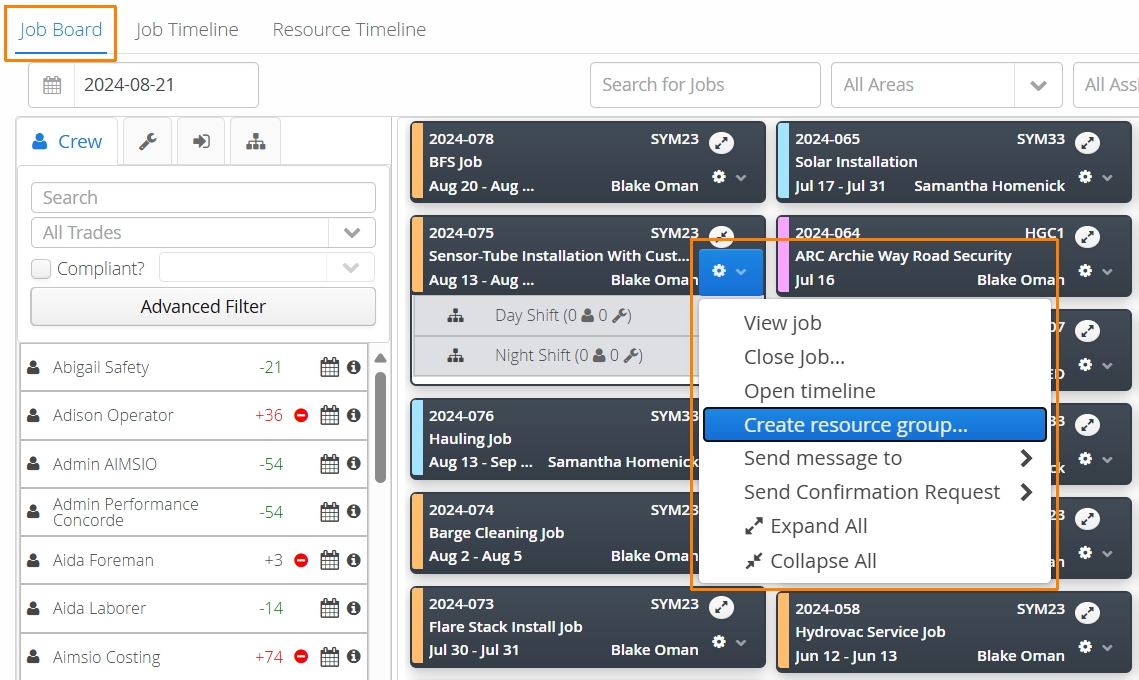
Common examples of groups we see are based on shift work (e.g. Day Shift or Night Shift).
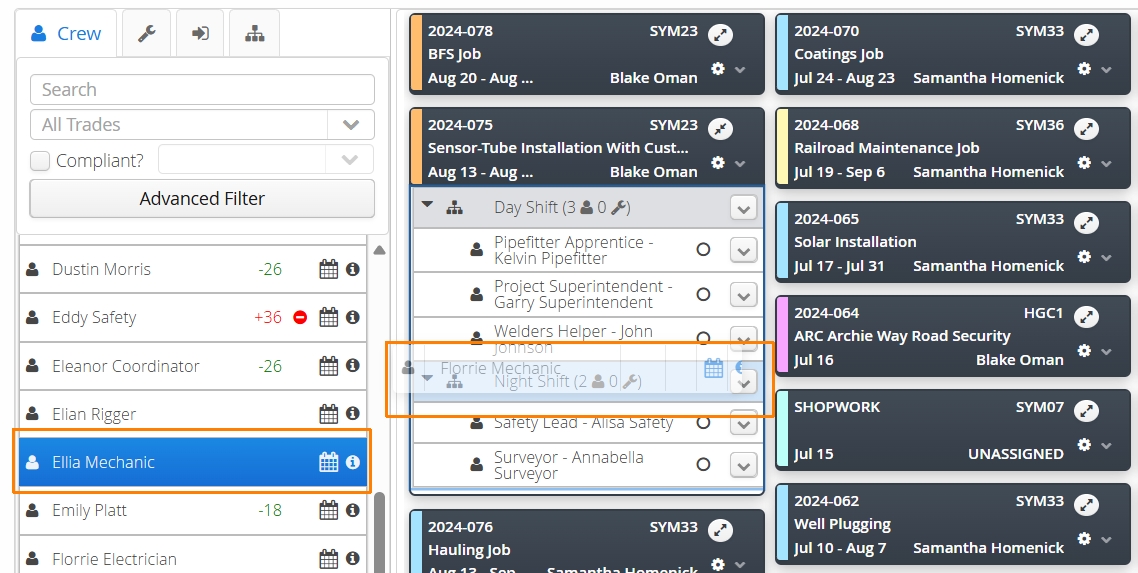
Once groups are created, resources can either be dropped into a group..
or scheduled into a group directly using the Job Timeline or Resource Timeline.
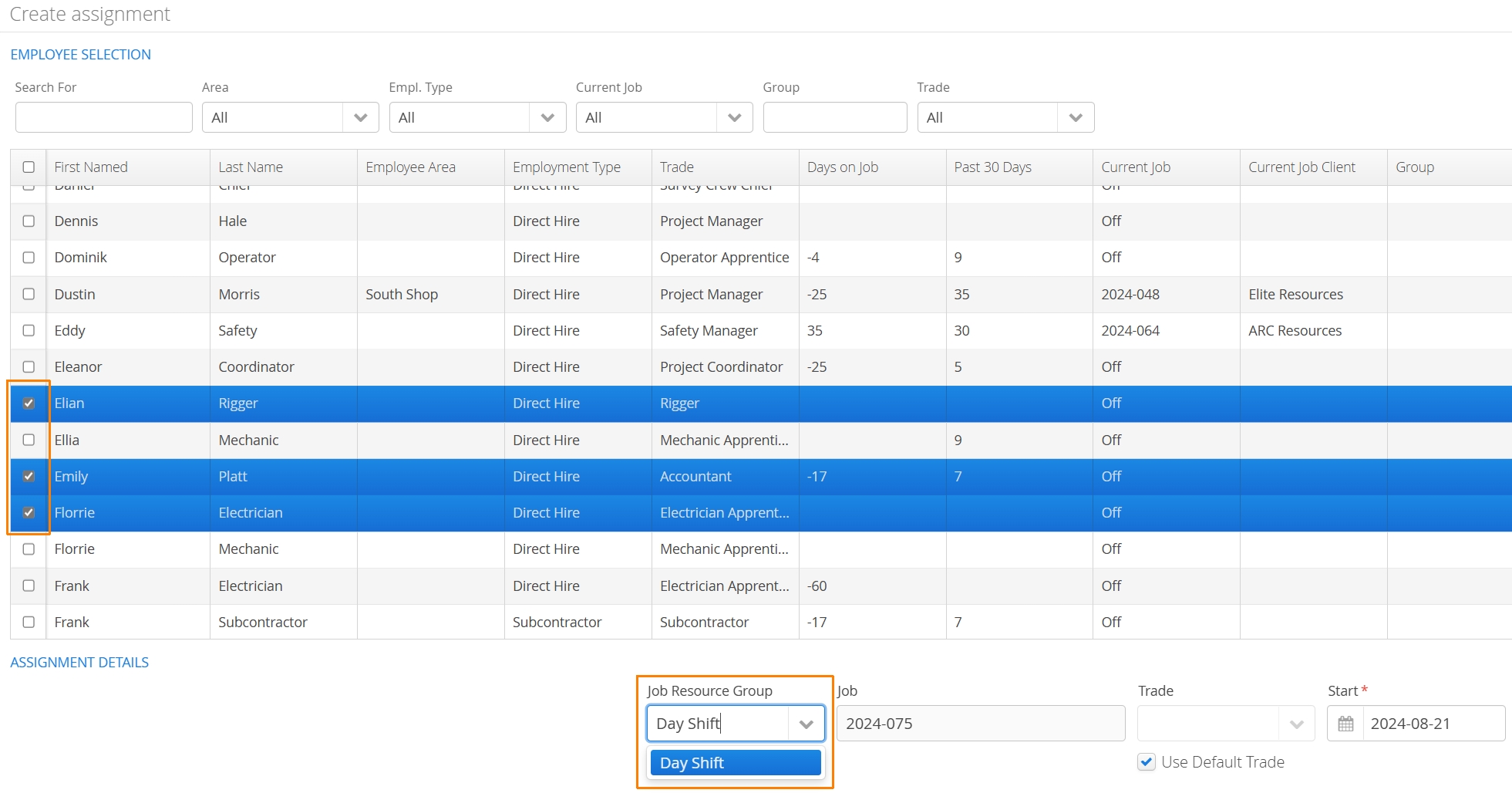
Resource Groups can only be created using the Job Board.
Once resources have been scheduled into a group, users can select the Resource Group before using the Pull Schedule Resources action on a form.
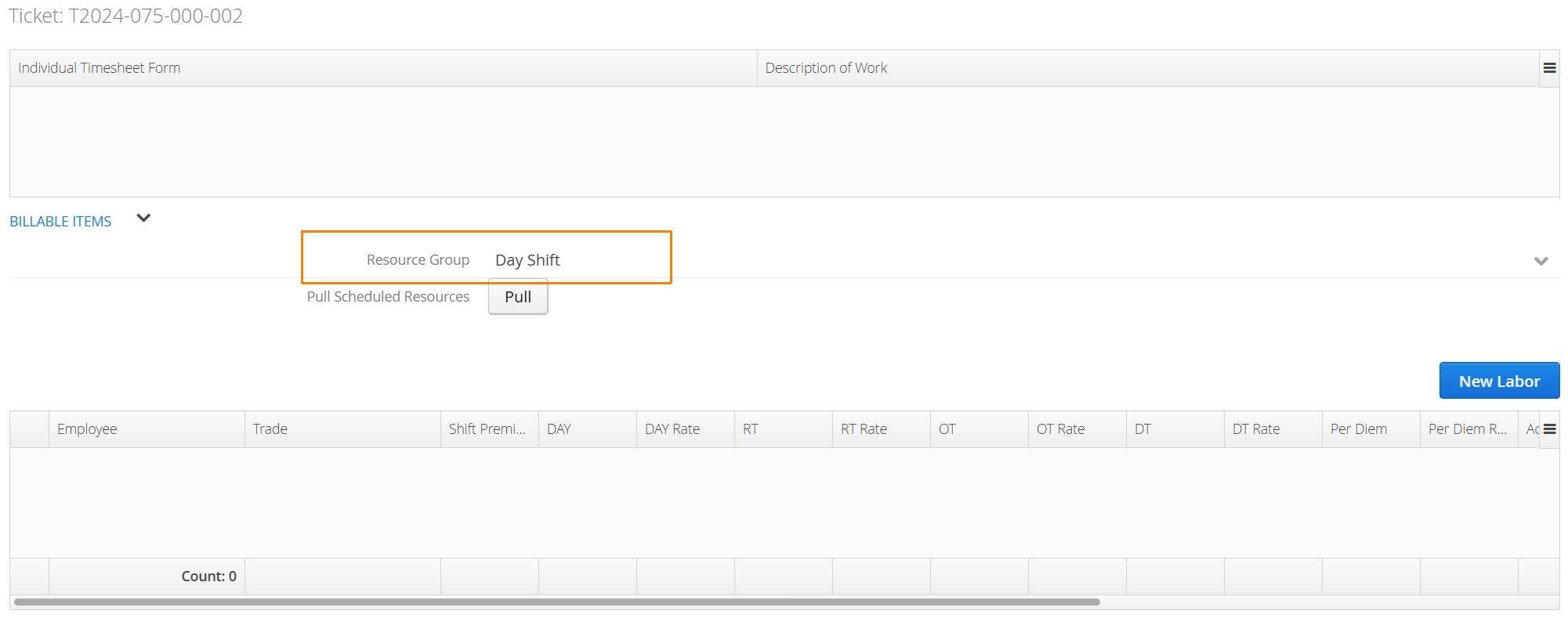
Only the selected group will appear.
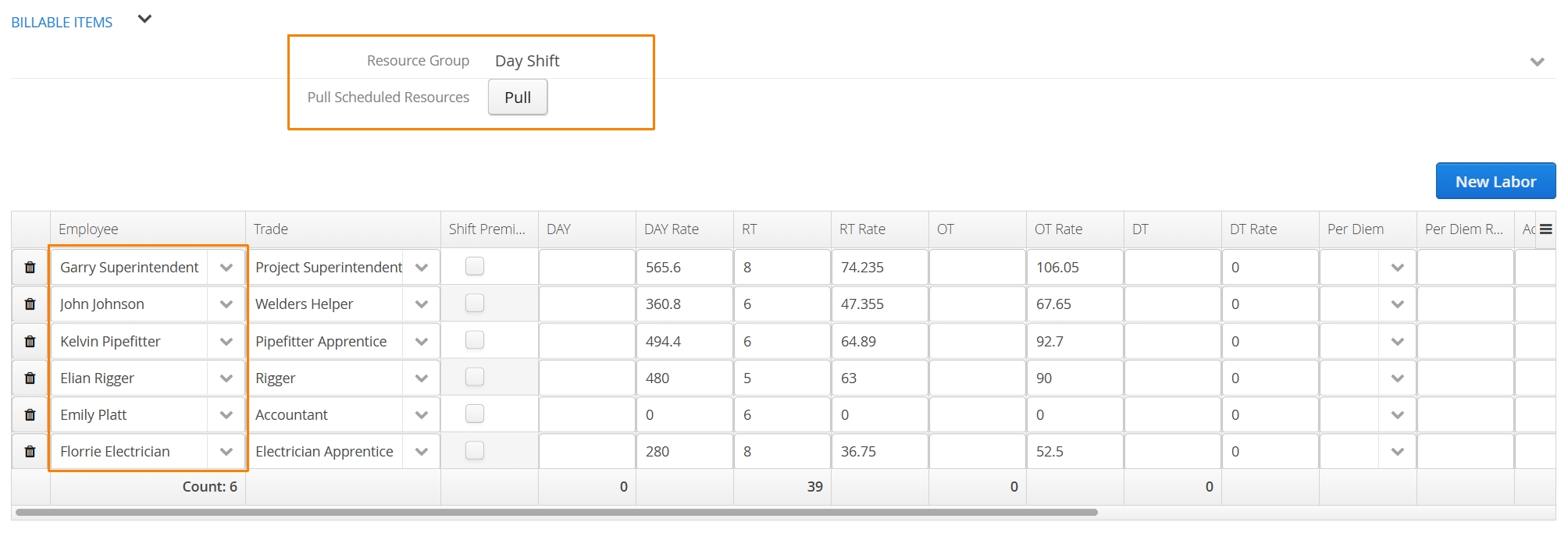
This also works with Resource Templates!
Accounts interested in this feature will need to get in touch with our support team for implementation.
Resource Timeline
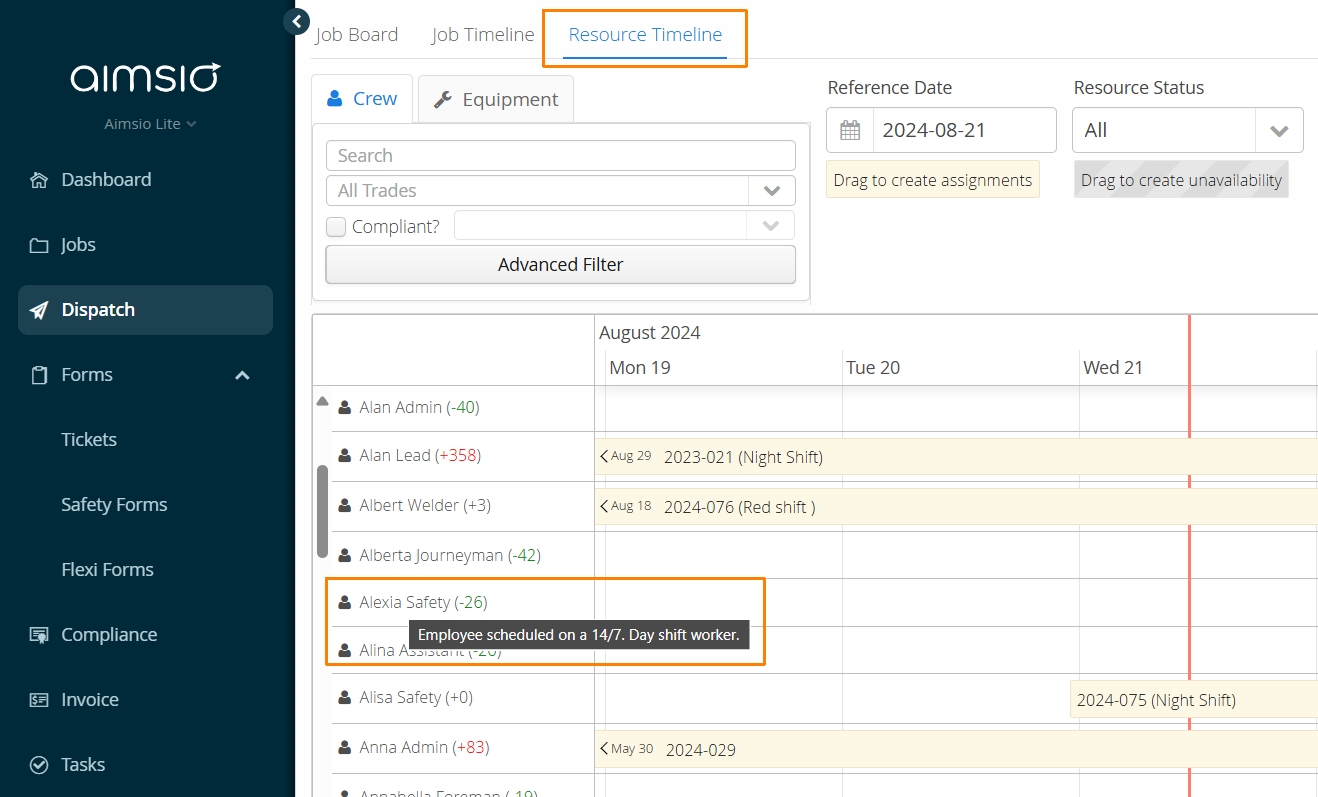
We now support the display of Employee ‘Notes’ as a tooltip when hovering the mouse over an Employee name on the Resource Timeline.
Edit an Employee profile to use the Notes field.
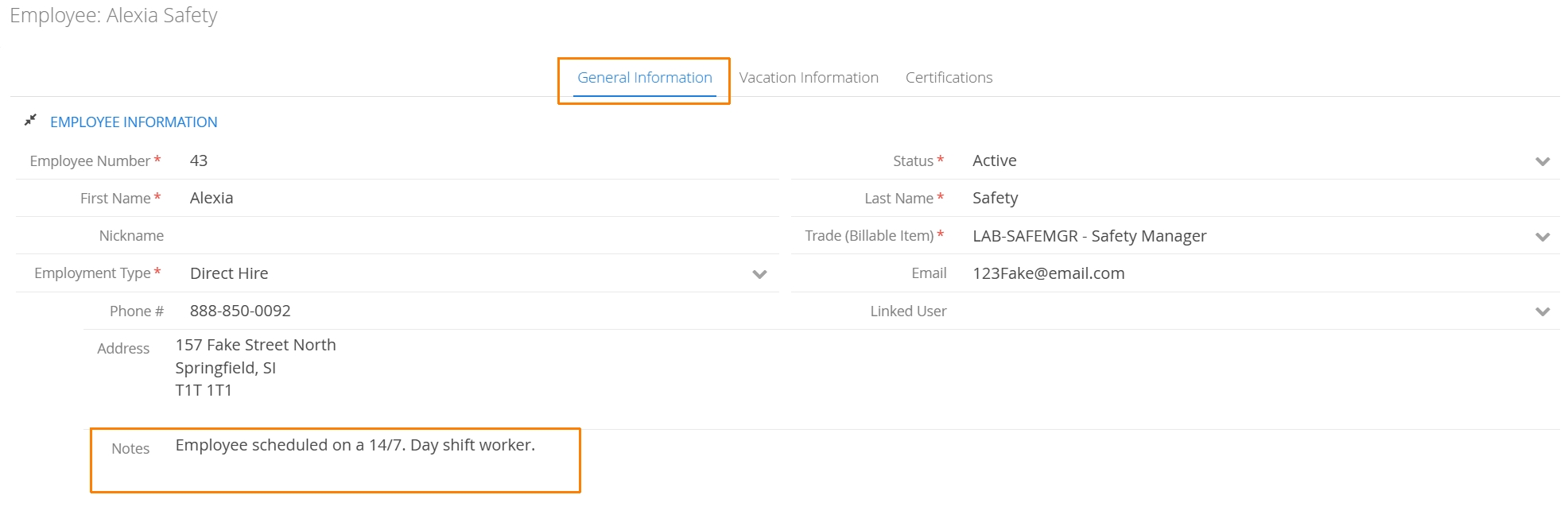
These notes will now be visible from the Resource Timeline.