What’s new in version 25.16
We’re streamlining how we track Non-Recurring Billable Items in your Job Performance report. It’s also now easier to save changes after editing a WBS. Read on for details.
Questions about our latest updates? Contact our support team.
Non-Recurring Billable Items
We’ve deprecated a legacy option in the WBS Configuration that previously automated how Non-Recurring Billable Items were calculated. Accounts will not longer see the option to automatically track NRBs as Non-Billable $.
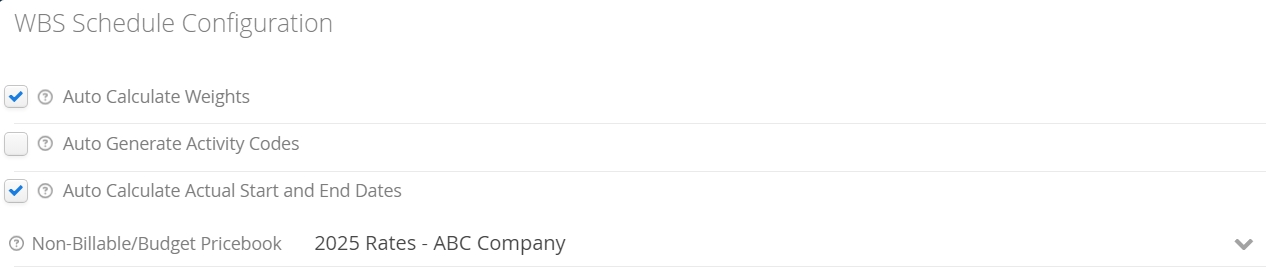
This created situations that would track NRBs as Non-Billable $, even when they were charged back as Billable $. There were also scenarios where NRBs would be double-counted when they were intentionally charged back as Non-Billable $.
To remedy this, we’re baking in the automation of tracking Non-Billable $, but only if the NRB is specifically marked as Non-Billable under Account Type in the NRB window.
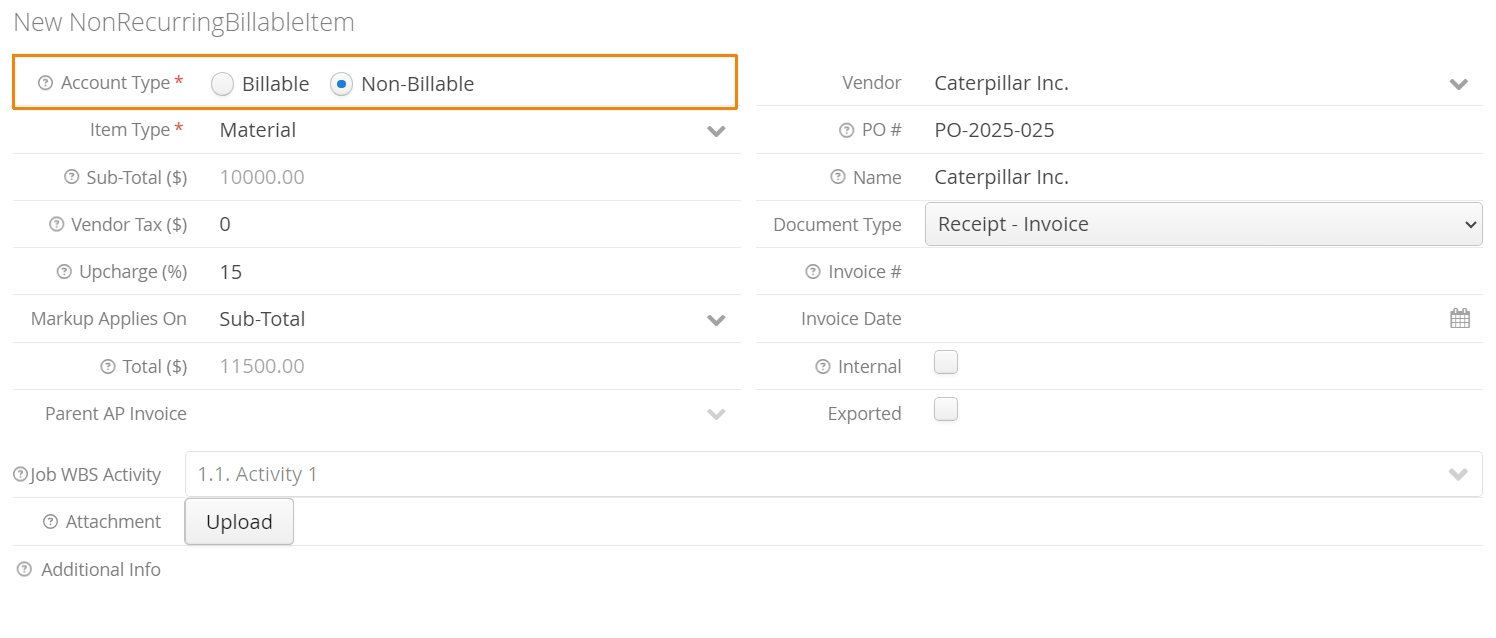
When a Non-Recurring Billable Item’s Account Type is marked as Non-Billable, Aimsio will automatically track the NRB as Non-Billable $ in your Job Performance report. If the NRB gets charged on a form, Aimsio will not double-count the Non-Billable $.
If accounts do not want NRB values to appear on forms, or as Billable or Non-Billable $ their Job Performance report, they can mark the NRB as Internal.
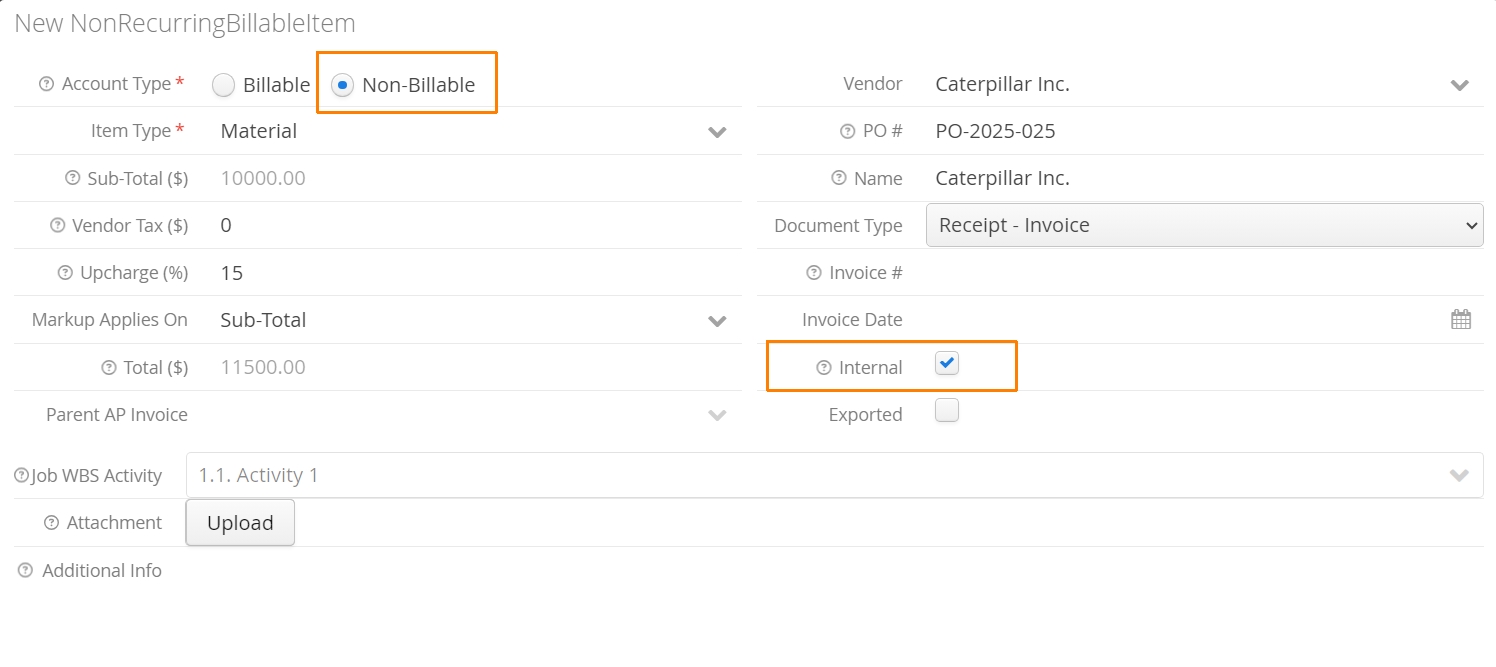
Internal NRBs will not appear on Tickets and cannot be charged back to customers. The value will still be recorded as Cost $ in your Job Performance report.
Saving Work Breakdown Structure Changes
Previously, when users would make changes to a Job’s WBS, they would need to remember to click the Save button before navigating away, otherwise their changes would be lost.

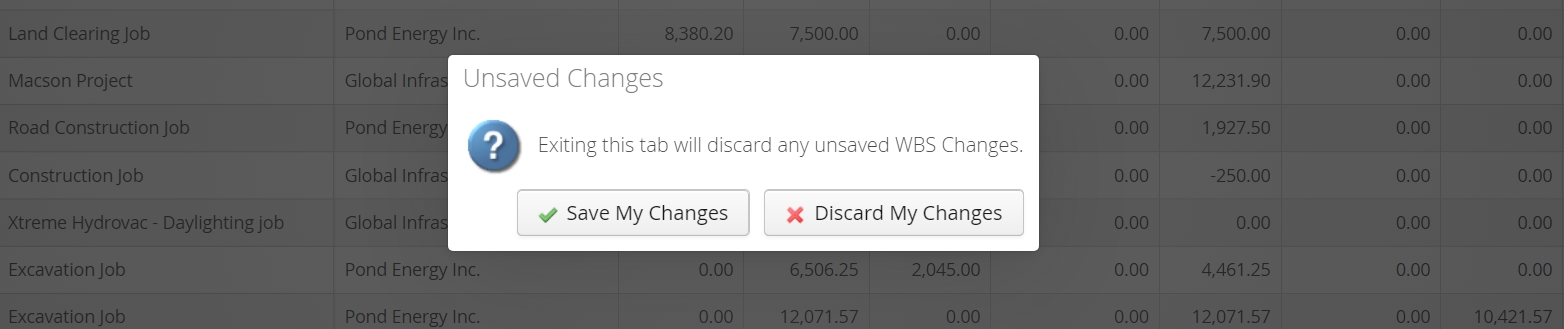
Starting this week, when users navigate away from the WBS tab under a Job, they will be prompted to save their changes.