What’s new in version 23.16
If any of our newest features are not yet available in your account, feel free to get in touch with our support team.
Client Portal
It is now possible for users to set the number of days before a document approval request is set to expire. Select from options from ranging from 1 to 180 days, or never. Expiration days count down starting the day after the document was sent for approval (current day + number of days before expiry).
Documents that have surpassed their expiry date will inherit a status of “Expired” inside Aimsio.
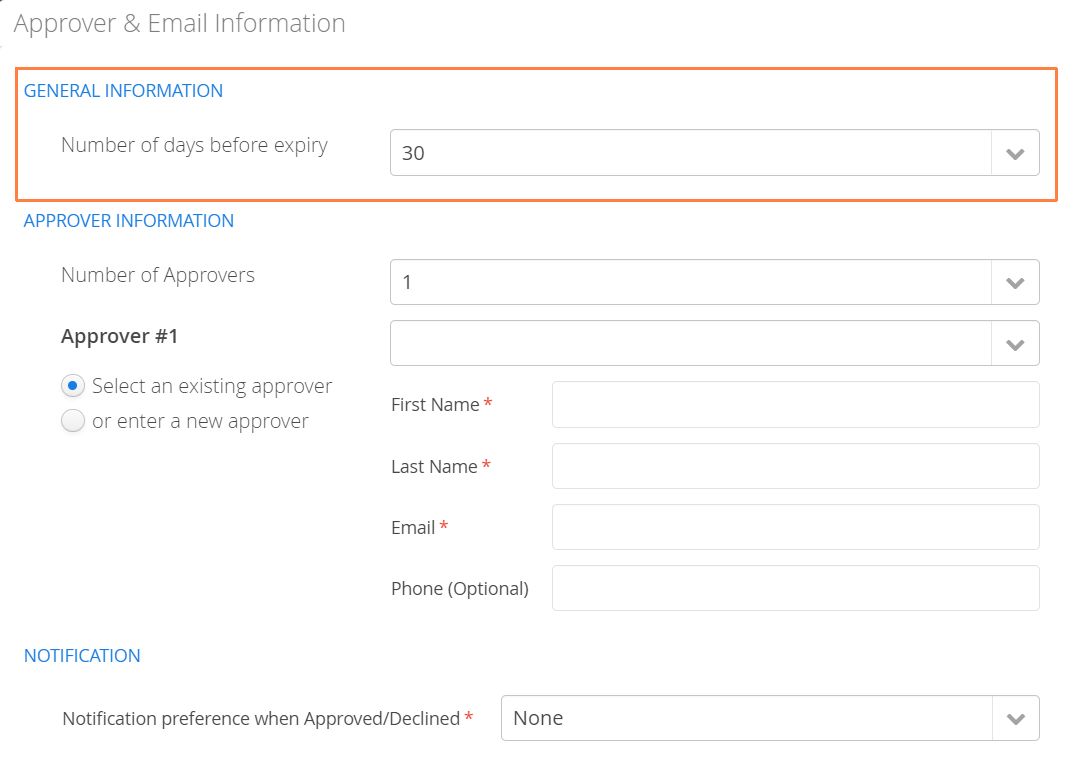
Read more about getting documents digitally approved by visiting our Client Portal documentation available in our Help Center.
Approver Portal
Approvers are now able to edit or input codes (AFE, Maj, Minor etc.) associated with the document they are approving.
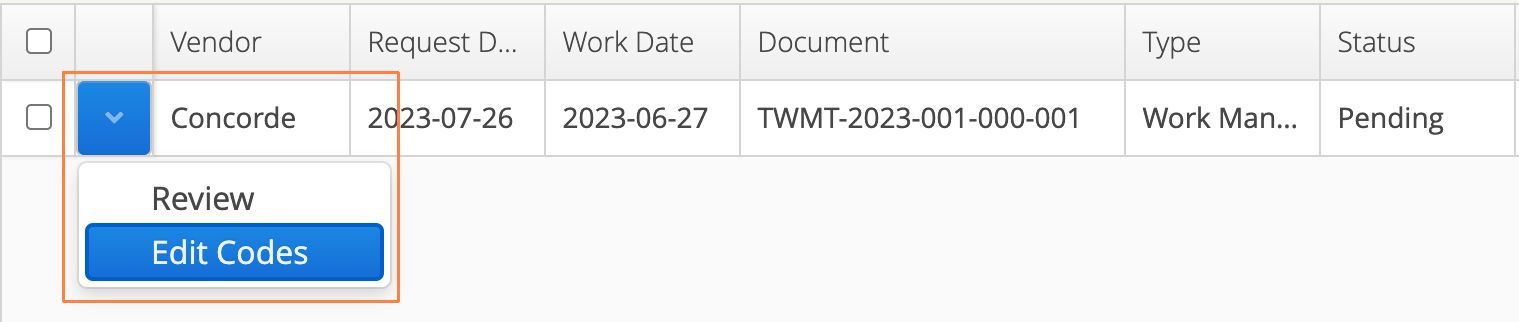
These codes are strictly available for approvers and will not currently change any of the information on the original document.
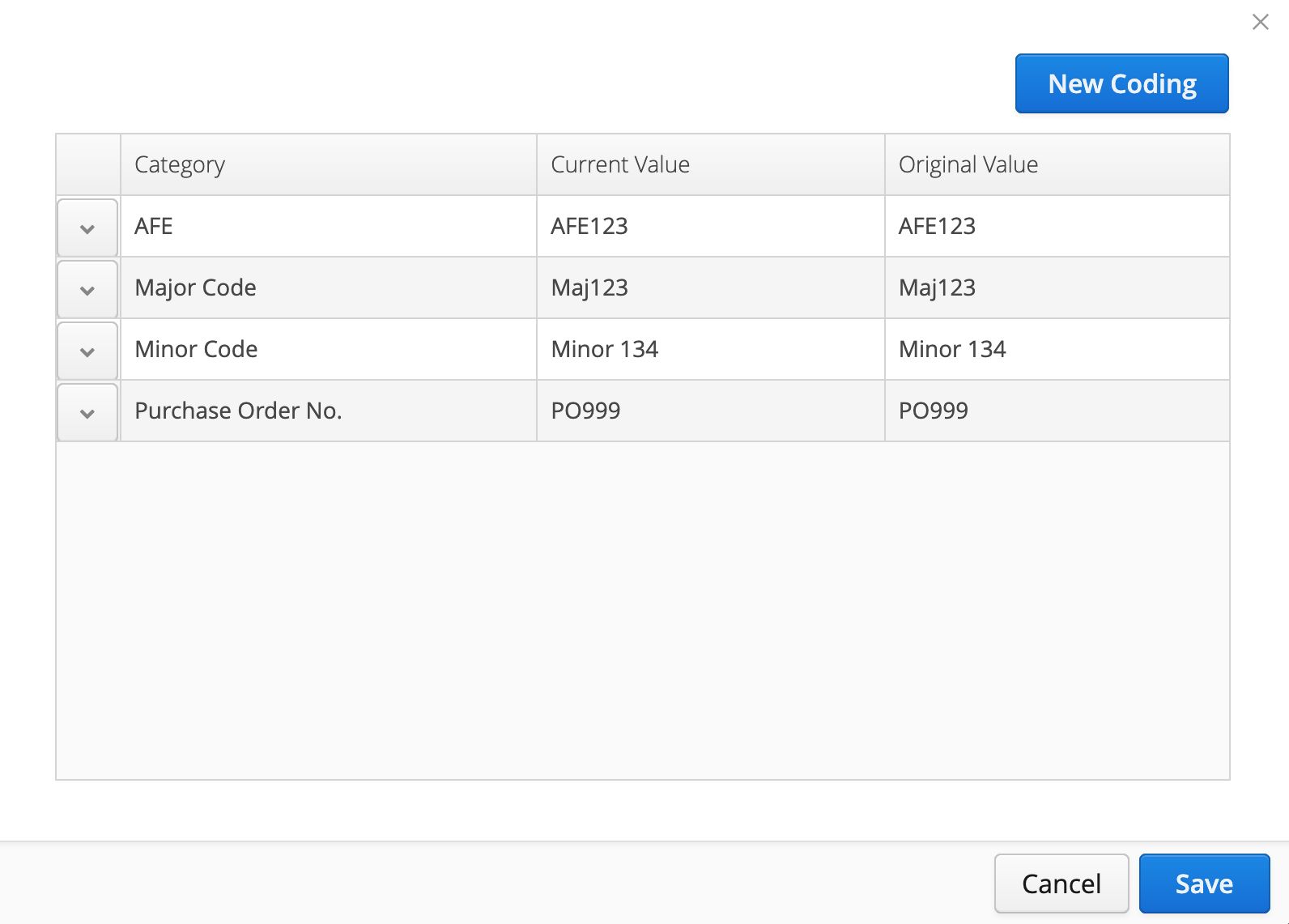
Using the free text filter available in the Approver Portal, approvers can quickly locate documents by these codes in the future.

Learn how your clients can approve all your documents directly in Aimsio by making a free account for our Approver Portal. See our Help Center for more information.
Forms (Web)
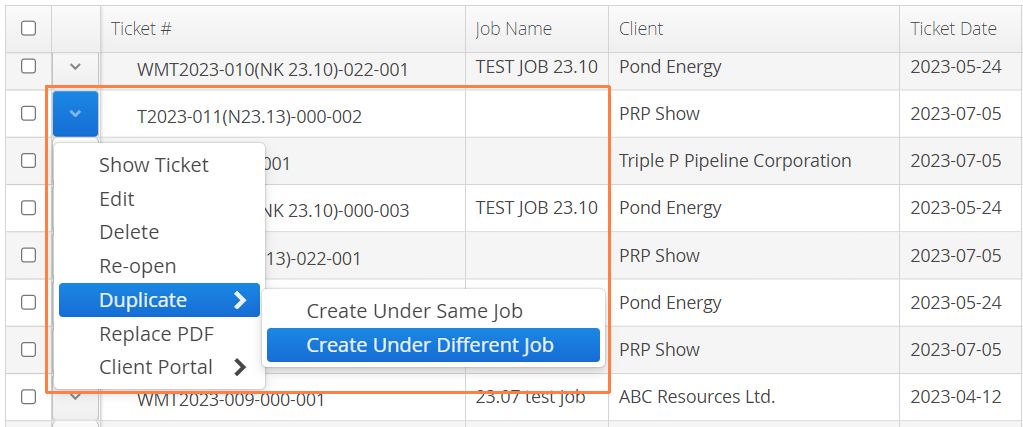
We now support the ability to duplicate any job-related form and associate it to a different job. This is especially useful if users need to quickly spin up a form before a job is created, or if the original form was created under the wrong job by mistake.