What’s new in version 25.14
We’re updating the way WBS Physical Progress is captured, so teams will have a historical record of each milestone. Read on for details.
Questions about our latest updates? Contact our support team.
WBS Physical Progress
There are two ways Physical Progress of a WBS Activity can be recorded:
-
via Crew Timesheet or Ticket
-
Manually, from a WBS Activity window
Starting this week, Physical Progress can still be recorded on either form, but we’re changing how manual entries are handled. From a WBS Activity window, the Completed field is now read-only and a new Progress Transactions tab is available.
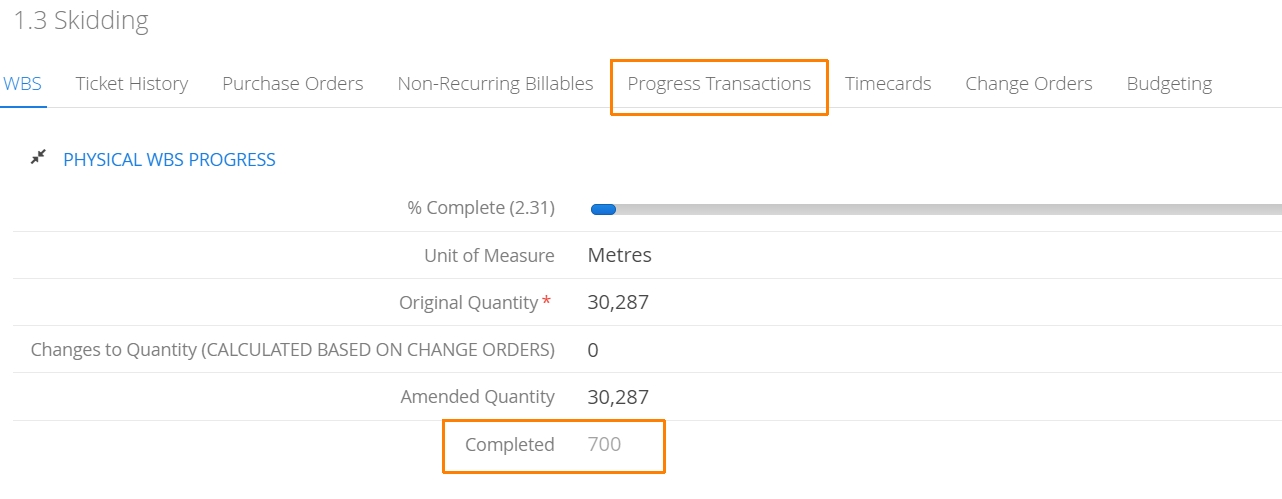
When users navigate to Progress Transactions, they’ll find a history of previously recorded physical progress milestones. Manual entries can be created by click on the New Progress Transaction button.

Aimsio will begin tracking Progress Transactions under this tab starting this week and moving forward.
Manual Progress Transactions will be date stamped and can include custom notes. Users can input updated quantities in the Completed Quantity field.

Physical Progress that has been recorded on a Crew Timesheet or Ticket will also appear under the Progress Transactions tab starting this week.
Master Data
We are nearly wrapped with our version tracking initiative for Master Data items. We will begin rolling out permission policies so accounts can start viewing changes by next release.
Starting this week, we’ve begun tracking changes made to Price Book items and Contacts. If changes are made to your account’s Master Data, Aimsio will start storing them.
We are currently tracking changes to Billable Items, Price Books (item rates), Equipment, Locations, Companies, Contacts, Users and Employees.