What’s new in version 23.24
This is our last release of 2023. We want to thank all of our customers for your continued feedback. You help ensure we’re providing the best possible user experience for our platform. Have a great holiday and we’ll be back in 2024 with more updates planned!
Dashboard
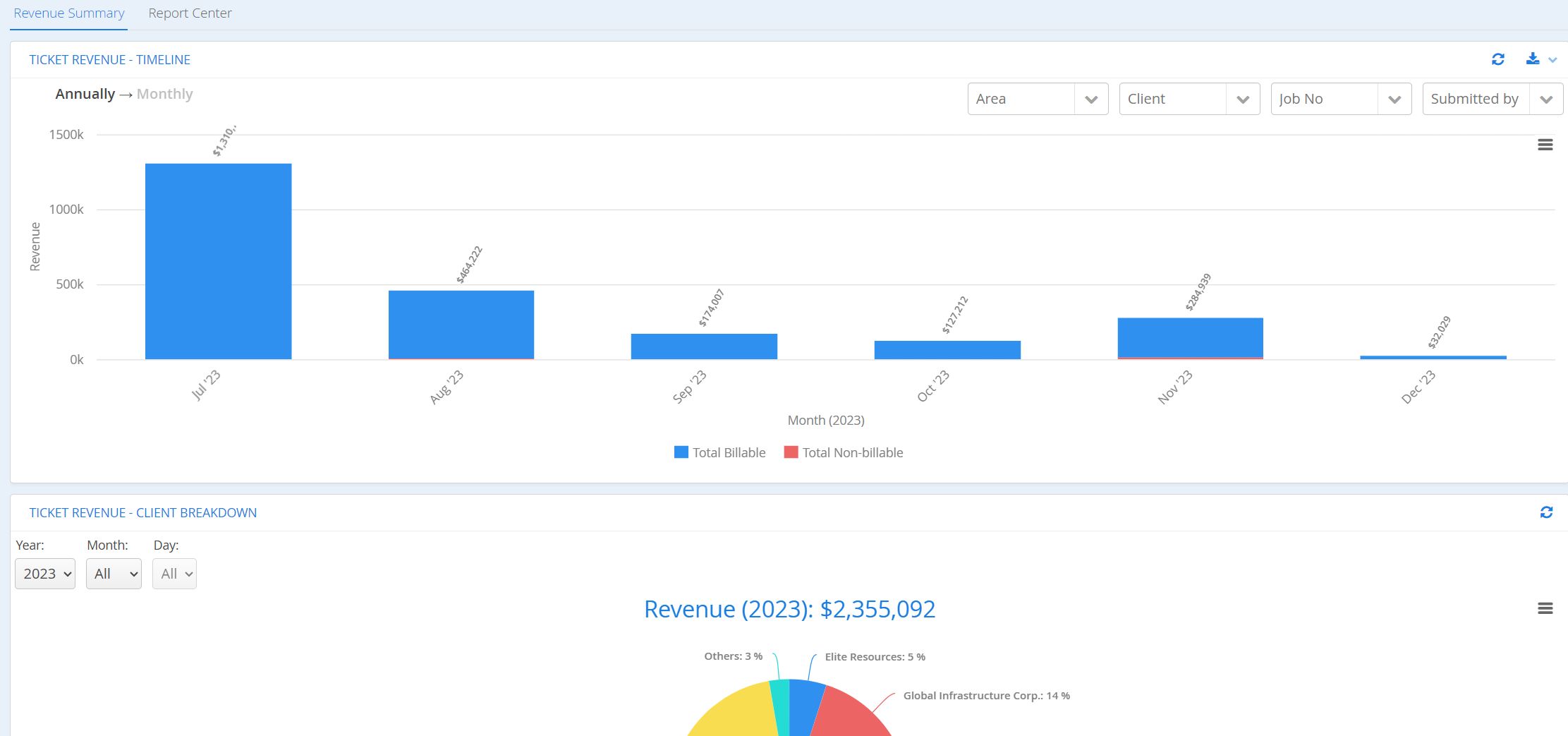
- We have made improvements to the load times of our Dashboard charts for all web users authorized to view this page.
Change Orders
We’ve introduced a new table on Change Order forms to allow customers to formalize and track updates to physical job progress. In other words, users can now make adjustments to the originally Planned Start and Planned End dates of a Phase/Activity, as well as adjust the measurable quantities related to those deliverables. This feature is intended to work alongside our customers leveraging WBS for Job Performance reporting.
- All Change Orders will now contain a standalone section for Quantity and Date Changes to a WBS Phase.

-
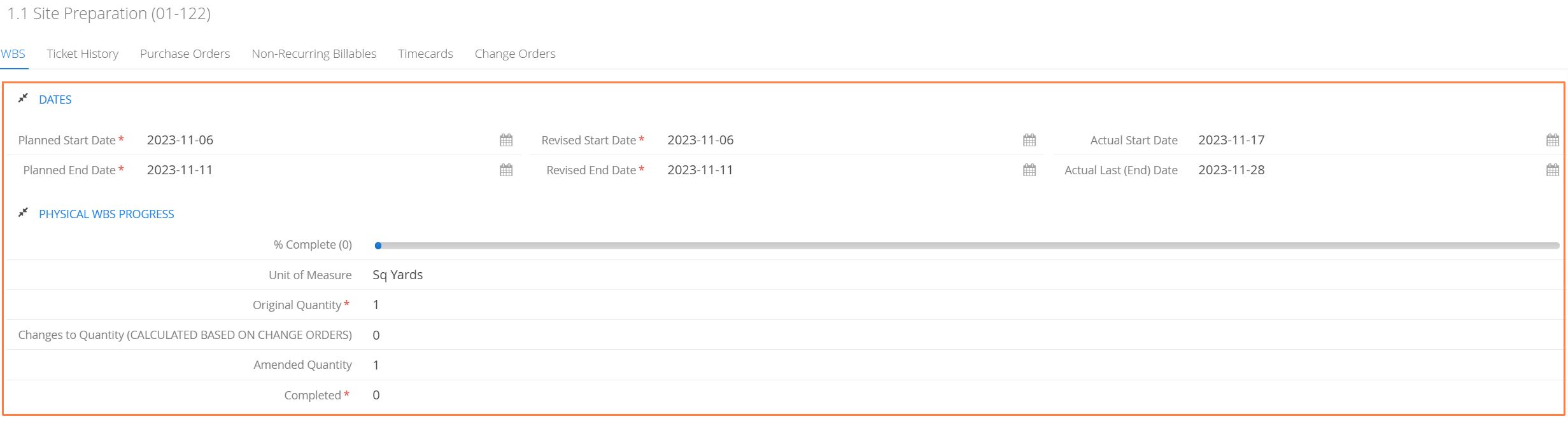
This table relates directly to the Deliverable Information > Dates + Physical WBS Progress sections found on every Phase/Activity in a WBS chart.
- We now track whether there are any approved changes to the originally planned quantities or dates using a Revised Start Date, Revised End Date and Changes to Quantity field.
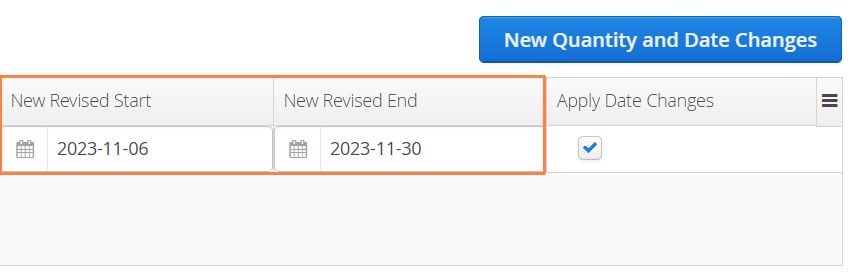
- On a Change Order, when a user selects a phase, the currently projected total quantity to completion will appear under the Amended Quantity column. Revised quantities can be inputted under the New Changes column.

- Users can also adjust the originally planned start or end dates under the New Revised Start and New Revised End columns.
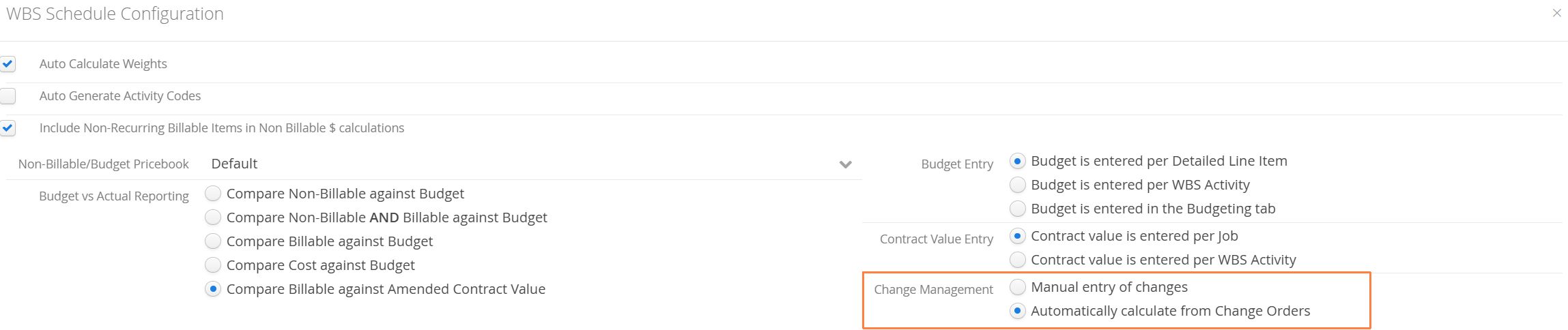
- All revisions to quantities or dates can be updated manually, but the default behavior will be to automatically track updates from approved Change Orders. This option is located under the WBS Configuration settings under Change Management.
Security
-
To protect users from malicious contents trying to insert links or execute commands through some Excel formula, we are now removing some special characters from the beginning of a dataset when exporting to CSV.
-
”=”, ”+”, ”-”, or ”@”. If you have any of these characters at the beginning of a value, they will be trimmed during a csv export.
-
Numbers/Integers (ie: phone numbers) are excluded from sanitization.
-
Programs such as Microsoft Excel or LibreOffice Calc may interpret cells starting with certain characters as a formula, which can be used to insert malicious links or even execute commands in some circumstances.
-